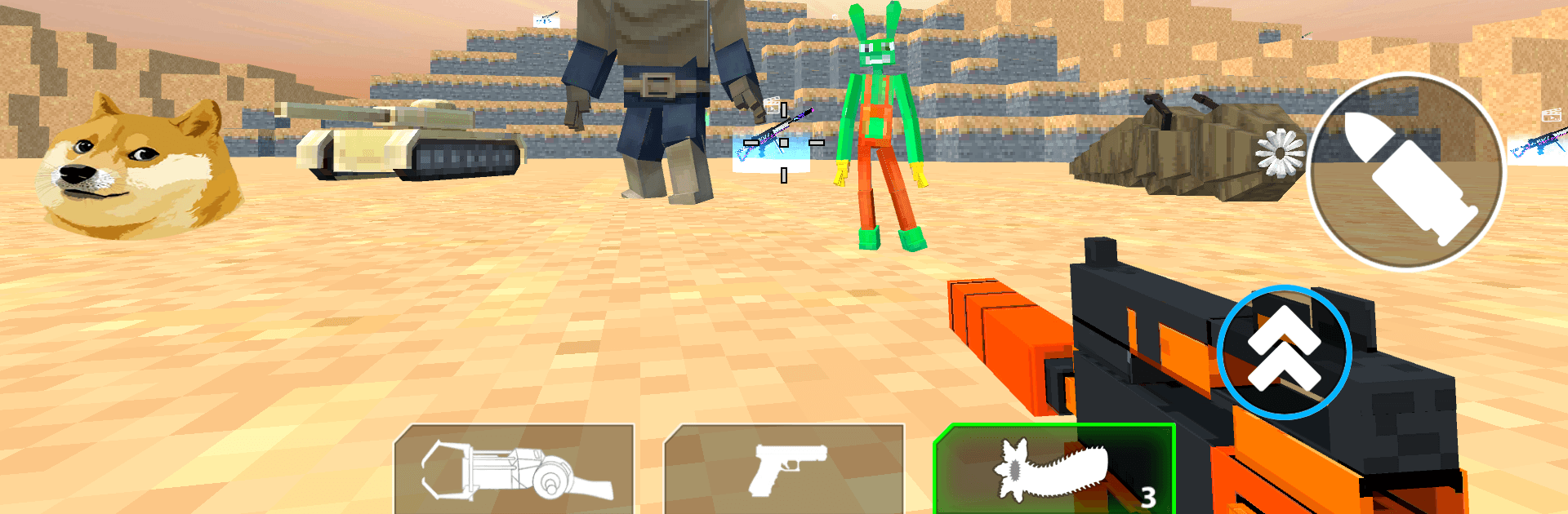
Sandbox Craft Shooter Survival

Sandbox Craft Shooter Survival

Simulation

| Cooking Game Global

Play on PC with BlueStacks or from our cloud

  • Overview
  • Game Features
  • How to Play

Page Modified On: August 10, 2026

Play Sandbox Craft Shooter Survival on PC or Mac

Sandbox Craft Shooter Survival brings the Simulation genre to life, and throws up exciting challenges for gamers. Developed by Cooking Game Global, this Android game is best experienced on BlueStacks, the World’s #1 app player for PC and Mac users.

About the Game

Sandbox Craft Shooter Survival blends the freedom of a builder with the thrill of a shooter, wrapped in a gritty Simulation vibe. You’re dropped into open-ended worlds where you can scavenge, craft, and fight—then turn around and design a base that actually keeps you alive. It’s equal parts creativity and chaos, and the game happily lets you lean into either side.

Game Features

  • Open-World Sandbox: Roam sprawling maps, pick your path, and turn scrap into something useful (or just loud and explosive).
  • Craft-and-Blast Combat: Gather materials to make weapons and gear, then put them to work in fast firefights where positioning and timing matter.
  • Solo or Squad Play: Go it alone for full control, or hop into multiplayer to coordinate builds, share loot, and cover each other when things go sideways.
  • Chapters with Variety: Jump between harsh planets, claustrophobic facilities, and slick space stations—each with distinct resources and threats.
  • Build and Fortify: Throw up walls, traps, turrets, and clever choke points. A smart layout can save more ammo than any clip.
  • Survival Scenarios: Manage supplies, plan your routes, and make the tough calls that keep you breathing when waves roll in.
  • Explore High and Low: Scour underground dungeons for rare loot, then head skyward to off-world sites and hidden corners worth the risk.
  • 3D Look and Sound: Crisp visuals and punchy audio sell each firefight and make every crafted piece feel solid.
  • Smooth on PC with BlueStacks: Prefer a keyboard, mouse, and roomy screen? It plays nicely there, too.

Get ready for a buttery smooth, high-performance gaming action only on BlueStacks.

Game Features

Enhancements

  • Macros
  • Multi Instance
  • Multi Instance Sync
  • Script
  • Enhancements
Macros

Macros

Automate the predictable in Sandbox Craft Shooter Survival and transform your gameplay with Macros. Get access to inventive Macros in the BlueStacks Macro Community
Multi Instance

Multi Instance

Play Sandbox Craft Shooter Survival on one window. And chat with your friend on the other. Press CTRL + Shift + 8 to open the Multi-Instance Manager. And start creating fresh instances or clone an existing one.
Multi Instance Sync

Multi Instance Sync

Play Sandbox Craft Shooter Survival with the power of Multi-Instance Sync. Replicate what you are doing on the main instance on all other instances. Level up faster, play more.
Script

Script

Script your way to gaming glory in Sandbox Craft Shooter Survival with BlueStacks Script. Write and run a set of commands to automate repeated tasks. Trigger the command by assigning it to any key.
Read More

How to Download and Play Sandbox Craft Shooter Survival on PC or Mac

  • Download and install BlueStacks on your PC or Mac

  • Complete Google sign-in to access the Play Store, or do it later

  • Look for Sandbox Craft Shooter Survival in the search bar at the top right corner

  • Click to install Sandbox Craft Shooter Survival from the search results

  • Complete Google sign-in (if you skipped step 2) to install Sandbox Craft Shooter Survival

  • Click the Sandbox Craft Shooter Survival icon on the home screen to start playing

video
Watch Video

Minimum System Requirements

With BlueStacks 5, you can get started on a PC that fulfills the following requirements.

  • Operating System

    Microsoft Windows 7 or above, macOS 11 (Big Sur) or above

  • Processor

    Intel, AMD or Apple Silicon Processor

  • RAM

    at least 4GB

  • HDD

    10GB Free Disk Space

Note:

* You must be an Administrator on your PC. Up to date graphics drivers from Microsoft or the chipset vendor.

Sandbox Craft Shooter Survival - FAQs

  • How to play Sandbox Craft Shooter Survival on Windows PC & Mac?

    Play Sandbox Craft Shooter Survival on your PC or Mac by following these simple steps.

    • Click on 'Play Sandbox Craft Shooter Survival on PC’ to download BlueStacks
    • Install it and log-in to Google Play Store
    • Launch and play the game.
  • Why is BlueStacks the fastest and safest platform to play games on PC?

    BlueStacks respects your privacy and is always safe and secure to use. It does not carry any malware, spyware, or any sort of additional software that could harm your PC.

    It is engineered to optimize speed and performance for a seamless gaming experience.

  • What are Sandbox Craft Shooter Survival PC requirements?

    Minimum requirement to run Sandbox Craft Shooter Survival on your PC

    • OS: Microsoft Windows 7 or above MacOS 11 (Big Sur) or above
    • Processor: Intel, AMD or Apple Silicon Processor
    • RAM: Your PC must have at least 4GB of RAM. (Note that having 4GB or more disk space is not a substitute for RAM)
    • HDD: 10GB Free Disk Space.
    • You must be an Administrator on your PC.