Frontline WW2: War Heroes

Frontline WW2: War Heroes

Action

| Cooking Game Global

Play on PC with BlueStacks or from our cloud

  • Overview
  • Game Features
  • How to Play

Page Modified On: June 09, 2026

Play Frontline WW2: War Heroes on PC or Mac

Frontline WW2: War Heroes by Cooking Game Global has plenty to keep you busy. BlueStacks lets you play it on PC or Mac with more screen space, better control, and fewer mobile limits.

About the Game

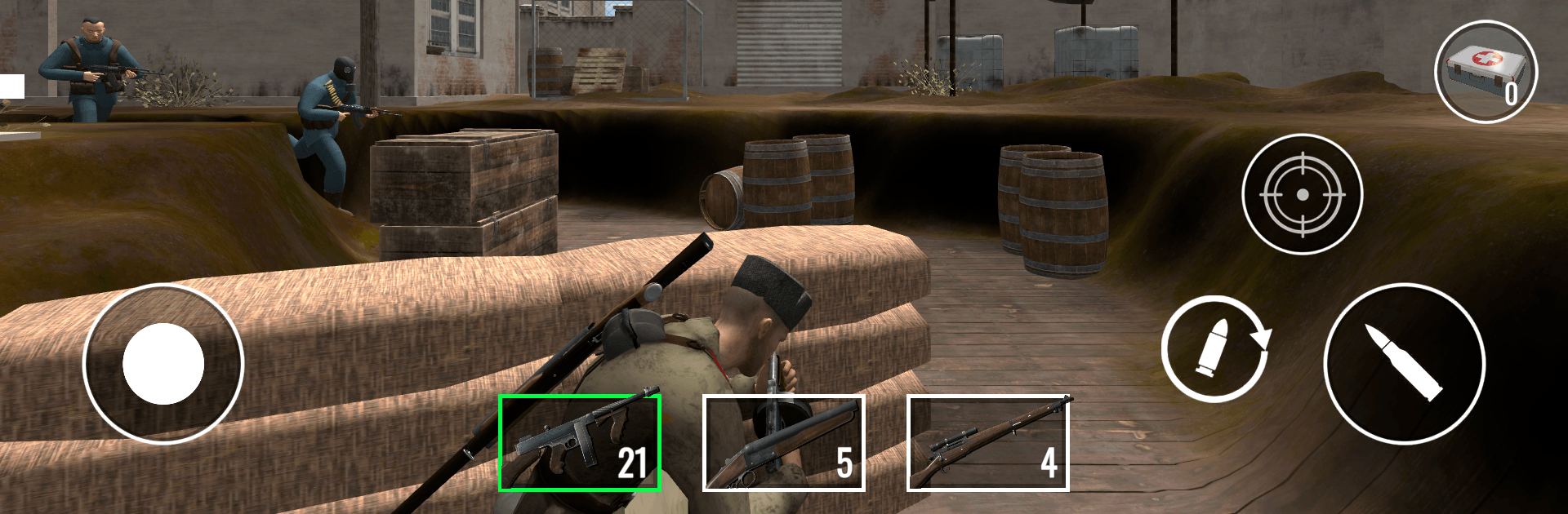
Frontline WW2: War Heroes throws you straight onto chaotic battle lines where every shot and split-second choice counts. It’s a punchy shooter set across war-ravaged fronts, blending quick action with moments where you’ll need to breathe, plan, and pick your targets. Expect tight firefights, evolving threats, and loads of ways to tweak your loadout so the next push hits harder than the last.

Game Features

  • Gritty WW2 combat: Feel the crunch of close-quarters skirmishes and the rush of long-range takedowns as you push through contested zones.
  • Missions that keep you moving: Jump into swift operations that escalate fast—clear objectives, hold ground, and adapt as the field shifts.
  • Tactics that actually matter: Positioning, timing, and aim come first. Change angles, switch weapons, and rethink your approach when enemies press hard.
  • Weapons you can grow with: Upgrade your arsenal to fine-tune power and handling, then swap gear to match the next mission’s chaos.
  • Relentless waves, rising pressure: Survive increasingly tough enemy pushes that force you to manage ammo, pick targets, and stay calm under fire.
  • Realistic battlefields and effects: War-torn streets, pounding explosions, and dynamic visuals sell the moment without getting in your way.
  • Smooth on a bigger screen: Prefer mouse-and-keyboard precision? BlueStacks makes it easy to play comfortably on desktop while keeping the action sharp.

Get ready for a buttery smooth, high-performance gaming action only on BlueStacks.

Game Features

Enhancements

  • Macros
  • Multi Instance
  • Multi Instance Sync
  • Eco Mode
  • Enhancements
Macros

Macros

Skip the boring parts of a game. Play Frontline WW2: War Heroes with Macros and get the edge. Simply record a sequence of commands and execute them at any moment.
Multi Instance

Multi Instance

Why limit to one game on your phone when you can play many on your PC? Open multiple instances of Frontline WW2: War Heroes at once with Multi-Instance. Leverage the power of different accounts by doing more.
Multi Instance Sync

Multi Instance Sync

Get the best out of Frontline WW2: War Heroes with Multi-Instance Sync. Play the game from different accounts and build your own empire. Use Multi-instance sync to repeat the action in the main BlueStacks instance on all other instances.
Eco Mode

Eco Mode

Find the rarest heroes by making multiple summons in Frontline WW2: War Heroes. And while you are at it, reduce your PC’s resource consumption with the Eco Mode. Farm efficiently. Get the best results.
Read More

How to Download and Play Frontline WW2: War Heroes on PC or Mac

  • Download and install BlueStacks on your PC or Mac

  • Complete Google sign-in to access the Play Store, or do it later

  • Look for Frontline WW2: War Heroes in the search bar at the top right corner

  • Click to install Frontline WW2: War Heroes from the search results

  • Complete Google sign-in (if you skipped step 2) to install Frontline WW2: War Heroes

  • Click the Frontline WW2: War Heroes icon on the home screen to start playing

video
Watch Video

Minimum System Requirements

With BlueStacks 5, you can get started on a PC that fulfills the following requirements.

  • Operating System

    Microsoft Windows 7 or above, macOS 11 (Big Sur) or above

  • Processor

    Intel, AMD or Apple Silicon Processor

  • RAM

    at least 4GB

  • HDD

    10GB Free Disk Space

Note:

* You must be an Administrator on your PC. Up to date graphics drivers from Microsoft or the chipset vendor.

Frontline WW2: War Heroes - FAQs

  • How to play Frontline WW2: War Heroes on Windows PC & Mac?

    Play Frontline WW2: War Heroes on your PC or Mac by following these simple steps.

    • Click on 'Play Frontline WW2: War Heroes on PC’ to download BlueStacks
    • Install it and log-in to Google Play Store
    • Launch and play the game.
  • Why is BlueStacks the fastest and safest platform to play games on PC?

    BlueStacks respects your privacy and is always safe and secure to use. It does not carry any malware, spyware, or any sort of additional software that could harm your PC.

    It is engineered to optimize speed and performance for a seamless gaming experience.

  • What are Frontline WW2: War Heroes PC requirements?

    Minimum requirement to run Frontline WW2: War Heroes on your PC

    • OS: Microsoft Windows 7 or above MacOS 11 (Big Sur) or above
    • Processor: Intel, AMD or Apple Silicon Processor
    • RAM: Your PC must have at least 4GB of RAM. (Note that having 4GB or more disk space is not a substitute for RAM)
    • HDD: 10GB Free Disk Space.
    • You must be an Administrator on your PC.