Troll Obby: Chaos Challenge

Troll Obby: Chaos Challenge

Simulation

| Cooking Game Global

Play on PC with BlueStacks or from our cloud

  • Overview
  • Game Features
  • How to Play

Page Modified On: June 09, 2026

Play Troll Obby: Chaos Challenge on PC or Mac

Step into the World of Troll Obby: Chaos Challenge, a thrilling Simulation game from the house of Cooking Game Global. Play this Android game on BlueStacks App Player and experience immersive gaming on PC or Mac.

About the Game

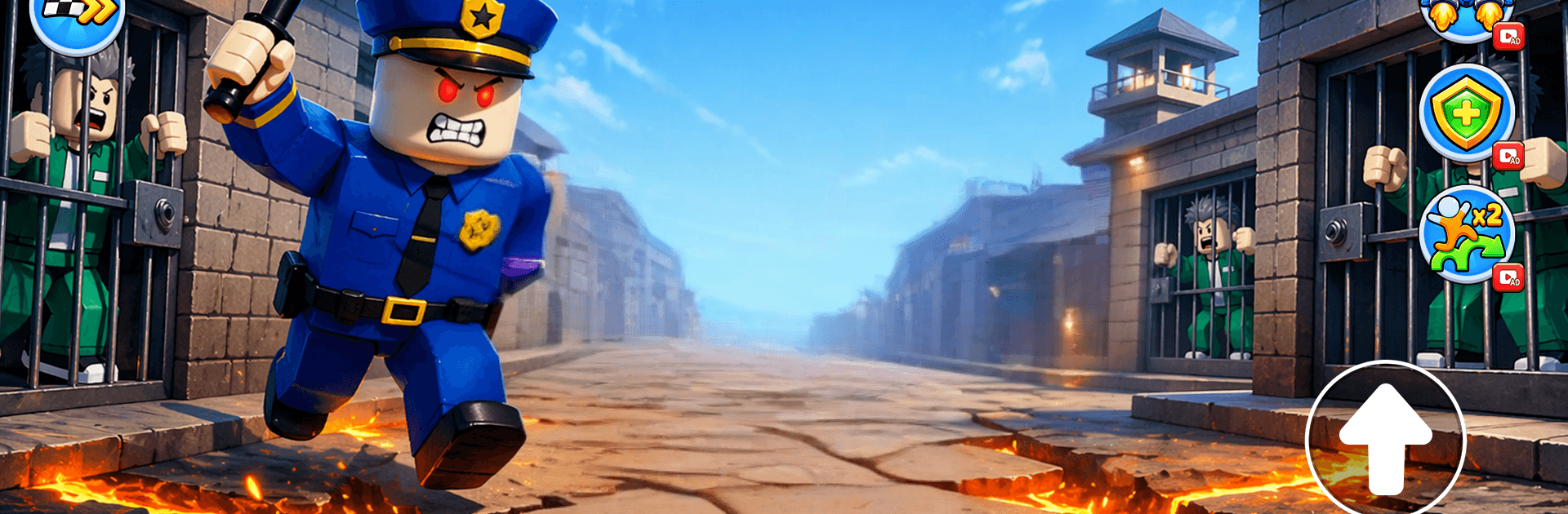
Troll Obby: Chaos Challenge is a cheeky Simulation obstacle-runner that loves messing with your instincts. The course looks simple—then a platform vanishes, a laser sweeps the room, or a trap flips the rules you thought you understood. It’s fast, a little mischievous, and perfect for anyone who enjoys solving chaos under pressure.

Game Features

  • Unpredictable Courses: Each stage mixes shifting platforms, moving hazards, and surprise layouts that keep you second-guessing your next step.
  • Troll Tricks: The obvious path isn’t always the right one. Expect fake-outs, sneaky setups, and gotchas designed to bait your reflexes.
  • Brutal Traps: Spinning blades, crisscrossing lasers, and disappearing platforms force you to read the room and react on instinct.
  • Run, Jump, Climb: Tight, responsive movement lets you chain jumps, scale obstacles, and thread the needle through danger.
  • Fast-Paced Failures: Miss a beat and you’re toast—but quick restarts mean you’re back in the action before the sting wears off.
  • Learn the Patterns: Every fall teaches something. Spot the tells, adapt on the fly, and turn impossible rooms into clean runs.
  • Fresh Surprises: Levels switch up mechanics often so you can’t coast; there’s always a new twist waiting around the corner.
  • PC-Friendly with BlueStacks: Prefer keyboard precision? You can play on PC using BlueStacks for smooth controls and a bigger view without changing the feel.

Ready to top the leaderboard? We bet you do. Let precise controls and sharp visuals optimized on BlueStacks lead you to victory.


Game Features

Enhancements

  • Macros
  • Multi Instance
  • Multi Instance Sync
  • Script
  • Enhancements
Macros

Macros

Automate the predictable in Troll Obby: Chaos Challenge and transform your gameplay with Macros. Get access to inventive Macros in the BlueStacks Macro Community
Multi Instance

Multi Instance

Play Troll Obby: Chaos Challenge on one window. And chat with your friend on the other. Press CTRL + Shift + 8 to open the Multi-Instance Manager. And start creating fresh instances or clone an existing one.
Multi Instance Sync

Multi Instance Sync

Play Troll Obby: Chaos Challenge with the power of Multi-Instance Sync. Replicate what you are doing on the main instance on all other instances. Level up faster, play more.
Script

Script

Script your way to gaming glory in Troll Obby: Chaos Challenge with BlueStacks Script. Write and run a set of commands to automate repeated tasks. Trigger the command by assigning it to any key.
Read More

How to Download and Play Troll Obby: Chaos Challenge on PC or Mac

  • Download and install BlueStacks on your PC or Mac

  • Complete Google sign-in to access the Play Store, or do it later

  • Look for Troll Obby: Chaos Challenge in the search bar at the top right corner

  • Click to install Troll Obby: Chaos Challenge from the search results

  • Complete Google sign-in (if you skipped step 2) to install Troll Obby: Chaos Challenge

  • Click the Troll Obby: Chaos Challenge icon on the home screen to start playing

video
Watch Video

Minimum System Requirements

With BlueStacks 5, you can get started on a PC that fulfills the following requirements.

  • Operating System

    Microsoft Windows 7 or above, macOS 11 (Big Sur) or above

  • Processor

    Intel, AMD or Apple Silicon Processor

  • RAM

    at least 4GB

  • HDD

    10GB Free Disk Space

Note:

* You must be an Administrator on your PC. Up to date graphics drivers from Microsoft or the chipset vendor.

Troll Obby: Chaos Challenge - FAQs

  • How to play Troll Obby: Chaos Challenge on Windows PC & Mac?

    Play Troll Obby: Chaos Challenge on your PC or Mac by following these simple steps.

    • Click on 'Play Troll Obby: Chaos Challenge on PC’ to download BlueStacks
    • Install it and log-in to Google Play Store
    • Launch and play the game.
  • Why is BlueStacks the fastest and safest platform to play games on PC?

    BlueStacks respects your privacy and is always safe and secure to use. It does not carry any malware, spyware, or any sort of additional software that could harm your PC.

    It is engineered to optimize speed and performance for a seamless gaming experience.

  • What are Troll Obby: Chaos Challenge PC requirements?

    Minimum requirement to run Troll Obby: Chaos Challenge on your PC

    • OS: Microsoft Windows 7 or above MacOS 11 (Big Sur) or above
    • Processor: Intel, AMD or Apple Silicon Processor
    • RAM: Your PC must have at least 4GB of RAM. (Note that having 4GB or more disk space is not a substitute for RAM)
    • HDD: 10GB Free Disk Space.
    • You must be an Administrator on your PC.