Sandbox Ragdoll Games

Sandbox Ragdoll Games

Simulation

| Q8Power

Play on PC with BlueStacks or from our cloud

  • Overview
  • Game Features
  • How to Play

Page Modified On: September 07, 2026

Play Sandbox Ragdoll Games on PC or Mac

Play Sandbox Ragdoll Games by Q8Power on PC or Mac with BlueStacks. Use a bigger screen, mouse and keyboard controls, and smoother performance while you play.

About the Game

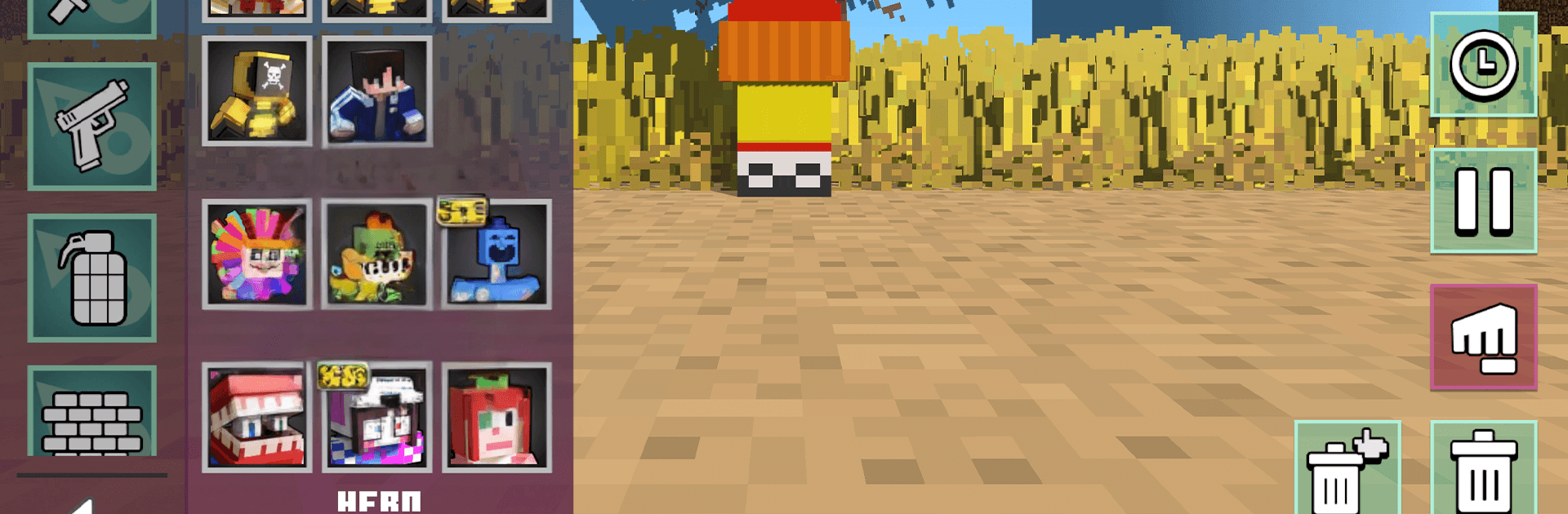
Sandbox Ragdoll Games tosses you into a playful chaos machine where every slip, bounce, and belly flop matters. This Simulation adventure is all about outsmarting hazards, outrunning oversized monsters, and laughing at the physics when things don’t go your way. Want to switch to a bigger screen and keyboard? It runs smoothly on BlueStacks without changing the goofy charm.

Game Features

  • Real Ragdoll Feel: Your character has weight and momentum—stumble, ricochet, and get flung in the most ridiculous ways.
  • Obstacle Gauntlets: Run, jump, climb, and squeeze through shifting platforms, swinging hazards, and surprise traps that keep every route tense.
  • Monster Chases: Giant creatures prowl the arenas; cut tight corners, use cover, and bait them into danger to stay alive.
  • Survival Missions: Bite-sized trials throw unique rules and hazards at you—last long enough, and you’re through.
  • Interactive Arenas: Bright, blocky maps are loaded with jump pads, levers, bumpers, and breakables that reward curious players.
  • Unscripted Comedy: Miss a step and you’ll flip, flop, and cartwheel into slapstick moments you’ll want to replay.
  • Stage Unlocks: Clear runs to open tougher levels with new twists, nastier layouts, and fresh ways to fail (and win).
  • Snappy Controls: Easy to pick up, responsive enough to nail that one sketchy jump you swore was impossible.
  • Fast Retries: Short rounds mean quick restarts, and tiny timing changes lead to wildly different outcomes.
  • Arena Variety: From compact gauntlets to wide-open playgrounds, each space pushes you to move smarter, faster, and weirder.

Ready to top the leaderboard? We bet you do. Let precise controls and sharp visuals optimized on BlueStacks lead you to victory.


Game Features

Enhancements

  • Macros
  • Multi Instance
  • Multi Instance Sync
  • Script
  • Enhancements
Macros

Macros

Automate the predictable in Sandbox Ragdoll Games and transform your gameplay with Macros. Get access to inventive Macros in the BlueStacks Macro Community
Multi Instance

Multi Instance

Play Sandbox Ragdoll Games on one window. And chat with your friend on the other. Press CTRL + Shift + 8 to open the Multi-Instance Manager. And start creating fresh instances or clone an existing one.
Multi Instance Sync

Multi Instance Sync

Play Sandbox Ragdoll Games with the power of Multi-Instance Sync. Replicate what you are doing on the main instance on all other instances. Level up faster, play more.
Script

Script

Script your way to gaming glory in Sandbox Ragdoll Games with BlueStacks Script. Write and run a set of commands to automate repeated tasks. Trigger the command by assigning it to any key.
Read More

How to Download and Play Sandbox Ragdoll Games on PC or Mac

  • Download and install BlueStacks on your PC or Mac

  • Complete Google sign-in to access the Play Store, or do it later

  • Look for Sandbox Ragdoll Games in the search bar at the top right corner

  • Click to install Sandbox Ragdoll Games from the search results

  • Complete Google sign-in (if you skipped step 2) to install Sandbox Ragdoll Games

  • Click the Sandbox Ragdoll Games icon on the home screen to start playing

video
Watch Video

Minimum System Requirements

With BlueStacks 5, you can get started on a PC that fulfills the following requirements.

  • Operating System

    Microsoft Windows 7 or above, macOS 11 (Big Sur) or above

  • Processor

    Intel, AMD or Apple Silicon Processor

  • RAM

    at least 4GB

  • HDD

    10GB Free Disk Space

Note:

* You must be an Administrator on your PC. Up to date graphics drivers from Microsoft or the chipset vendor.

Sandbox Ragdoll Games - FAQs

  • How to play Sandbox Ragdoll Games on Windows PC & Mac?

    Play Sandbox Ragdoll Games on your PC or Mac by following these simple steps.

    • Click on 'Play Sandbox Ragdoll Games on PC’ to download BlueStacks
    • Install it and log-in to Google Play Store
    • Launch and play the game.
  • Why is BlueStacks the fastest and safest platform to play games on PC?

    BlueStacks respects your privacy and is always safe and secure to use. It does not carry any malware, spyware, or any sort of additional software that could harm your PC.

    It is engineered to optimize speed and performance for a seamless gaming experience.

  • What are Sandbox Ragdoll Games PC requirements?

    Minimum requirement to run Sandbox Ragdoll Games on your PC

    • OS: Microsoft Windows 7 or above MacOS 11 (Big Sur) or above
    • Processor: Intel, AMD or Apple Silicon Processor
    • RAM: Your PC must have at least 4GB of RAM. (Note that having 4GB or more disk space is not a substitute for RAM)
    • HDD: 10GB Free Disk Space.
    • You must be an Administrator on your PC.