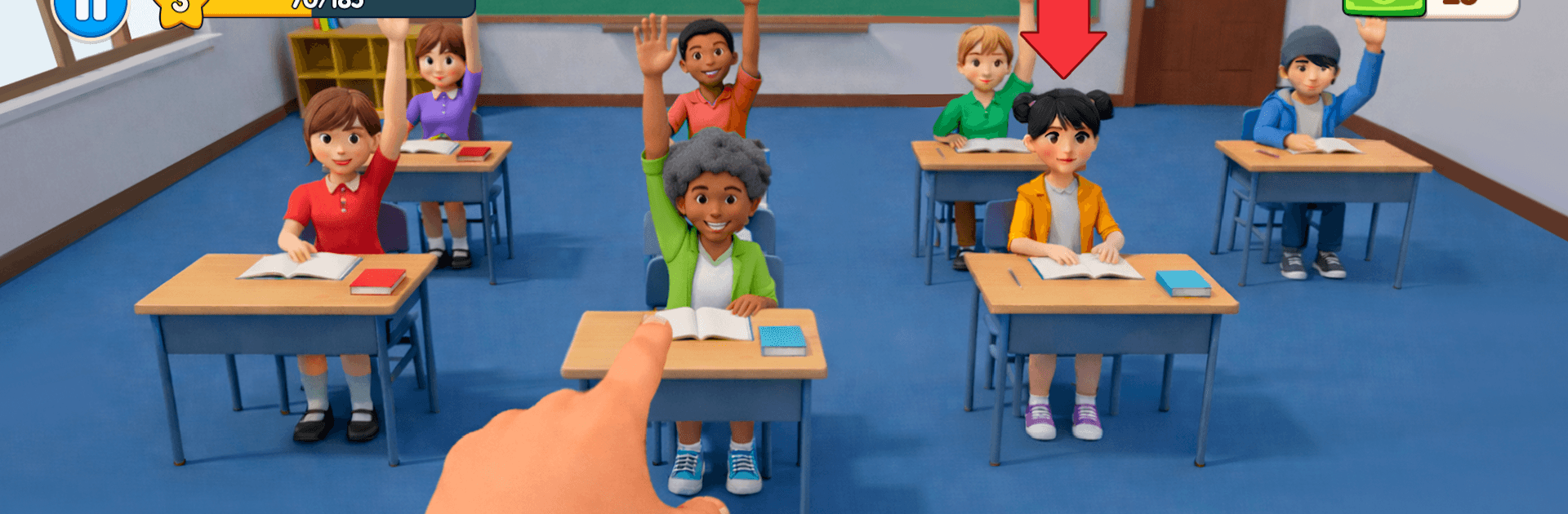
School Teacher Life Simulator

School Teacher Life Simulator

Simulation

| GenI Games

Play on PC with BlueStacks or from our cloud

  • Overview
  • Game Features
  • How to Play

Page Modified On: May 18, 2026

Play School Teacher Life Simulator on PC or Mac

Explore a whole new adventure with School Teacher Life Simulator, a Simulation game created by GenI Games. Experience great gameplay with BlueStacks, the most popular gaming platform to play Android games on your PC or Mac.

About the Game

School Teacher Life Simulator puts you behind the desk and in front of a lively class, where every bell rings in a new set of choices. You’ll plan lessons, handle chatter and surprises, and steer a room full of personalities without losing your cool. From GenI Games, this Simulation leans into the small, everyday moments that make teaching tricky, satisfying, and sometimes a little chaotic.

Game Features

  • Your Day, Your Routine — Prep lesson plans, take attendance, and kick off hands-on activities while juggling interruptions and last-minute changes.
  • Classroom Management — Keep the room focused: calm the noise, redirect pranksters, and motivate the quiet kids during quizzes, projects, and presentations.
  • Decisions That Matter — Choose how strict to be, when to give extra help, and how to grade. Your calls shape behavior, progress, and the week ahead.
  • Varied Classrooms — Move through different rooms and setups that shift your priorities, from exam halls to creative corners.
  • Student Personalities — Notice patterns and moods. Some students are curious, some restless, some mischievous—respond in real time and adapt your approach.
  • Daily Goals & Rewards — Fresh objectives each school day keep things moving, with progress and perks that reflect your growing experience.
  • Grow as a Teacher — Unlock new tasks and tools as you improve, from smarter lesson structures to smoother exam management.
  • Smooth, Simple Controls — Pick up and play with clean, responsive controls suited to quick breaks or longer sessions.
  • Play Your Way — Enjoy it on mobile, or run it comfortably on PC with BlueStacks if you like a bigger screen and keyboard.

Start your journey now. Download the game on BlueStacks, invite your friends, and march on a new adventure.


Game Features

Enhancements

  • Macros
  • Multi Instance
  • Multi Instance Sync
  • Script
  • Enhancements
Macros

Macros

Automate the predictable in School Teacher Life Simulator and transform your gameplay with Macros. Get access to inventive Macros in the BlueStacks Macro Community
Multi Instance

Multi Instance

Play School Teacher Life Simulator on one window. And chat with your friend on the other. Press CTRL + Shift + 8 to open the Multi-Instance Manager. And start creating fresh instances or clone an existing one.
Multi Instance Sync

Multi Instance Sync

Play School Teacher Life Simulator with the power of Multi-Instance Sync. Replicate what you are doing on the main instance on all other instances. Level up faster, play more.
Script

Script

Script your way to gaming glory in School Teacher Life Simulator with BlueStacks Script. Write and run a set of commands to automate repeated tasks. Trigger the command by assigning it to any key.
Read More

How to Download and Play School Teacher Life Simulator on PC or Mac

  • Download and install BlueStacks on your PC or Mac

  • Complete Google sign-in to access the Play Store, or do it later

  • Look for School Teacher Life Simulator in the search bar at the top right corner

  • Click to install School Teacher Life Simulator from the search results

  • Complete Google sign-in (if you skipped step 2) to install School Teacher Life Simulator

  • Click the School Teacher Life Simulator icon on the home screen to start playing

video
Watch Video

Minimum System Requirements

With BlueStacks 5, you can get started on a PC that fulfills the following requirements.

  • Operating System

    Microsoft Windows 7 or above, macOS 11 (Big Sur) or above

  • Processor

    Intel, AMD or Apple Silicon Processor

  • RAM

    at least 4GB

  • HDD

    10GB Free Disk Space

Note:

* You must be an Administrator on your PC. Up to date graphics drivers from Microsoft or the chipset vendor.

School Teacher Life Simulator - FAQs

  • How to play School Teacher Life Simulator on Windows PC & Mac?

    Play School Teacher Life Simulator on your PC or Mac by following these simple steps.

    • Click on 'Play School Teacher Life Simulator on PC’ to download BlueStacks
    • Install it and log-in to Google Play Store
    • Launch and play the game.
  • Why is BlueStacks the fastest and safest platform to play games on PC?

    BlueStacks respects your privacy and is always safe and secure to use. It does not carry any malware, spyware, or any sort of additional software that could harm your PC.

    It is engineered to optimize speed and performance for a seamless gaming experience.

  • What are School Teacher Life Simulator PC requirements?

    Minimum requirement to run School Teacher Life Simulator on your PC

    • OS: Microsoft Windows 7 or above MacOS 11 (Big Sur) or above
    • Processor: Intel, AMD or Apple Silicon Processor
    • RAM: Your PC must have at least 4GB of RAM. (Note that having 4GB or more disk space is not a substitute for RAM)
    • HDD: 10GB Free Disk Space.
    • You must be an Administrator on your PC.