戦国の虎Z
戦国の虎Z

戦国の虎Z

Simulation

| Donuts Co. Ltd.

Play on PC with BlueStacks or from our cloud

  • Overview
  • Game Features
  • How to Play

Page Modified On: January 02, 2026

Play 戦国の虎Z on PC or Mac

Explore a whole new adventure with 戦国の虎Z, a Simulation game created by Donuts Co. Ltd.. Experience great gameplay with BlueStacks, the most popular gaming platform to play Android games on your PC or Mac.

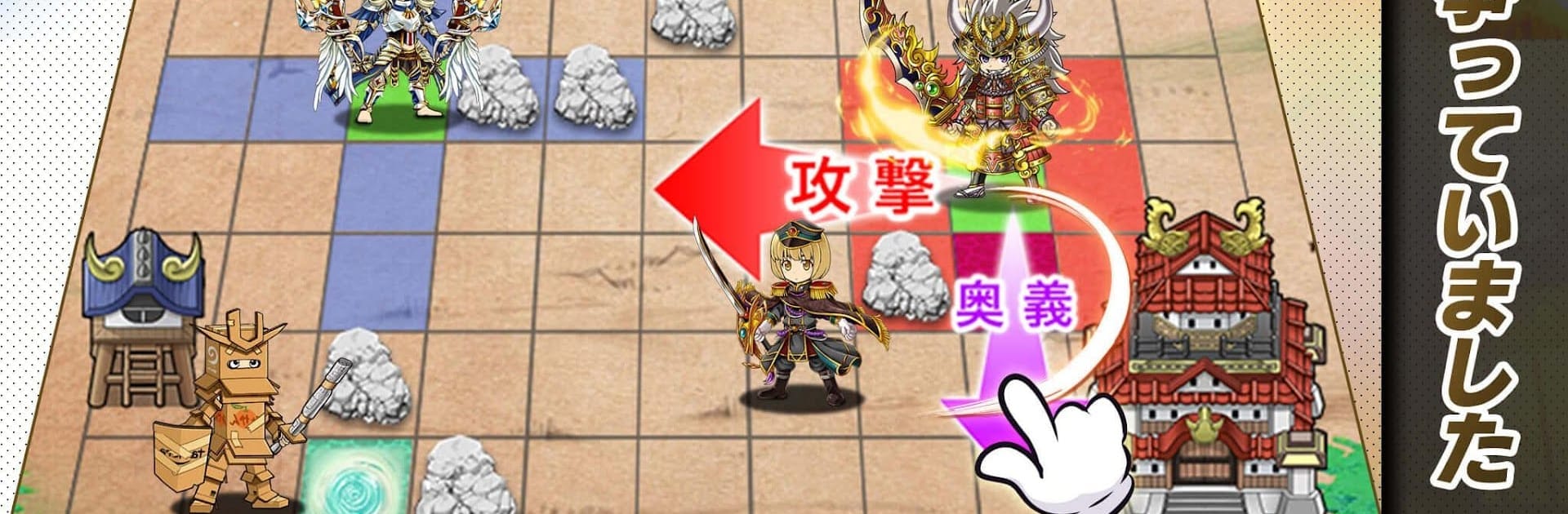
Sengoku no Tora Z feels like a fast, scrappy 5v5 brawl dressed up in Warring States drama. It is real-time, so matches hinge on quick calls and reading what the other side plans. Players pick a job like samurai, spearman, ninja, sniper, shrine maiden, or a more mystical fist fighter, then mix equipment that adds different skills. A stun here, a clutch heal there, a flank from a ninja while a sniper lines up a shot, stuff like that. On BlueStacks the mouse aiming and keybinds make popping skills and swapping targets feel clean, so timing-heavy fights are easier to keep under control without finger gymnastics.

The roster is loaded with famous names like Oda Nobunaga, Sanada Yukimura, Takeda Shingen, Uesugi Kenshin, plus characters like Noh and Okuni, and they are all voiced by recognizable talent. The gear system is the wild part. There are classic spears like Jumonji and Tonbogiri, then it goes off into playful territory with courtesan-style outfits, knight and dragon looks, monsters, a fallen warrior set, even goofy stuff like a pompadour or a horse mask. Builds can skew serious or ridiculous, but the skills on each piece actually matter, so a strange outfit can still be lethal if it is tuned right. It is easy to hop in for quick matches, pop some skills, coordinate with teammates, and feel that little push and pull where prediction beats raw stats. Fans of Sengoku-era heroes get plenty of flavor, and the game does not hide that it wants strategy to win fights rather than autopilot.

Ready to top the leaderboard? We bet you do. Let precise controls and sharp visuals optimized on BlueStacks lead you to victory.


Game Features

Enhancements

  • Macros
  • Multi Instance
  • Multi Instance Sync
  • Script
  • Enhancements
Macros

Macros

Automate the predictable in 戦国の虎Z and transform your gameplay with Macros. Get access to inventive Macros in the BlueStacks Macro Community
Multi Instance

Multi Instance

Play 戦国の虎Z on one window. And chat with your friend on the other. Press CTRL + Shift + 8 to open the Multi-Instance Manager. And start creating fresh instances or clone an existing one.
Multi Instance Sync

Multi Instance Sync

Play 戦国の虎Z with the power of Multi-Instance Sync. Replicate what you are doing on the main instance on all other instances. Level up faster, play more.
Script

Script

Script your way to gaming glory in 戦国の虎Z with BlueStacks Script. Write and run a set of commands to automate repeated tasks. Trigger the command by assigning it to any key.
Read More

How to Download and Play 戦国の虎Z on PC or Mac

  • Download and install BlueStacks on your PC or Mac

  • Complete Google sign-in to access the Play Store, or do it later

  • Look for 戦国の虎Z in the search bar at the top right corner

  • Click to install 戦国の虎Z from the search results

  • Complete Google sign-in (if you skipped step 2) to install 戦国の虎Z

  • Click the 戦国の虎Z icon on the home screen to start playing

video
Watch Video

Minimum System Requirements

With BlueStacks 5, you can get started on a PC that fulfills the following requirements.

  • Operating System

    Microsoft Windows 7 or above, macOS 11 (Big Sur) or above

  • Processor

    Intel, AMD or Apple Silicon Processor

  • RAM

    at least 4GB

  • HDD

    10GB Free Disk Space

Note:

* You must be an Administrator on your PC. Up to date graphics drivers from Microsoft or the chipset vendor.

戦国の虎Z - FAQs

  • How to play 戦国の虎Z on Windows PC & Mac?

    Play 戦国の虎Z on your PC or Mac by following these simple steps.

    • Click on 'Play 戦国の虎Z on PC’ to download BlueStacks
    • Install it and log-in to Google Play Store
    • Launch and play the game.
  • Why is BlueStacks the fastest and safest platform to play games on PC?

    BlueStacks respects your privacy and is always safe and secure to use. It does not carry any malware, spyware, or any sort of additional software that could harm your PC.

    It is engineered to optimize speed and performance for a seamless gaming experience.

  • What are 戦国の虎Z PC requirements?

    Minimum requirement to run 戦国の虎Z on your PC

    • OS: Microsoft Windows 7 or above MacOS 11 (Big Sur) or above
    • Processor: Intel, AMD or Apple Silicon Processor
    • RAM: Your PC must have at least 4GB of RAM. (Note that having 4GB or more disk space is not a substitute for RAM)
    • HDD: 10GB Free Disk Space.
    • You must be an Administrator on your PC.