Shave & Stuff
Shave & Stuff

Shave & Stuff

Simulation

| Ant Hill Games

Play on PC with BlueStacks or from our cloud

  • Overview
  • Game Features
  • How to Play

Page Modified On: November 03, 2025

Play Shave & Stuff on PC or Mac

From the innovators and creators at Ant Hill Games, Shave & Stuff is another fun addition to the World of Simulation games. Go beyond your mobile screen and play it bigger and better on your PC or Mac. An immersive experience awaits you.

About the Game

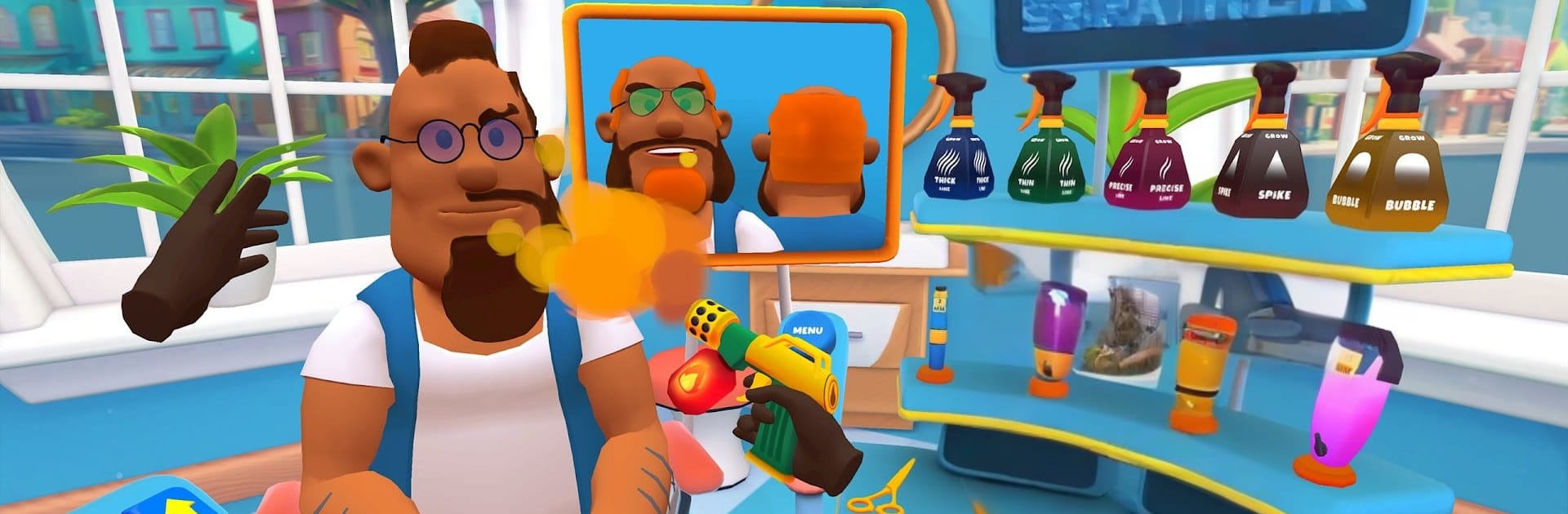
Shave & Stuff from Ant Hill Games is a Simulation that hands you the clippers and puts you in charge of the chair. It’s all about the satisfying rhythm of styling hair, shaping beards, and keeping a stream of clients happy while your shop grows. Originally built with that up-close VR feel, it nails the hands-on, tinkery vibe on mobile—and it plays great on BlueStacks if you like working on a bigger screen.

Game Features

  • Precise Cutting and Shaving: Use clippers, trimmers, and straight razors to sculpt clean lines, tidy up edges, or give someone a super-smooth shave. You can go quick and neat or obsess over every hair.
  • Instant Hair Growth Tool: Made a slip? Want more volume? Pop hair back in where you need it and keep styling. It’s a clever fix that encourages bold experiments.
  • Beard and Mustache Control: Edge up cheek lines, trim mustaches, or go for a full clean shave. Tiny tweaks add up, and clients notice.
  • Fades, Your Way: Mid, high, box, curly—practice modern fades with crisp transitions and tight blends that actually look the part.
  • Color and Style Playground: Spray, dye, and layer tones for subtle highlights or loud, wild looks. Switch up textures and shapes to match the mood.
  • Optional Tattoo Accents: Add small ink details when a client wants something extra. It’s a side flourish, not the main act.
  • Shop Management Loop: Keep customers smiling, earn reputation, and upgrade your barbershop. It scratches that light tycoon itch without getting in the way of cutting hair.
  • Immersive 3D Feel: Tools buzz, blends look clean, and the whole setup sells the chair-side experience—perfect for quick sessions or long styling sprees.

Slay your opponents with your epic moves. Play it your way on BlueStacks and dominate the battlefield.


Game Features

Enhancements

  • Macros
  • Multi Instance
  • Multi Instance Sync
  • Script
  • Enhancements
Macros

Macros

Automate the predictable in Shave & Stuff and transform your gameplay with Macros. Get access to inventive Macros in the BlueStacks Macro Community
Multi Instance

Multi Instance

Play Shave & Stuff on one window. And chat with your friend on the other. Press CTRL + Shift + 8 to open the Multi-Instance Manager. And start creating fresh instances or clone an existing one.
Multi Instance Sync

Multi Instance Sync

Play Shave & Stuff with the power of Multi-Instance Sync. Replicate what you are doing on the main instance on all other instances. Level up faster, play more.
Script

Script

Script your way to gaming glory in Shave & Stuff with BlueStacks Script. Write and run a set of commands to automate repeated tasks. Trigger the command by assigning it to any key.
Read More

How to Download and Play Shave & Stuff on PC or Mac

  • Download and install BlueStacks on your PC or Mac

  • Complete Google sign-in to access the Play Store, or do it later

  • Look for Shave & Stuff in the search bar at the top right corner

  • Click to install Shave & Stuff from the search results

  • Complete Google sign-in (if you skipped step 2) to install Shave & Stuff

  • Click the Shave & Stuff icon on the home screen to start playing

video
Watch Video

Minimum System Requirements

With BlueStacks 5, you can get started on a PC that fulfills the following requirements.

  • Operating System

    Microsoft Windows 7 or above, macOS 11 (Big Sur) or above

  • Processor

    Intel, AMD or Apple Silicon Processor

  • RAM

    at least 4GB

  • HDD

    10GB Free Disk Space

Note:

* You must be an Administrator on your PC. Up to date graphics drivers from Microsoft or the chipset vendor.

Shave & Stuff - FAQs

  • How to play Shave & Stuff on Windows PC & Mac?

    Play Shave & Stuff on your PC or Mac by following these simple steps.

    • Click on 'Play Shave & Stuff on PC’ to download BlueStacks
    • Install it and log-in to Google Play Store
    • Launch and play the game.
  • Why is BlueStacks the fastest and safest platform to play games on PC?

    BlueStacks respects your privacy and is always safe and secure to use. It does not carry any malware, spyware, or any sort of additional software that could harm your PC.

    It is engineered to optimize speed and performance for a seamless gaming experience.

  • What are Shave & Stuff PC requirements?

    Minimum requirement to run Shave & Stuff on your PC

    • OS: Microsoft Windows 7 or above MacOS 11 (Big Sur) or above
    • Processor: Intel, AMD or Apple Silicon Processor
    • RAM: Your PC must have at least 4GB of RAM. (Note that having 4GB or more disk space is not a substitute for RAM)
    • HDD: 10GB Free Disk Space.
    • You must be an Administrator on your PC.