Skeleton Titan: Craft Arena

Skeleton Titan: Craft Arena

Simulation

| Funny Popular Ringtones Play

Play on PC with BlueStacks or from our cloud

  • Overview
  • Game Features
  • How to Play

Page Modified On: August 20, 2026

Play Skeleton Titan: Craft Arena on PC or Mac

Skeleton Titan: Craft Arena by Funny Popular Ringtones Play has plenty to keep you busy. BlueStacks lets you play it on PC or Mac with more screen space, better control, and fewer mobile limits.

About the Game

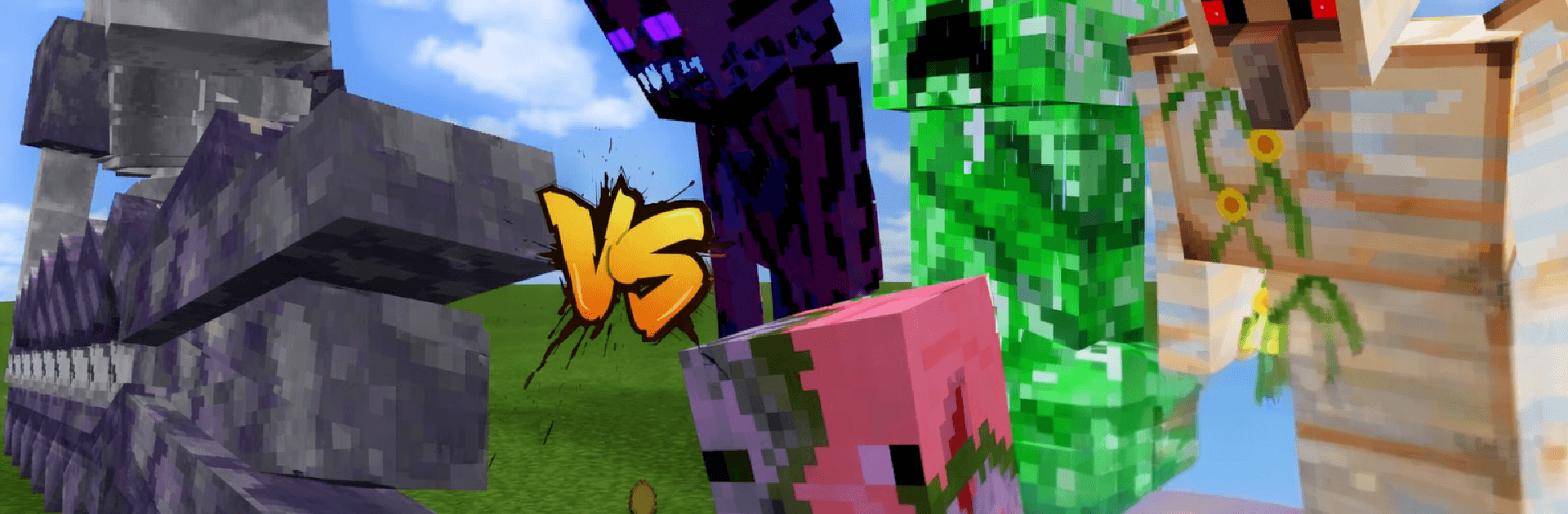
Skeleton Titan: Craft Arena is a fast-paced Simulation with a crafty twist—you build the tools, summon colossal bony guardians, and throw them into an arena that never stops picking fights. Each run is a quick blast of chaos where timing, smart upgrades, and a little luck keep you alive as the waves pile up. Expect chunky, sandbox-style visuals, straightforward controls, and that “okay, one more try” itch—it’s also smooth on BlueStacks if you like playing on a bigger screen.

Game Features

  • Titan Summoning: Call in towering Skeleton Titans to tank hits, smash foes, and turn the tide when things get messy.
  • Crafting Arsenal: Gather parts and forge blades, bows, and oddball tools, then tune them with upgrades that fit your playstyle.
  • Skill Paths: Unlock active abilities and passive boosts, mixing builds that can shift from speedy skirmisher to heavy hitter.
  • Wave Survival: Face escalating waves of monsters that push harder every round and reward smart positioning and timing.
  • Boss Encounters: Square up against giant titan bosses with patterns to learn, weak spots to exploit, and real payoffs for winning.
  • Blocky Sandbox Vibes: Enjoy crisp, craft-inspired visuals where hits read clearly and explosions look satisfyingly chunky.
  • Pick‑Up‑And‑Play Controls: Simple inputs keep you focused on movement, dodges, and clutch ability drops—not menu juggling.
  • Progress That Sticks: Earn resources to unlock gear, perks, and new tricks so each attempt feels a bit meaner than the last.

Start your journey now. Download the game on BlueStacks, invite your friends, and march on a new adventure.


Game Features

Enhancements

  • Macros
  • Multi Instance
  • Multi Instance Sync
  • Script
  • Enhancements
Macros

Macros

Automate the predictable in Skeleton Titan: Craft Arena and transform your gameplay with Macros. Get access to inventive Macros in the BlueStacks Macro Community
Multi Instance

Multi Instance

Play Skeleton Titan: Craft Arena on one window. And chat with your friend on the other. Press CTRL + Shift + 8 to open the Multi-Instance Manager. And start creating fresh instances or clone an existing one.
Multi Instance Sync

Multi Instance Sync

Play Skeleton Titan: Craft Arena with the power of Multi-Instance Sync. Replicate what you are doing on the main instance on all other instances. Level up faster, play more.
Script

Script

Script your way to gaming glory in Skeleton Titan: Craft Arena with BlueStacks Script. Write and run a set of commands to automate repeated tasks. Trigger the command by assigning it to any key.
Read More

How to Download and Play Skeleton Titan: Craft Arena on PC or Mac

  • Download and install BlueStacks on your PC or Mac

  • Complete Google sign-in to access the Play Store, or do it later

  • Look for Skeleton Titan: Craft Arena in the search bar at the top right corner

  • Click to install Skeleton Titan: Craft Arena from the search results

  • Complete Google sign-in (if you skipped step 2) to install Skeleton Titan: Craft Arena

  • Click the Skeleton Titan: Craft Arena icon on the home screen to start playing

video
Watch Video

Minimum System Requirements

With BlueStacks 5, you can get started on a PC that fulfills the following requirements.

  • Operating System

    Microsoft Windows 7 or above, macOS 11 (Big Sur) or above

  • Processor

    Intel, AMD or Apple Silicon Processor

  • RAM

    at least 4GB

  • HDD

    10GB Free Disk Space

Note:

* You must be an Administrator on your PC. Up to date graphics drivers from Microsoft or the chipset vendor.

Skeleton Titan: Craft Arena - FAQs

  • How to play Skeleton Titan: Craft Arena on Windows PC & Mac?

    Play Skeleton Titan: Craft Arena on your PC or Mac by following these simple steps.

    • Click on 'Play Skeleton Titan: Craft Arena on PC’ to download BlueStacks
    • Install it and log-in to Google Play Store
    • Launch and play the game.
  • Why is BlueStacks the fastest and safest platform to play games on PC?

    BlueStacks respects your privacy and is always safe and secure to use. It does not carry any malware, spyware, or any sort of additional software that could harm your PC.

    It is engineered to optimize speed and performance for a seamless gaming experience.

  • What are Skeleton Titan: Craft Arena PC requirements?

    Minimum requirement to run Skeleton Titan: Craft Arena on your PC

    • OS: Microsoft Windows 7 or above MacOS 11 (Big Sur) or above
    • Processor: Intel, AMD or Apple Silicon Processor
    • RAM: Your PC must have at least 4GB of RAM. (Note that having 4GB or more disk space is not a substitute for RAM)
    • HDD: 10GB Free Disk Space.
    • You must be an Administrator on your PC.