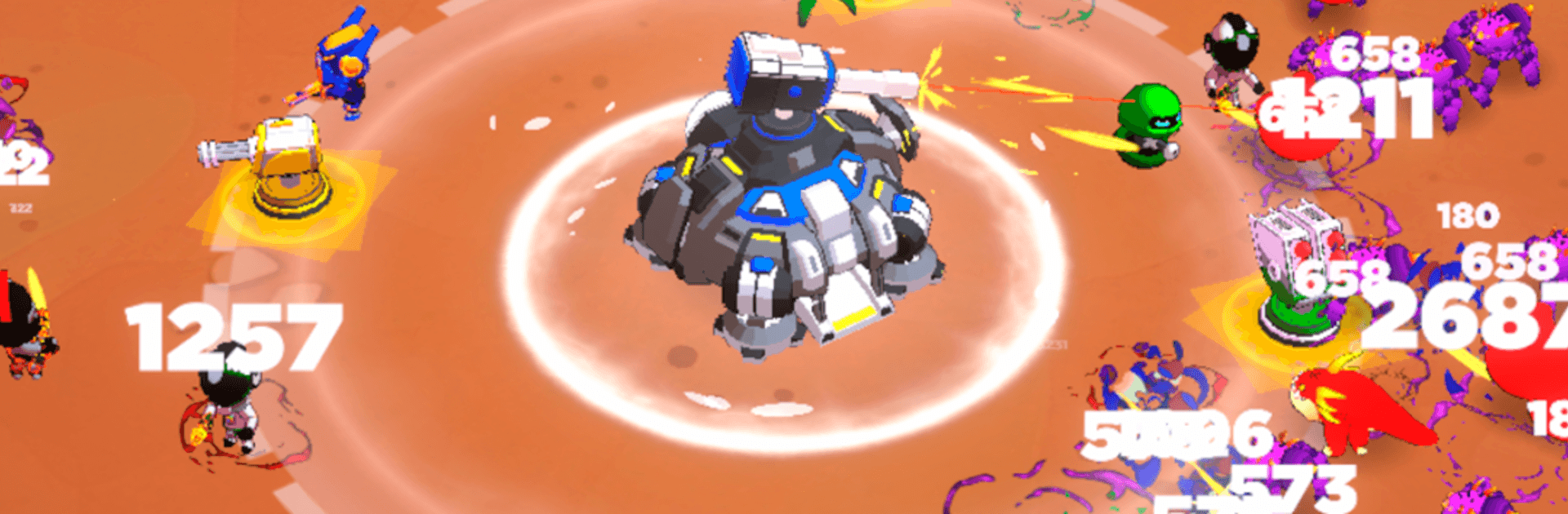
Space Base: Idle Tower Defense

Space Base: Idle Tower Defense

Simulation

| Evrika Games LLC

Play on PC with BlueStacks or from our cloud

  • Overview
  • Game Features
  • How to Play

Page Modified On: August 31, 2026

Play Space Base: Idle Tower Defense on PC or Mac

Space Base: Idle Tower Defense brings the Simulation genre to life, and throws up exciting challenges for gamers. Developed by Evrika Games LLC, this Android game is best experienced on BlueStacks, the World’s #1 app player for PC and Mac users.

About the Game

Space Base: Idle Tower Defense blends laid-back strategy with steady progression, letting you build a tough-as-nails orbital stronghold one upgrade at a time. This Simulation is all about planning smart layouts, experimenting with turret combos, and watching your defenses shred through alien waves while resources pile up in the background. Want to kick back for a bit or tune every detail? It’s flexible enough for both—and it runs great on BlueStacks if you like playing on PC.

Game Features

  • Build Your Orbital HQ: Start with a modest station and expand it into a fortified base, adding modules and defenses while fine-tuning every corridor and lane.
  • Turret Variety That Matters: Combine rapid-fire, splash, freeze, and sniper turrets to handle swarms, control speed, and pierce through armored threats.
  • Deep Tech Tree: Unlock research that reshapes your strategy—stronger shots, wider range, better targeting, and economy tweaks that snowball over time.
  • Idle Progress That Feels Right: Your base keeps earning while you’re away, so you return to a healthy stash of resources ready for smart upgrades.
  • Bosses and Challenge Waves: Square up against beefy boss ships and special encounters that test timing, placement, and your overall build.
  • Endless Difficulty Curve: Enemies hit harder the longer you last, pushing you to refine layouts and chase that next breakthrough in power.
  • Placement and Synergy Play: Slow them before they hit your splash zones, give snipers long sightlines, and discover combos that melt entire waves.
  • Quick Controls, Fast Iteration: Drag, drop, upgrade, and swap without fuss—perfect for casual sessions or full-on optimization sprees.
  • Smooth on a Bigger Screen: Prefer precise cursor control and a roomy view? Play comfortably with BlueStacks and manage your base like a pro.

Get ready for a buttery smooth, high-performance gaming action only on BlueStacks.

Game Features

Enhancements

  • Macros
  • Multi Instance
  • Multi Instance Sync
  • Script
  • Enhancements
Macros

Macros

Automate the predictable in Space Base: Idle Tower Defense and transform your gameplay with Macros. Get access to inventive Macros in the BlueStacks Macro Community
Multi Instance

Multi Instance

Play Space Base: Idle Tower Defense on one window. And chat with your friend on the other. Press CTRL + Shift + 8 to open the Multi-Instance Manager. And start creating fresh instances or clone an existing one.
Multi Instance Sync

Multi Instance Sync

Play Space Base: Idle Tower Defense with the power of Multi-Instance Sync. Replicate what you are doing on the main instance on all other instances. Level up faster, play more.
Script

Script

Script your way to gaming glory in Space Base: Idle Tower Defense with BlueStacks Script. Write and run a set of commands to automate repeated tasks. Trigger the command by assigning it to any key.
Read More

How to Download and Play Space Base: Idle Tower Defense on PC or Mac

  • Download and install BlueStacks on your PC or Mac

  • Complete Google sign-in to access the Play Store, or do it later

  • Look for Space Base: Idle Tower Defense in the search bar at the top right corner

  • Click to install Space Base: Idle Tower Defense from the search results

  • Complete Google sign-in (if you skipped step 2) to install Space Base: Idle Tower Defense

  • Click the Space Base: Idle Tower Defense icon on the home screen to start playing

video
Watch Video

Minimum System Requirements

With BlueStacks 5, you can get started on a PC that fulfills the following requirements.

  • Operating System

    Microsoft Windows 7 or above, macOS 11 (Big Sur) or above

  • Processor

    Intel, AMD or Apple Silicon Processor

  • RAM

    at least 4GB

  • HDD

    10GB Free Disk Space

Note:

* You must be an Administrator on your PC. Up to date graphics drivers from Microsoft or the chipset vendor.

Space Base: Idle Tower Defense - FAQs

  • How to play Space Base: Idle Tower Defense on Windows PC & Mac?

    Play Space Base: Idle Tower Defense on your PC or Mac by following these simple steps.

    • Click on 'Play Space Base: Idle Tower Defense on PC’ to download BlueStacks
    • Install it and log-in to Google Play Store
    • Launch and play the game.
  • Why is BlueStacks the fastest and safest platform to play games on PC?

    BlueStacks respects your privacy and is always safe and secure to use. It does not carry any malware, spyware, or any sort of additional software that could harm your PC.

    It is engineered to optimize speed and performance for a seamless gaming experience.

  • What are Space Base: Idle Tower Defense PC requirements?

    Minimum requirement to run Space Base: Idle Tower Defense on your PC

    • OS: Microsoft Windows 7 or above MacOS 11 (Big Sur) or above
    • Processor: Intel, AMD or Apple Silicon Processor
    • RAM: Your PC must have at least 4GB of RAM. (Note that having 4GB or more disk space is not a substitute for RAM)
    • HDD: 10GB Free Disk Space.
    • You must be an Administrator on your PC.