Superstore Story 3D
Superstore Story 3D

Superstore Story 3D

Simulation

| Pusilung

Play on PC with BlueStacks or from our cloud

  • Overview
  • Game Features
  • How to Play

Page Modified On: July 27, 2026

Play Superstore Story 3D on PC or Mac

Explore a whole new adventure with Superstore Story 3D, a Simulation game created by Pusilung. Experience great gameplay with BlueStacks, the most popular gaming platform to play Android games on your PC or Mac.

About the Game

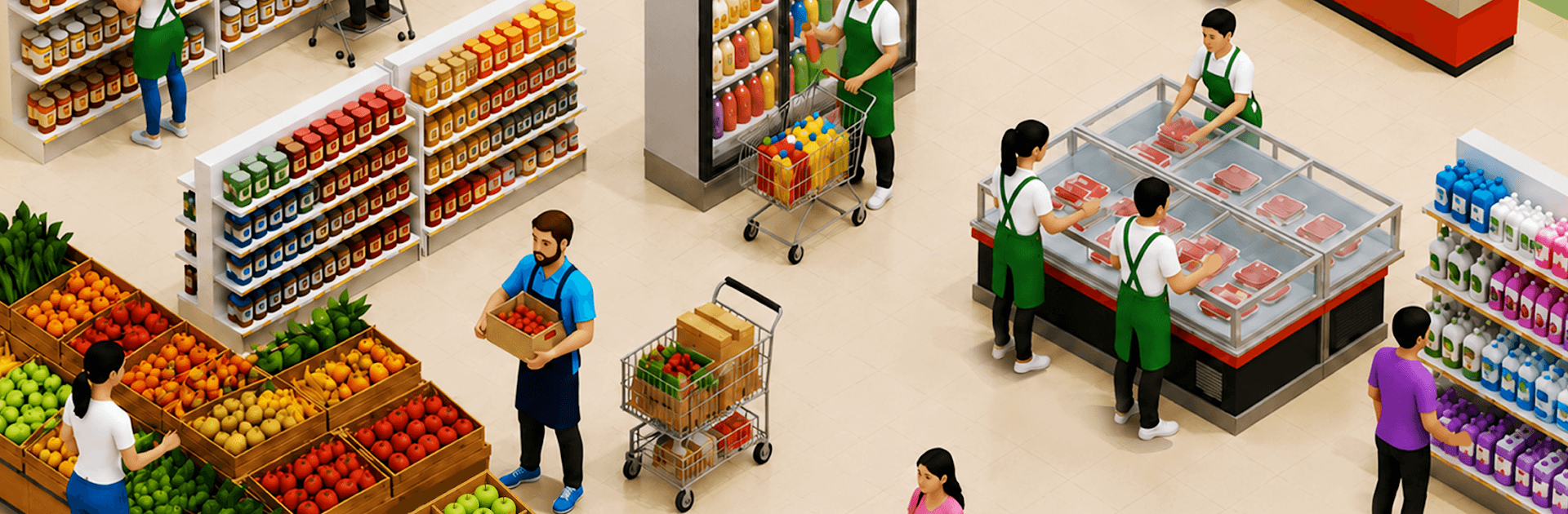
Superstore Story 3D is a laid-back, numbers-nerdy Simulation about turning a cozy corner shop into a thriving retail powerhouse. You’ll plan the floor, set prices, juggle staff, and keep shelves packed while customers flood in. Prefer a bigger screen and mouse clicks? It plays smoothly on PC with BlueStacks, too.

Game Features

  • Hands-on Store Building: Arrange aisles, design the layout, and keep every shelf stocked—produce, snacks, gadgets, and more—in a clean 3D view.
  • Idle Money, Smart Moves: Cash rolls in even when you’re not playing, so you can return, reinvest, and unlock fresh departments without losing momentum.
  • Hire a Solid Crew: Bring on cashiers, managers, and security to speed up checkout, restock faster, and keep the place running like a well-oiled machine.
  • Price, Promote, Profit: Nudge prices, run short promos, and test layouts to find that sweet spot between happy shoppers and healthy margins.
  • From Shop to Super Complex: Grow beyond groceries with bakeries, clothing corners, and specialty aisles—then push into gas pumps, drive-thrus, and roomy parking.
  • Fast Lines, Happy Shoppers: Upgrade registers, open extra lanes, and trim wait times so carts move quickly and satisfaction stays high.
  • Automation That Matters: Assign tasks and let your team handle the grind while you focus on strategy, expansions, and big-ticket upgrades.
  • Daily Decisions, Big Payoffs: Keep an eye on trends, restock what sells, and pivot when demand shifts—small tweaks stack up to massive growth in the long run.

Get ready for a buttery smooth, high-performance gaming action only on BlueStacks.

Game Features

Enhancements

  • Macros
  • Multi Instance
  • Multi Instance Sync
  • Script
  • Enhancements
Macros

Macros

Automate the predictable in Superstore Story 3D and transform your gameplay with Macros. Get access to inventive Macros in the BlueStacks Macro Community
Multi Instance

Multi Instance

Play Superstore Story 3D on one window. And chat with your friend on the other. Press CTRL + Shift + 8 to open the Multi-Instance Manager. And start creating fresh instances or clone an existing one.
Multi Instance Sync

Multi Instance Sync

Play Superstore Story 3D with the power of Multi-Instance Sync. Replicate what you are doing on the main instance on all other instances. Level up faster, play more.
Script

Script

Script your way to gaming glory in Superstore Story 3D with BlueStacks Script. Write and run a set of commands to automate repeated tasks. Trigger the command by assigning it to any key.
Read More

How to Download and Play Superstore Story 3D on PC or Mac

  • Download and install BlueStacks on your PC or Mac

  • Complete Google sign-in to access the Play Store, or do it later

  • Look for Superstore Story 3D in the search bar at the top right corner

  • Click to install Superstore Story 3D from the search results

  • Complete Google sign-in (if you skipped step 2) to install Superstore Story 3D

  • Click the Superstore Story 3D icon on the home screen to start playing

video
Watch Video

Minimum System Requirements

With BlueStacks 5, you can get started on a PC that fulfills the following requirements.

  • Operating System

    Microsoft Windows 7 or above, macOS 11 (Big Sur) or above

  • Processor

    Intel, AMD or Apple Silicon Processor

  • RAM

    at least 4GB

  • HDD

    10GB Free Disk Space

Note:

* You must be an Administrator on your PC. Up to date graphics drivers from Microsoft or the chipset vendor.

Superstore Story 3D - FAQs

  • How to play Superstore Story 3D on Windows PC & Mac?

    Play Superstore Story 3D on your PC or Mac by following these simple steps.

    • Click on 'Play Superstore Story 3D on PC’ to download BlueStacks
    • Install it and log-in to Google Play Store
    • Launch and play the game.
  • Why is BlueStacks the fastest and safest platform to play games on PC?

    BlueStacks respects your privacy and is always safe and secure to use. It does not carry any malware, spyware, or any sort of additional software that could harm your PC.

    It is engineered to optimize speed and performance for a seamless gaming experience.

  • What are Superstore Story 3D PC requirements?

    Minimum requirement to run Superstore Story 3D on your PC

    • OS: Microsoft Windows 7 or above MacOS 11 (Big Sur) or above
    • Processor: Intel, AMD or Apple Silicon Processor
    • RAM: Your PC must have at least 4GB of RAM. (Note that having 4GB or more disk space is not a substitute for RAM)
    • HDD: 10GB Free Disk Space.
    • You must be an Administrator on your PC.