Tato Mamo: Food Festival 3!

Tato Mamo: Food Festival 3!

Simulation

| TATO MAMO

Play on PC with BlueStacks or from our cloud

  • Overview
  • Game Features
  • How to Play

Page Modified On: January 05, 2026

Play Tato Mamo: Food Festival 3! on PC or Mac

Step into the World of Tato Mamo: Food Festival 3!, a thrilling Simulation game from the house of TATO MAMO. Play this Android game on BlueStacks App Player and experience immersive gaming on PC or Mac.

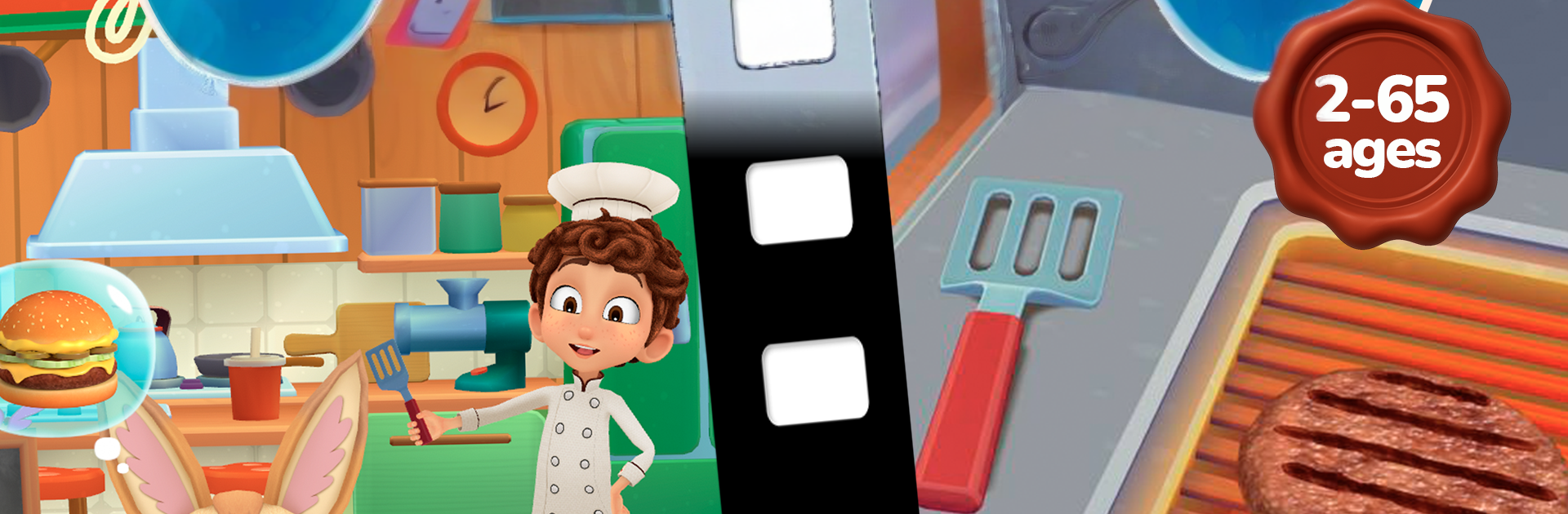
Tato Mamo: Food Festival 3 feels like a cozy cooking toy box that happens to be animated. It plays more like a little cartoon you can control than a stressy restaurant sim. There are no timers and no fail screens, so the whole thing is about the fun parts of making food. Tap to grill, spread sauces, stack buns, and watch the ingredients pop into place with smooth little animations. Recipes are built to feel real, the steps make sense, and it is easy to pick up a trick or two for an actual kitchen. It all starts with burgers, then branches into other kitchens and dishes over time, with a lot of ingredients to swap in and experiment with. On PC with BlueStacks, the mouse controls are clean and simple, dragging toppings and clicking through steps feels tidy instead of frantic.

The game is steady rather than noisy. New dishes and small events roll in, so there is always something else to make without a grind. Scenes look like food truck counters or cozy prep tables, and the pacing is slow enough that it works for kids or anyone who wants to relax after work. It is more about creativity and presentation than racing customers. If someone likes cooking videos, ASMR-ish food sounds, or just tinkering with ingredients until a plate looks right, this lands well. There may be optional paid bits or a subscription for extras, so it is worth checking settings, but the core loop stays friendly, calm, and oddly satisfying.

Ready to top the leaderboard? We bet you do. Let precise controls and sharp visuals optimized on BlueStacks lead you to victory.


Game Features

Enhancements

  • Macros
  • Multi Instance
  • Multi Instance Sync
  • Script
  • Enhancements
Macros

Macros

Automate the predictable in Tato Mamo: Food Festival 3! and transform your gameplay with Macros. Get access to inventive Macros in the BlueStacks Macro Community
Multi Instance

Multi Instance

Play Tato Mamo: Food Festival 3! on one window. And chat with your friend on the other. Press CTRL + Shift + 8 to open the Multi-Instance Manager. And start creating fresh instances or clone an existing one.
Multi Instance Sync

Multi Instance Sync

Play Tato Mamo: Food Festival 3! with the power of Multi-Instance Sync. Replicate what you are doing on the main instance on all other instances. Level up faster, play more.
Script

Script

Script your way to gaming glory in Tato Mamo: Food Festival 3! with BlueStacks Script. Write and run a set of commands to automate repeated tasks. Trigger the command by assigning it to any key.
Read More

How to Download and Play Tato Mamo: Food Festival 3! on PC or Mac

  • Download and install BlueStacks on your PC or Mac

  • Complete Google sign-in to access the Play Store, or do it later

  • Look for Tato Mamo: Food Festival 3! in the search bar at the top right corner

  • Click to install Tato Mamo: Food Festival 3! from the search results

  • Complete Google sign-in (if you skipped step 2) to install Tato Mamo: Food Festival 3!

  • Click the Tato Mamo: Food Festival 3! icon on the home screen to start playing

video
Watch Video

Minimum System Requirements

With BlueStacks 5, you can get started on a PC that fulfills the following requirements.

  • Operating System

    Microsoft Windows 7 or above, macOS 11 (Big Sur) or above

  • Processor

    Intel, AMD or Apple Silicon Processor

  • RAM

    at least 4GB

  • HDD

    10GB Free Disk Space

Note:

* You must be an Administrator on your PC. Up to date graphics drivers from Microsoft or the chipset vendor.

Tato Mamo: Food Festival 3! - FAQs

  • How to play Tato Mamo: Food Festival 3! on Windows PC & Mac?

    Play Tato Mamo: Food Festival 3! on your PC or Mac by following these simple steps.

    • Click on 'Play Tato Mamo: Food Festival 3! on PC’ to download BlueStacks
    • Install it and log-in to Google Play Store
    • Launch and play the game.
  • Why is BlueStacks the fastest and safest platform to play games on PC?

    BlueStacks respects your privacy and is always safe and secure to use. It does not carry any malware, spyware, or any sort of additional software that could harm your PC.

    It is engineered to optimize speed and performance for a seamless gaming experience.

  • What are Tato Mamo: Food Festival 3! PC requirements?

    Minimum requirement to run Tato Mamo: Food Festival 3! on your PC

    • OS: Microsoft Windows 7 or above MacOS 11 (Big Sur) or above
    • Processor: Intel, AMD or Apple Silicon Processor
    • RAM: Your PC must have at least 4GB of RAM. (Note that having 4GB or more disk space is not a substitute for RAM)
    • HDD: 10GB Free Disk Space.
    • You must be an Administrator on your PC.