Tiny Universe
Tiny Universe

Tiny Universe

Simulation

| Royal Studios Inc

Play on PC with BlueStacks or from our cloud

  • Overview
  • Game Features
  • How to Play

Page Modified On: August 21, 2026

Play Tiny Universe on PC or Mac

Tiny Universe by Royal Studios Inc has plenty to keep you busy. BlueStacks lets you play it on PC or Mac with more screen space, better control, and fewer mobile limits.

About the Game

Tiny Universe is a cosmic numbers-and-strategy Simulation where a speck of Stardust turns into something colossal. Build producers, chain them together, and decide when to cash out a run for bonuses that stick around. It’s easy to pop in for a few tweaks or let it hum in the background—and it plays nicely on BlueStacks if you want a bigger view.

Game Features

  • Stardust to superstructures: Start tiny, unlock producers, and stack 16 tiers into a roaring production line.
  • Automation that actually helps: Set auto-purchases and hands-off progression so growth keeps rolling while you’re busy.
  • Resets with purpose: Time your resets to pocket permanent boosts that speed up every future climb.
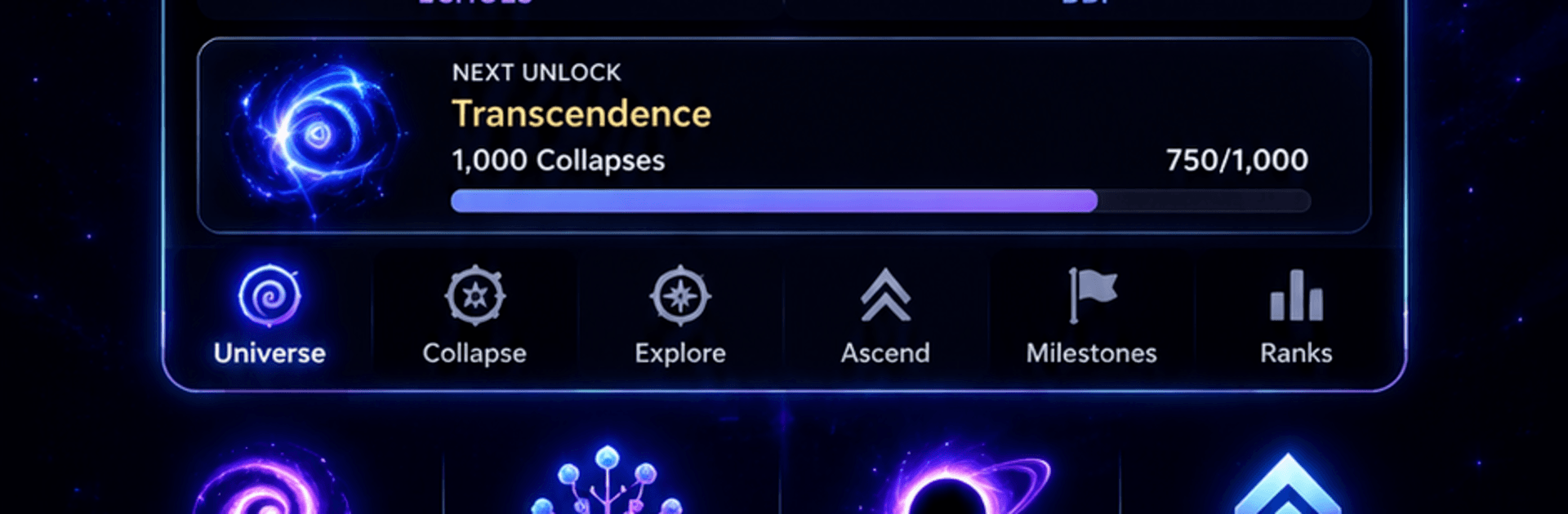
  • Cosmic milestones: Break through Collapse, trigger a Big Bang, and chase Transcendence to open deeper layers of progress.
  • Offline gains that matter: Step away and return to meaningful growth instead of crumbs.
  • Challenge runs: Tackle special restrictions that remix your strategy and reward smart planning.
  • Stars, upgrades, and style: Gather Stars, unlock powerful upgrades, and snag cosmetics to personalize the experience.
  • Tuning the machine: Improve speed, output, and efficiency at every tier to squeeze more from each resource.
  • Flexible playtime: Check in for quick optimizations or let your universe build itself while you’re away.
  • Cloud-safe progress: Sign in with Google to protect your save and sync across supported devices, or keep a local save if you prefer.

Ready to top the leaderboard? We bet you do. Let precise controls and sharp visuals optimized on BlueStacks lead you to victory.


Game Features

Enhancements

  • Macros
  • Multi Instance
  • Multi Instance Sync
  • Script
  • Enhancements
Macros

Macros

Automate the predictable in Tiny Universe and transform your gameplay with Macros. Get access to inventive Macros in the BlueStacks Macro Community
Multi Instance

Multi Instance

Play Tiny Universe on one window. And chat with your friend on the other. Press CTRL + Shift + 8 to open the Multi-Instance Manager. And start creating fresh instances or clone an existing one.
Multi Instance Sync

Multi Instance Sync

Play Tiny Universe with the power of Multi-Instance Sync. Replicate what you are doing on the main instance on all other instances. Level up faster, play more.
Script

Script

Script your way to gaming glory in Tiny Universe with BlueStacks Script. Write and run a set of commands to automate repeated tasks. Trigger the command by assigning it to any key.
Read More

How to Download and Play Tiny Universe on PC or Mac

  • Download and install BlueStacks on your PC or Mac

  • Complete Google sign-in to access the Play Store, or do it later

  • Look for Tiny Universe in the search bar at the top right corner

  • Click to install Tiny Universe from the search results

  • Complete Google sign-in (if you skipped step 2) to install Tiny Universe

  • Click the Tiny Universe icon on the home screen to start playing

video
Watch Video

Minimum System Requirements

With BlueStacks 5, you can get started on a PC that fulfills the following requirements.

  • Operating System

    Microsoft Windows 7 or above, macOS 11 (Big Sur) or above

  • Processor

    Intel, AMD or Apple Silicon Processor

  • RAM

    at least 4GB

  • HDD

    10GB Free Disk Space

Note:

* You must be an Administrator on your PC. Up to date graphics drivers from Microsoft or the chipset vendor.

Tiny Universe - FAQs

  • How to play Tiny Universe on Windows PC & Mac?

    Play Tiny Universe on your PC or Mac by following these simple steps.

    • Click on 'Play Tiny Universe on PC’ to download BlueStacks
    • Install it and log-in to Google Play Store
    • Launch and play the game.
  • Why is BlueStacks the fastest and safest platform to play games on PC?

    BlueStacks respects your privacy and is always safe and secure to use. It does not carry any malware, spyware, or any sort of additional software that could harm your PC.

    It is engineered to optimize speed and performance for a seamless gaming experience.

  • What are Tiny Universe PC requirements?

    Minimum requirement to run Tiny Universe on your PC

    • OS: Microsoft Windows 7 or above MacOS 11 (Big Sur) or above
    • Processor: Intel, AMD or Apple Silicon Processor
    • RAM: Your PC must have at least 4GB of RAM. (Note that having 4GB or more disk space is not a substitute for RAM)
    • HDD: 10GB Free Disk Space.
    • You must be an Administrator on your PC.