Toyota Hilux Extreme pickup

Toyota Hilux Extreme pickup

Simulation

| RoutexSim Studio

Play on PC with BlueStacks or from our cloud

  • Overview
  • Game Features
  • How to Play

Page Modified On: October 08, 2026

Play Toyota Hilux Extreme pickup on PC or Mac

Explore a whole new adventure with Toyota Hilux Extreme pickup, a Simulation game created by RoutexSim Studio. Experience great gameplay with BlueStacks, the most popular gaming platform to play Android games on your PC or Mac.

About the Game

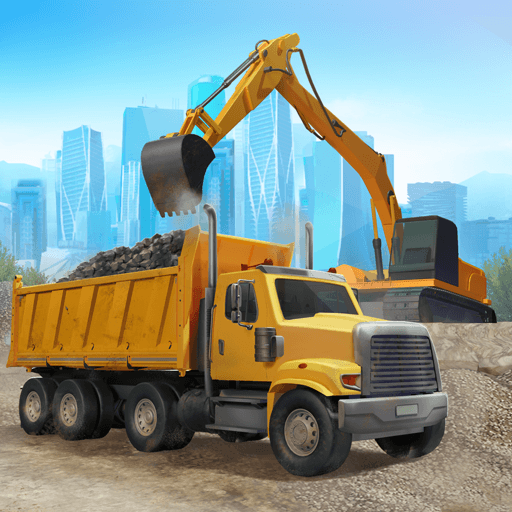
Toyota Hilux Extreme pickup drops you behind the wheel of a tough 4×4 and lets you prove it on rugged trails and busy city routes. This Simulation focuses on pure driving feel—mud, rocks, ramps, and tight turns—with a mix of skill-based challenges and quick races. Prefer a bigger screen and precise inputs? It runs smoothly with BlueStacks too.

Game Features

  • Off-road and city routes: Swap between mountain trails, muddy pits, and compact streets for a mix of technical climbs and fast, clean lines.
  • Realistic truck feel: Feel the weight shift, grip, and suspension at work as tires bite into dirt or glide over asphalt.
  • Multiple pickups to master: Start with a solid rig and unlock more trucks as you go; each one handles a bit differently, so pick what fits your style.
  • Challenges that open the map: Beat time trials, skill tests, and goal-based runs to unlock fresh tracks and new vehicles.
  • Stunts and hill climbs: Launch off ramps, crawl over rocks, and thread hairpins; smooth driving gets you better results.
  • Play anytime, no connection needed: Jump in for practice laps or full-on runs even when you’re offline.
  • Clean, intuitive controls: Simple steering and braking make it easy to ease through tight spots or push hard on the straights.

BlueStacks gives you more room to focus on the game and less time adjusting around mobile limitations.


Game Features

Enhancements

  • Macros
  • Multi Instance
  • Multi Instance Sync
  • Script
  • Enhancements
Macros

Macros

Automate the predictable in Toyota Hilux Extreme pickup and transform your gameplay with Macros. Get access to inventive Macros in the BlueStacks Macro Community
Multi Instance

Multi Instance

Play Toyota Hilux Extreme pickup on one window. And chat with your friend on the other. Press CTRL + Shift + 8 to open the Multi-Instance Manager. And start creating fresh instances or clone an existing one.
Multi Instance Sync

Multi Instance Sync

Play Toyota Hilux Extreme pickup with the power of Multi-Instance Sync. Replicate what you are doing on the main instance on all other instances. Level up faster, play more.
Script

Script

Script your way to gaming glory in Toyota Hilux Extreme pickup with BlueStacks Script. Write and run a set of commands to automate repeated tasks. Trigger the command by assigning it to any key.
Read More

How to Download and Play Toyota Hilux Extreme pickup on PC or Mac

  • Download and install BlueStacks on your PC or Mac

  • Complete Google sign-in to access the Play Store, or do it later

  • Look for Toyota Hilux Extreme pickup in the search bar at the top right corner

  • Click to install Toyota Hilux Extreme pickup from the search results

  • Complete Google sign-in (if you skipped step 2) to install Toyota Hilux Extreme pickup

  • Click the Toyota Hilux Extreme pickup icon on the home screen to start playing

video
Watch Video

Minimum System Requirements

With BlueStacks 5, you can get started on a PC that fulfills the following requirements.

  • Operating System

    Microsoft Windows 7 or above, macOS 11 (Big Sur) or above

  • Processor

    Intel, AMD or Apple Silicon Processor

  • RAM

    at least 4GB

  • HDD

    10GB Free Disk Space

Note:

* You must be an Administrator on your PC. Up to date graphics drivers from Microsoft or the chipset vendor.

Toyota Hilux Extreme pickup - FAQs

  • How to play Toyota Hilux Extreme pickup on Windows PC & Mac?

    Play Toyota Hilux Extreme pickup on your PC or Mac by following these simple steps.

    • Click on 'Play Toyota Hilux Extreme pickup on PC’ to download BlueStacks
    • Install it and log-in to Google Play Store
    • Launch and play the game.
  • Why is BlueStacks the fastest and safest platform to play games on PC?

    BlueStacks respects your privacy and is always safe and secure to use. It does not carry any malware, spyware, or any sort of additional software that could harm your PC.

    It is engineered to optimize speed and performance for a seamless gaming experience.

  • What are Toyota Hilux Extreme pickup PC requirements?

    Minimum requirement to run Toyota Hilux Extreme pickup on your PC

    • OS: Microsoft Windows 7 or above MacOS 11 (Big Sur) or above
    • Processor: Intel, AMD or Apple Silicon Processor
    • RAM: Your PC must have at least 4GB of RAM. (Note that having 4GB or more disk space is not a substitute for RAM)
    • HDD: 10GB Free Disk Space.
    • You must be an Administrator on your PC.