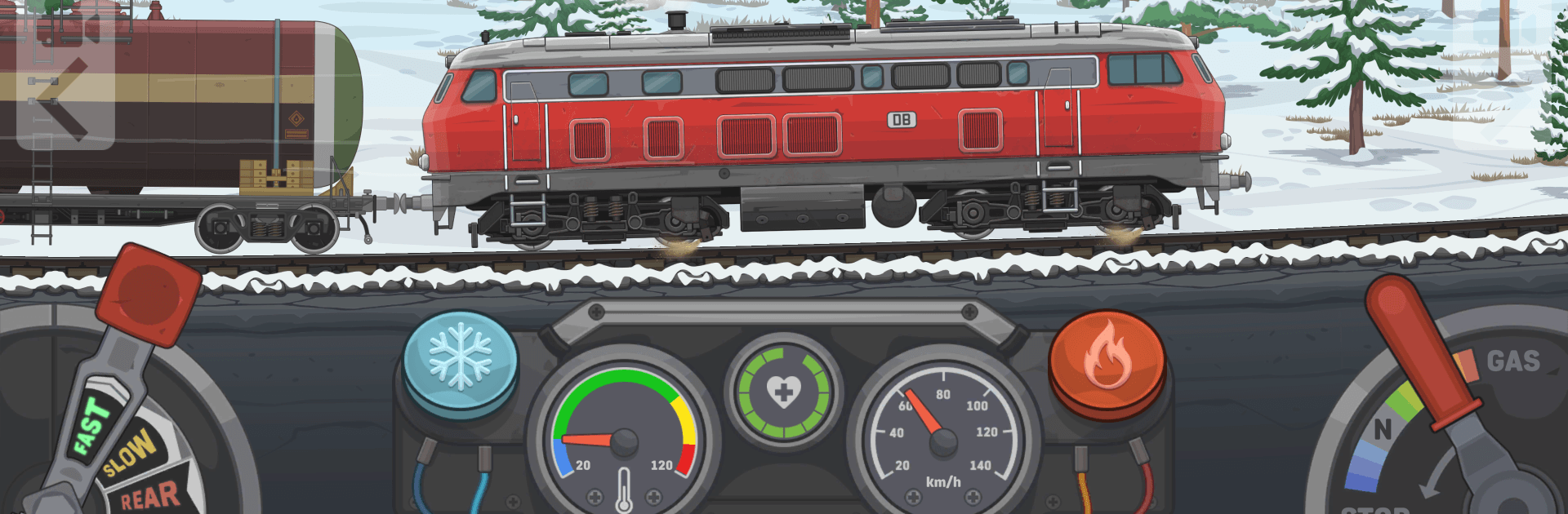
Train Simulator 2: Railway Sim

Train Simulator 2: Railway Sim

Simulation

| Azur Interactive Games Limited

Play on PC with BlueStacks or from our cloud

  • Overview
  • Game Features
  • How to Play

Page Modified On: June 25, 2026

Play Train Simulator 2: Railway Sim on PC or Mac

Train Simulator 2: Railway Sim by Azur Interactive Games Limited has plenty to keep you busy. BlueStacks lets you play it on PC or Mac with more screen space, better control, and fewer mobile limits.

About the Game

Train Simulator 2: Railway Sim hands you the keys to a struggling rail network and asks one simple question: can you get freight moving again? You’ll juggle driving duties with smart logistics, fixing broken supply lines and reconnecting cities. It’s a grounded, satisfying Simulation experience where every mile matters and every decision shows up on the map.

Game Features

  • Drive and deliver: Slide into the cab, manage throttle and brakes, watch your signals, and haul cargo where it needs to go—smooth, safe, and on time.
  • Plan the network: Set routes and schedules, balance demand between cities, and rebuild the flow of goods to kickstart a stalled economy.
  • Contracts that count: Choose jobs that fit your timetable and rolling stock. Meeting deadlines keeps industries alive and your wallet growing.
  • Deep fleet management: Upgrade engines and wagons, tweak train compositions, improve fuel usage, and boost cargo capacity to handle tougher runs.
  • Authentic locomotives: Trains feel weighty and believable, with performance inspired by real-world designs and operating quirks.
  • Start small, think big: Begin with a basic diesel, complete runs, reinvest profits, and scale up to longer lines and heavier loads.
  • Tinker-friendly systems: Adjust consists for specific cargo, optimize refueling, and find the sweet spot between speed, safety, and earnings.
  • Play your way: Want a larger view and steadier controls? Run it on PC with BlueStacks for a comfy setup without losing that on-the-go feel.

Start your journey now. Download the game on BlueStacks, invite your friends, and march on a new adventure.


Game Features

Enhancements

  • Macros
  • Multi Instance
  • Multi Instance Sync
  • Script
  • Enhancements
Macros

Macros

Automate the predictable in Train Simulator 2: Railway Sim and transform your gameplay with Macros. Get access to inventive Macros in the BlueStacks Macro Community
Multi Instance

Multi Instance

Play Train Simulator 2: Railway Sim on one window. And chat with your friend on the other. Press CTRL + Shift + 8 to open the Multi-Instance Manager. And start creating fresh instances or clone an existing one.
Multi Instance Sync

Multi Instance Sync

Play Train Simulator 2: Railway Sim with the power of Multi-Instance Sync. Replicate what you are doing on the main instance on all other instances. Level up faster, play more.
Script

Script

Script your way to gaming glory in Train Simulator 2: Railway Sim with BlueStacks Script. Write and run a set of commands to automate repeated tasks. Trigger the command by assigning it to any key.
Read More

How to Download and Play Train Simulator 2: Railway Sim on PC or Mac

  • Download and install BlueStacks on your PC or Mac

  • Complete Google sign-in to access the Play Store, or do it later

  • Look for Train Simulator 2: Railway Sim in the search bar at the top right corner

  • Click to install Train Simulator 2: Railway Sim from the search results

  • Complete Google sign-in (if you skipped step 2) to install Train Simulator 2: Railway Sim

  • Click the Train Simulator 2: Railway Sim icon on the home screen to start playing

video
Watch Video

Minimum System Requirements

With BlueStacks 5, you can get started on a PC that fulfills the following requirements.

  • Operating System

    Microsoft Windows 7 or above, macOS 11 (Big Sur) or above

  • Processor

    Intel, AMD or Apple Silicon Processor

  • RAM

    at least 4GB

  • HDD

    10GB Free Disk Space

Note:

* You must be an Administrator on your PC. Up to date graphics drivers from Microsoft or the chipset vendor.

Train Simulator 2: Railway Sim - FAQs

  • How to play Train Simulator 2: Railway Sim on Windows PC & Mac?

    Play Train Simulator 2: Railway Sim on your PC or Mac by following these simple steps.

    • Click on 'Play Train Simulator 2: Railway Sim on PC’ to download BlueStacks
    • Install it and log-in to Google Play Store
    • Launch and play the game.
  • Why is BlueStacks the fastest and safest platform to play games on PC?

    BlueStacks respects your privacy and is always safe and secure to use. It does not carry any malware, spyware, or any sort of additional software that could harm your PC.

    It is engineered to optimize speed and performance for a seamless gaming experience.

  • What are Train Simulator 2: Railway Sim PC requirements?

    Minimum requirement to run Train Simulator 2: Railway Sim on your PC

    • OS: Microsoft Windows 7 or above MacOS 11 (Big Sur) or above
    • Processor: Intel, AMD or Apple Silicon Processor
    • RAM: Your PC must have at least 4GB of RAM. (Note that having 4GB or more disk space is not a substitute for RAM)
    • HDD: 10GB Free Disk Space.
    • You must be an Administrator on your PC.