Train Simulator 2026

Train Simulator 2026

Simulation

| Zippy Games

Play on PC with BlueStacks or from our cloud

  • Overview
  • Game Features
  • How to Play

Page Modified On: October 12, 2026

Play Train Simulator 2026 on PC or Mac

Train Simulator 2026 brings the Simulation genre to life, and throws up exciting challenges for gamers. Developed by Zippy Games, this Android game is best experienced on BlueStacks, the World’s #1 app player for PC and Mac users.

About the Game
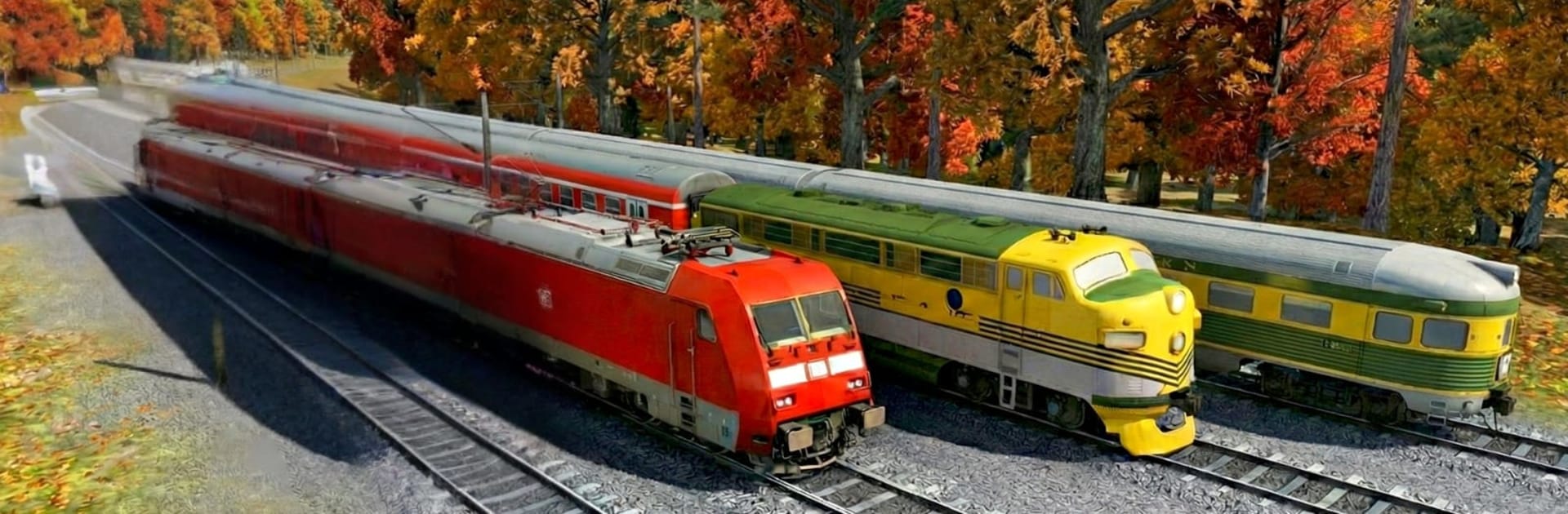
Train Simulator 2026 puts you in the driver’s seat and lets you run the rails like a pro. It’s a Simulation experience focused on believable physics, careful timing, and the quiet thrill of guiding massive machines through cities, villages, mountains, tunnels, and bridges. Prefer a bigger screen and crisp controls? It also plays nicely on BlueStacks.

Game Features
– Real locomotives, real weight: Handle passenger units, speedy metro sets, and heavy freight engines, each with physics that make acceleration, braking, and traction feel properly hefty.
– Authentic routes and scenery: Roll through busy downtowns, sleepy countryside stops, mountain passes, open stretches, tunnels, and high bridges—each route with its own rhythm and pace.
– Smooth controls with depth: Pick up the basics fast, then master fine throttle work, gentle braking, and clean platform stops when the timetable leaves no wiggle room.
– Missions and Free Mode: Run scheduled passenger services, haul cargo on deadline, and keep to time—or switch to Free Mode and roam at your own pace.
– True railway rules: Watch your signals, change tracks when needed, respect speed limits, and keep clear of trouble on crowded lines.
– Stations that matter: Line up your cars, stop right on the mark, open up on time, and keep those arrivals and departures tight.
– Immersive audio and visuals: Hear engines hum, brakes squeal, and tracks sing while detailed trains and smooth 3D environments sell every mile of the journey.

Start playing Train Simulator 2026 on BlueStacks and get a smoother, more comfortable PC or Mac setup.


Game Features

Enhancements

  • Macros
  • Multi Instance
  • Multi Instance Sync
  • Script
  • Enhancements
Macros

Macros

Automate the predictable in Train Simulator 2026 and transform your gameplay with Macros. Get access to inventive Macros in the BlueStacks Macro Community
Multi Instance

Multi Instance

Play Train Simulator 2026 on one window. And chat with your friend on the other. Press CTRL + Shift + 8 to open the Multi-Instance Manager. And start creating fresh instances or clone an existing one.
Multi Instance Sync

Multi Instance Sync

Play Train Simulator 2026 with the power of Multi-Instance Sync. Replicate what you are doing on the main instance on all other instances. Level up faster, play more.
Script

Script

Script your way to gaming glory in Train Simulator 2026 with BlueStacks Script. Write and run a set of commands to automate repeated tasks. Trigger the command by assigning it to any key.
Read More

How to Download and Play Train Simulator 2026 on PC or Mac

  • Download and install BlueStacks on your PC or Mac

  • Complete Google sign-in to access the Play Store, or do it later

  • Look for Train Simulator 2026 in the search bar at the top right corner

  • Click to install Train Simulator 2026 from the search results

  • Complete Google sign-in (if you skipped step 2) to install Train Simulator 2026

  • Click the Train Simulator 2026 icon on the home screen to start playing

video
Watch Video

Minimum System Requirements

With BlueStacks 5, you can get started on a PC that fulfills the following requirements.

  • Operating System

    Microsoft Windows 7 or above, macOS 11 (Big Sur) or above

  • Processor

    Intel, AMD or Apple Silicon Processor

  • RAM

    at least 4GB

  • HDD

    10GB Free Disk Space

Note:

* You must be an Administrator on your PC. Up to date graphics drivers from Microsoft or the chipset vendor.

Train Simulator 2026 - FAQs

  • How to play Train Simulator 2026 on Windows PC & Mac?

    Play Train Simulator 2026 on your PC or Mac by following these simple steps.

    • Click on 'Play Train Simulator 2026 on PC’ to download BlueStacks
    • Install it and log-in to Google Play Store
    • Launch and play the game.
  • Why is BlueStacks the fastest and safest platform to play games on PC?

    BlueStacks respects your privacy and is always safe and secure to use. It does not carry any malware, spyware, or any sort of additional software that could harm your PC.

    It is engineered to optimize speed and performance for a seamless gaming experience.

  • What are Train Simulator 2026 PC requirements?

    Minimum requirement to run Train Simulator 2026 on your PC

    • OS: Microsoft Windows 7 or above MacOS 11 (Big Sur) or above
    • Processor: Intel, AMD or Apple Silicon Processor
    • RAM: Your PC must have at least 4GB of RAM. (Note that having 4GB or more disk space is not a substitute for RAM)
    • HDD: 10GB Free Disk Space.
    • You must be an Administrator on your PC.