Animal Hunting Simulator 3D

Animal Hunting Simulator 3D

Action

| Zippy Games

Play on PC with BlueStacks or from our cloud

  • Overview
  • Game Features
  • How to Play

Page Modified On: August 03, 2026

Play Animal Hunting Simulator 3D on PC or Mac

Animal Hunting Simulator 3D brings the Action genre to life, and throws up exciting challenges for gamers. Developed by Zippy Games, this Android game is best experienced on BlueStacks, the World’s #1 app player for PC and Mac users.

About the Game

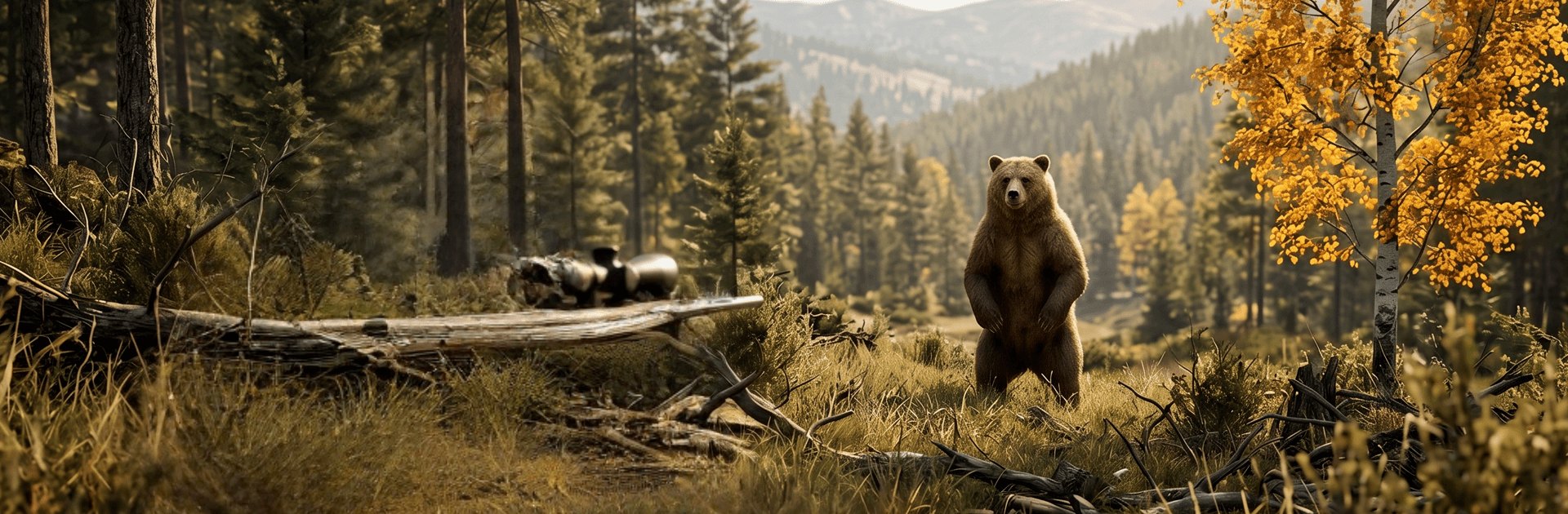
Animal Hunting Simulator 3D is an Action hunting experience built around careful aim and steady nerves. You’ll trek through dense woods, open grasslands, and rocky highlands while stalking deer, wolves, bears, and other wild animals—then take the shot when the moment’s right. Prefer playing on a bigger screen? You can run it on BlueStacks without changing how the game feels.

Game Features

  • True-to-life sniping: Steady your aim, slow your breathing, and squeeze the trigger at just the right second. Every shot feels deliberate, especially on long distances.
  • Dynamic wilderness: Roam richly rendered 3D maps with shifting weather and a day–night cycle that changes visibility, sound, and tension.
  • Varied wildlife: Hunt everything from cautious deer to fearless predators like lions and wolves. Each species moves differently, so your approach won’t be the same twice.
  • Weapons and scopes: Unlock new rifles, upgrade their stability and zoom, and fine-tune your loadout to match each mission’s demands.
  • Mission-driven hunts: Take on objective-based challenges that ramp up in difficulty, with sharper, more alert targets and tighter windows for a clean shot.
  • Smooth, responsive controls: Line up precise shots with intuitive touch controls that make tracking and timing feel natural.
  • Rich 3D presentation: Crisp environments and detailed animal models make each encounter feel tense and believable.
  • Multiple biomes: Explore forests, open plains, and mountain terrain, picking smart vantage points and planning routes that keep you hidden.

Start playing Animal Hunting Simulator 3D on BlueStacks and get a smoother, more comfortable PC or Mac setup.


Game Features

Enhancements

  • Macros
  • Multi Instance
  • Multi Instance Sync
  • Eco Mode
  • Enhancements
Macros

Macros

Skip the boring parts of a game. Play Animal Hunting Simulator 3D with Macros and get the edge. Simply record a sequence of commands and execute them at any moment.
Multi Instance

Multi Instance

Why limit to one game on your phone when you can play many on your PC? Open multiple instances of Animal Hunting Simulator 3D at once with Multi-Instance. Leverage the power of different accounts by doing more.
Multi Instance Sync

Multi Instance Sync

Get the best out of Animal Hunting Simulator 3D with Multi-Instance Sync. Play the game from different accounts and build your own empire. Use Multi-instance sync to repeat the action in the main BlueStacks instance on all other instances.
Eco Mode

Eco Mode

Find the rarest heroes by making multiple summons in Animal Hunting Simulator 3D. And while you are at it, reduce your PC’s resource consumption with the Eco Mode. Farm efficiently. Get the best results.
Read More

How to Download and Play Animal Hunting Simulator 3D on PC or Mac

  • Download and install BlueStacks on your PC or Mac

  • Complete Google sign-in to access the Play Store, or do it later

  • Look for Animal Hunting Simulator 3D in the search bar at the top right corner

  • Click to install Animal Hunting Simulator 3D from the search results

  • Complete Google sign-in (if you skipped step 2) to install Animal Hunting Simulator 3D

  • Click the Animal Hunting Simulator 3D icon on the home screen to start playing

video
Watch Video

Minimum System Requirements

With BlueStacks 5, you can get started on a PC that fulfills the following requirements.

  • Operating System

    Microsoft Windows 7 or above, macOS 11 (Big Sur) or above

  • Processor

    Intel, AMD or Apple Silicon Processor

  • RAM

    at least 4GB

  • HDD

    10GB Free Disk Space

Note:

* You must be an Administrator on your PC. Up to date graphics drivers from Microsoft or the chipset vendor.

Animal Hunting Simulator 3D - FAQs

  • How to play Animal Hunting Simulator 3D on Windows PC & Mac?

    Play Animal Hunting Simulator 3D on your PC or Mac by following these simple steps.

    • Click on 'Play Animal Hunting Simulator 3D on PC’ to download BlueStacks
    • Install it and log-in to Google Play Store
    • Launch and play the game.
  • Why is BlueStacks the fastest and safest platform to play games on PC?

    BlueStacks respects your privacy and is always safe and secure to use. It does not carry any malware, spyware, or any sort of additional software that could harm your PC.

    It is engineered to optimize speed and performance for a seamless gaming experience.

  • What are Animal Hunting Simulator 3D PC requirements?

    Minimum requirement to run Animal Hunting Simulator 3D on your PC

    • OS: Microsoft Windows 7 or above MacOS 11 (Big Sur) or above
    • Processor: Intel, AMD or Apple Silicon Processor
    • RAM: Your PC must have at least 4GB of RAM. (Note that having 4GB or more disk space is not a substitute for RAM)
    • HDD: 10GB Free Disk Space.
    • You must be an Administrator on your PC.