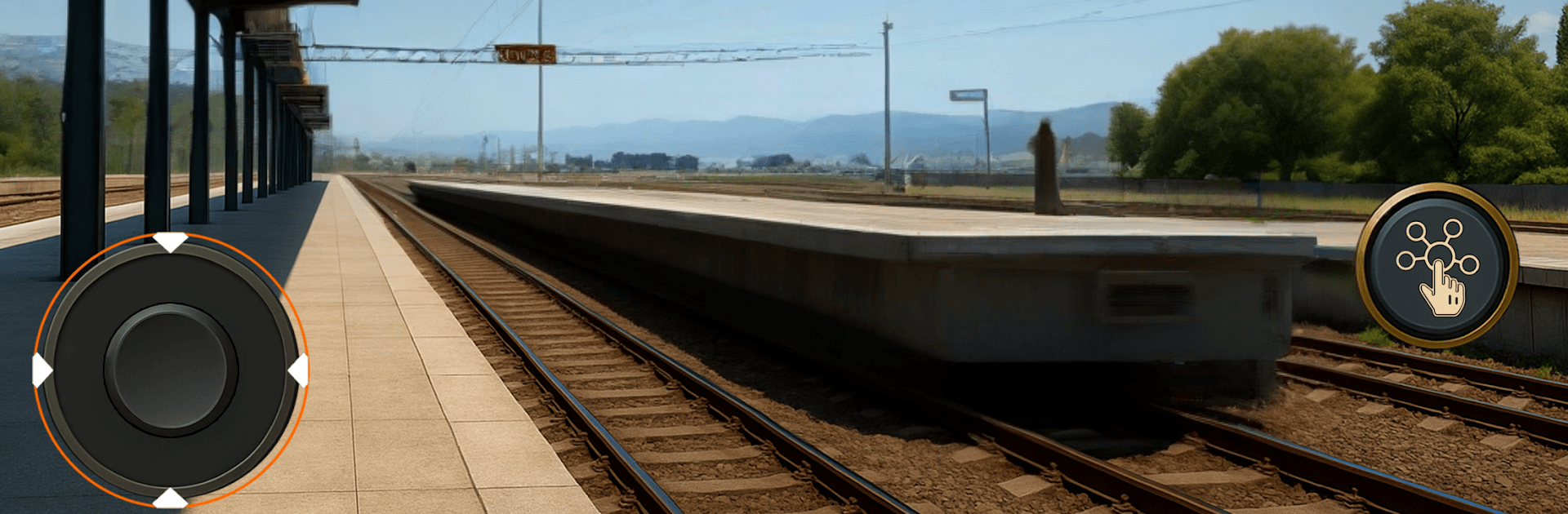
Train Station Manager Sim 3D

Train Station Manager Sim 3D

Simulation

| Gaming Divine Studio

Play on PC with BlueStacks or from our cloud

  • Overview
  • Game Features
  • How to Play

Page Modified On: April 07, 2026

Play Train Station Manager Sim 3D on PC or Mac

Step into the World of Train Station Manager Sim 3D, a thrilling Simulation game from the house of Gaming Divine Studio. Play this Android game on BlueStacks App Player and experience immersive gaming on PC or Mac.

About the Game

Train Station Manager Sim 3D drops you in charge of a rundown rail hub and lets you turn it into a busy, money-making operation. It’s a hands-on Simulation from Gaming Divine Studio where you’ll flip breakers, scrub grime, sell tickets, and keep freight moving—all while growing a legit rail business. Prefer a bigger screen and mouse control? It plays great on BlueStacks.

Game Features

  • From Ruin to Running: Inherit an abandoned station with no power, busted platforms, and dust everywhere. Bring the lights back, patch things up, repaint, and make the place presentable again.

  • Hands-On Cleanup: Pick up trash, mop floors, fix damage, and give walls a fresh coat. You’ll even tidy up train carriages so arrivals and departures feel smooth and on time.

  • Ticket Window Duty: Work the counter like a pro—enter traveler details, print tickets, and handle the cash register while keeping the line moving.

  • Parcel Checks & Stamps: Inspect packages, label them correctly, stamp what needs stamping, and hand out receipts. It’s a full mini courier desk right at the station.

  • Freight & Warehousing: Unload cargo from incoming trains, move goods with a hand carrier to storage, verify customer receipts, and send out deliveries. Keep that logistics pipeline flowing.

  • Smart Upgrades: Use your earnings to unlock useful tools, repair more areas, and expand services. Better gear and improvements mean faster workflows and a healthier bottom line.

  • Tactile 3D Tasks: Simple, satisfying jobs and smooth controls make each chore feel fun—like a grounded job simulator with a railroad twist.

  • Manager, Conductor, Tycoon: Juggle day-to-day station operations and big-picture business choices to build a rail venture that actually runs like clockwork.

Slay your opponents with your epic moves. Play it your way on BlueStacks and dominate the battlefield.


Game Features

Enhancements

  • Macros
  • Multi Instance
  • Multi Instance Sync
  • Script
  • Enhancements
Macros

Macros

Automate the predictable in Train Station Manager Sim 3D and transform your gameplay with Macros. Get access to inventive Macros in the BlueStacks Macro Community
Multi Instance

Multi Instance

Play Train Station Manager Sim 3D on one window. And chat with your friend on the other. Press CTRL + Shift + 8 to open the Multi-Instance Manager. And start creating fresh instances or clone an existing one.
Multi Instance Sync

Multi Instance Sync

Play Train Station Manager Sim 3D with the power of Multi-Instance Sync. Replicate what you are doing on the main instance on all other instances. Level up faster, play more.
Script

Script

Script your way to gaming glory in Train Station Manager Sim 3D with BlueStacks Script. Write and run a set of commands to automate repeated tasks. Trigger the command by assigning it to any key.
Read More

How to Download and Play Train Station Manager Sim 3D on PC or Mac

  • Download and install BlueStacks on your PC or Mac

  • Complete Google sign-in to access the Play Store, or do it later

  • Look for Train Station Manager Sim 3D in the search bar at the top right corner

  • Click to install Train Station Manager Sim 3D from the search results

  • Complete Google sign-in (if you skipped step 2) to install Train Station Manager Sim 3D

  • Click the Train Station Manager Sim 3D icon on the home screen to start playing

video
Watch Video

Minimum System Requirements

With BlueStacks 5, you can get started on a PC that fulfills the following requirements.

  • Operating System

    Microsoft Windows 7 or above, macOS 11 (Big Sur) or above

  • Processor

    Intel, AMD or Apple Silicon Processor

  • RAM

    at least 4GB

  • HDD

    10GB Free Disk Space

Note:

* You must be an Administrator on your PC. Up to date graphics drivers from Microsoft or the chipset vendor.

Train Station Manager Sim 3D - FAQs

  • How to play Train Station Manager Sim 3D on Windows PC & Mac?

    Play Train Station Manager Sim 3D on your PC or Mac by following these simple steps.

    • Click on 'Play Train Station Manager Sim 3D on PC’ to download BlueStacks
    • Install it and log-in to Google Play Store
    • Launch and play the game.
  • Why is BlueStacks the fastest and safest platform to play games on PC?

    BlueStacks respects your privacy and is always safe and secure to use. It does not carry any malware, spyware, or any sort of additional software that could harm your PC.

    It is engineered to optimize speed and performance for a seamless gaming experience.

  • What are Train Station Manager Sim 3D PC requirements?

    Minimum requirement to run Train Station Manager Sim 3D on your PC

    • OS: Microsoft Windows 7 or above MacOS 11 (Big Sur) or above
    • Processor: Intel, AMD or Apple Silicon Processor
    • RAM: Your PC must have at least 4GB of RAM. (Note that having 4GB or more disk space is not a substitute for RAM)
    • HDD: 10GB Free Disk Space.
    • You must be an Administrator on your PC.