Real Car Racing: Drift & Speed

Real Car Racing: Drift & Speed

Racing

| Gaming Divine Studio

Play on PC with BlueStacks or from our cloud

  • Overview
  • Game Features
  • How to Play

Page Modified On: June 02, 2026

Play Real Car Racing: Drift & Speed on PC or Mac

Step into the World of Real Car Racing: Drift & Speed, a thrilling Racing game from the house of Gaming Divine Studio. Play this Android game on BlueStacks App Player and experience immersive gaming on PC or Mac.

About the Game

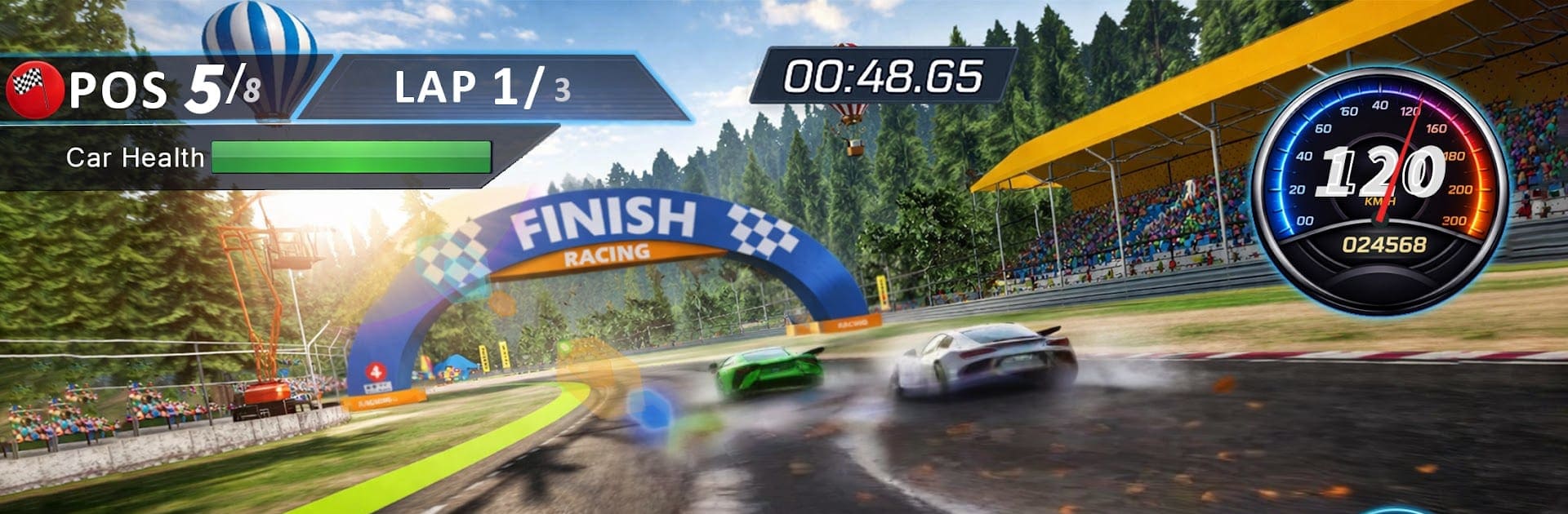
Real Car Racing: Drift & Speed is all about clean lines, quick reflexes, and that rush you get from shaving seconds off a lap. It blends pure circuit racing with stylish drifting, letting you push high-performance machines on tracks built to test nerve and control. Expect tight corners, smooth handling, and a skill-focused vibe that rewards practice—whether you’re chasing podiums on mobile or mapping keys on BlueStacks.

Game Features

  • Precision handling: Steering, throttle, and brakes feel tight and responsive, so every apex, braking point, and exit speed actually matters.
  • Drift that counts: Kick the tail out to carry speed through corners, link drifts, and keep momentum without throwing away your lap.
  • Pro-style tracks: Race on detailed circuits with chicanes, hairpins, and long sweepers that pressure timing and consistency.
  • Formula pace: Open-wheel, formula-style racing that demands clean lines and punishes sloppy inputs—fast feels really fast here.
  • Cars with personality: Unlock a garage of machines, each with its own grip, weight, and power curve, then figure out which one clicks with your style.
  • Meaningful upgrades: Tune for more speed and sharper handling so you can stick corners and punch harder down the straights.
  • Built for challenge: Progress through tougher events that require better focus, smoother inputs, and smarter race craft.
  • Smooth controls: Easy to pick up, satisfying to master—great on touch, and flexible with custom key mapping if you play on BlueStacks.
  • Offline-friendly: No connection? No problem. Hit the track and keep racing anywhere, anytime.

Get ready for a buttery smooth, high-performance gaming action only on BlueStacks.

Game Features

Enhancements

  • Macros
  • Multi Instance
  • Multi Instance Sync
  • Script
  • Enhancements
Macros

Macros

Automate the predictable in Real Car Racing: Drift & Speed and transform your gameplay with Macros. Get access to inventive Macros in the BlueStacks Macro Community
Multi Instance

Multi Instance

Play Real Car Racing: Drift & Speed on one window. And chat with your friend on the other. Press CTRL + Shift + 8 to open the Multi-Instance Manager. And start creating fresh instances or clone an existing one.
Multi Instance Sync

Multi Instance Sync

Play Real Car Racing: Drift & Speed with the power of Multi-Instance Sync. Replicate what you are doing on the main instance on all other instances. Level up faster, play more.
Script

Script

Script your way to gaming glory in Real Car Racing: Drift & Speed with BlueStacks Script. Write and run a set of commands to automate repeated tasks. Trigger the command by assigning it to any key.
Read More

How to Download and Play Real Car Racing: Drift & Speed on PC or Mac

  • Download and install BlueStacks on your PC or Mac

  • Complete Google sign-in to access the Play Store, or do it later

  • Look for Real Car Racing: Drift & Speed in the search bar at the top right corner

  • Click to install Real Car Racing: Drift & Speed from the search results

  • Complete Google sign-in (if you skipped step 2) to install Real Car Racing: Drift & Speed

  • Click the Real Car Racing: Drift & Speed icon on the home screen to start playing

video
Watch Video

Minimum System Requirements

With BlueStacks 5, you can get started on a PC that fulfills the following requirements.

  • Operating System

    Microsoft Windows 7 or above, macOS 11 (Big Sur) or above

  • Processor

    Intel, AMD or Apple Silicon Processor

  • RAM

    at least 4GB

  • HDD

    10GB Free Disk Space

Note:

* You must be an Administrator on your PC. Up to date graphics drivers from Microsoft or the chipset vendor.

Real Car Racing: Drift & Speed - FAQs

  • How to play Real Car Racing: Drift & Speed on Windows PC & Mac?

    Play Real Car Racing: Drift & Speed on your PC or Mac by following these simple steps.

    • Click on 'Play Real Car Racing: Drift & Speed on PC’ to download BlueStacks
    • Install it and log-in to Google Play Store
    • Launch and play the game.
  • Why is BlueStacks the fastest and safest platform to play games on PC?

    BlueStacks respects your privacy and is always safe and secure to use. It does not carry any malware, spyware, or any sort of additional software that could harm your PC.

    It is engineered to optimize speed and performance for a seamless gaming experience.

  • What are Real Car Racing: Drift & Speed PC requirements?

    Minimum requirement to run Real Car Racing: Drift & Speed on your PC

    • OS: Microsoft Windows 7 or above MacOS 11 (Big Sur) or above
    • Processor: Intel, AMD or Apple Silicon Processor
    • RAM: Your PC must have at least 4GB of RAM. (Note that having 4GB or more disk space is not a substitute for RAM)
    • HDD: 10GB Free Disk Space.
    • You must be an Administrator on your PC.