Valor Keep
Valor Keep

Valor Keep

Simulation

| DD Game

Play on PC with BlueStacks or from our cloud

  • Overview
  • Game Features
  • How to Play

Page Modified On: August 17, 2026

Play Valor Keep on PC or Mac

Bring your A-game to Valor Keep, the Simulation game sensation from DD Game. Give your gameplay the much-needed boost with precise game controls, high FPS graphics, and top-tier features on your PC or Mac with BlueStacks.

About the Game

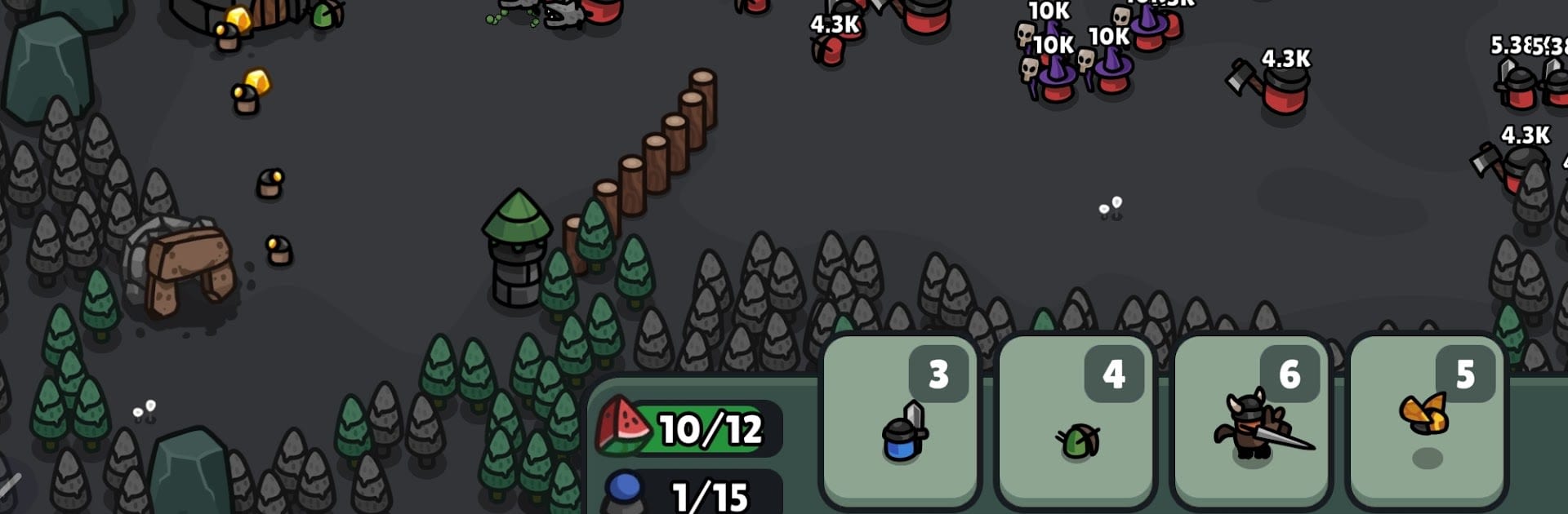
Valor Keep drops you into a last stronghold fighting to stay standing, where every second—and every card—counts. It’s a Simulation with a strategic edge: build a deck, spend energy smartly, and juggle defense with a steady flow of gold from your mine. Sessions can be snappy or slow-burn; if you want a bigger view and comfy controls, it also plays smoothly on PC with BlueStacks.

Game Features

  • Tactical Card Summons: Deploy units and abilities by spending energy, weighing quick plays against saving up for heavy hitters.
  • Side-Scrolling Defense: Hold the keep as enemies advance from the far side, with timing and lane control deciding who wins the push.
  • Gold Mine Management: Send workers to the pit, protect their route, and keep the economy humming so your deck stays online.
  • Build and Refine Your Deck: Mix frontline tanks, ranged damage, and support picks to create a lineup that suits your style.
  • Boss Encounters: Face towering threats for big resource hauls that help unlock stronger upgrades and sturdier defenses.
  • Prestige for Faster Growth: Restart a run to boost income rates while hanging on to core upgrades and collected cards, speeding up future progress.
  • Army-Wide Boosts: Find special cards that apply global buffs, turning small upgrades into noticeable power across your entire force.
  • Satisfying Progress Curve: Early scrambles turn into confident pushes as your economy, deck synergy, and passive bonuses start to click.

Get ready for a buttery smooth, high-performance gaming action only on BlueStacks.

Game Features

Enhancements

  • Macros
  • Multi Instance
  • Multi Instance Sync
  • Script
  • Enhancements
Macros

Macros

Automate the predictable in Valor Keep and transform your gameplay with Macros. Get access to inventive Macros in the BlueStacks Macro Community
Multi Instance

Multi Instance

Play Valor Keep on one window. And chat with your friend on the other. Press CTRL + Shift + 8 to open the Multi-Instance Manager. And start creating fresh instances or clone an existing one.
Multi Instance Sync

Multi Instance Sync

Play Valor Keep with the power of Multi-Instance Sync. Replicate what you are doing on the main instance on all other instances. Level up faster, play more.
Script

Script

Script your way to gaming glory in Valor Keep with BlueStacks Script. Write and run a set of commands to automate repeated tasks. Trigger the command by assigning it to any key.
Read More

How to Download and Play Valor Keep on PC or Mac

  • Download and install BlueStacks on your PC or Mac

  • Complete Google sign-in to access the Play Store, or do it later

  • Look for Valor Keep in the search bar at the top right corner

  • Click to install Valor Keep from the search results

  • Complete Google sign-in (if you skipped step 2) to install Valor Keep

  • Click the Valor Keep icon on the home screen to start playing

video
Watch Video

Minimum System Requirements

With BlueStacks 5, you can get started on a PC that fulfills the following requirements.

  • Operating System

    Microsoft Windows 7 or above, macOS 11 (Big Sur) or above

  • Processor

    Intel, AMD or Apple Silicon Processor

  • RAM

    at least 4GB

  • HDD

    10GB Free Disk Space

Note:

* You must be an Administrator on your PC. Up to date graphics drivers from Microsoft or the chipset vendor.

Valor Keep - FAQs

  • How to play Valor Keep on Windows PC & Mac?

    Play Valor Keep on your PC or Mac by following these simple steps.

    • Click on 'Play Valor Keep on PC’ to download BlueStacks
    • Install it and log-in to Google Play Store
    • Launch and play the game.
  • Why is BlueStacks the fastest and safest platform to play games on PC?

    BlueStacks respects your privacy and is always safe and secure to use. It does not carry any malware, spyware, or any sort of additional software that could harm your PC.

    It is engineered to optimize speed and performance for a seamless gaming experience.

  • What are Valor Keep PC requirements?

    Minimum requirement to run Valor Keep on your PC

    • OS: Microsoft Windows 7 or above MacOS 11 (Big Sur) or above
    • Processor: Intel, AMD or Apple Silicon Processor
    • RAM: Your PC must have at least 4GB of RAM. (Note that having 4GB or more disk space is not a substitute for RAM)
    • HDD: 10GB Free Disk Space.
    • You must be an Administrator on your PC.