Wild Animals Truck Transporter

Wild Animals Truck Transporter

Simulation

| Next Hope

Play on PC with BlueStacks or from our cloud

  • Overview
  • Game Features
  • How to Play

Page Modified On: August 31, 2026

Play Wild Animals Truck Transporter on PC or Mac

Step into the World of Wild Animals Truck Transporter, a thrilling Simulation game from the house of Next Hope. Play this Android game on BlueStacks App Player and experience immersive gaming on PC or Mac.

About the Game

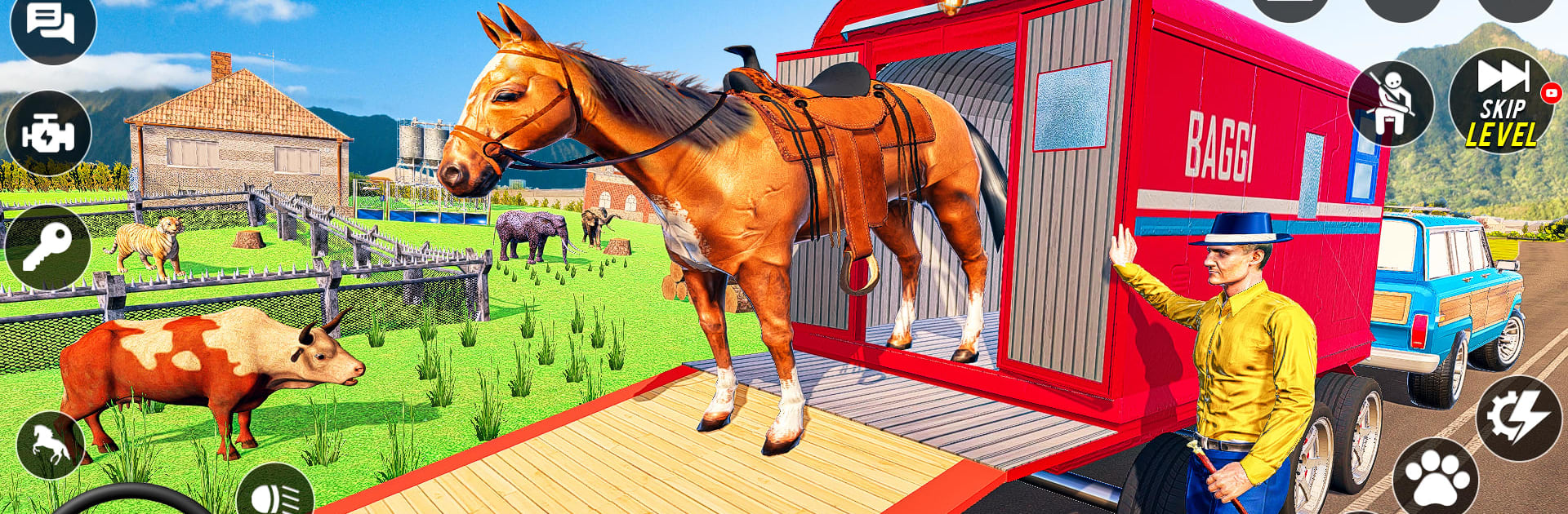
Wild Animals Truck Transporter is a Simulation experience where you’re the go-to driver for moving everything from barnyard buddies to zoo royalty. Your job isn’t just to deliver cargo—it’s to keep real, living creatures calm, safe, and healthy while tackling rivers, switchbacks, and storms. Prefer a bigger screen and smoother controls? It plays comfortably on PC with BlueStacks too.

Game Features

  • Big, varied animal roster: Move cows, horses, camels, zebras, tigers, elephants, and more—each with different needs that affect how you load, route, and drive.
  • Trucks and helicopters in one job: Switch between heavy-duty haulers and choppers when roads vanish, bridges fail, or a rescue spot is only reachable by air.
  • Tough terrain and rough weather: Navigate muddy tracks, rocky climbs, rushing water, and changing conditions that can shake your cargo and test your timing.
  • Animal care systems: Monitor stress, comfort, and safety; drive smoothly, choose the right crate or trailer, and keep stops short to protect your passengers.
  • Impactful choices: Your decisions influence wildlife health and population outcomes, encouraging thoughtful transport and responsible routes.
  • Mission variety: Tackle quick pickups, multi-stop hauls, long-distance transfers between cities and villages, and urgent rescues to protected areas.
  • Realistic behavior and audio: Hear distinct calls and reactions, and notice how different species respond to motion, altitude, and speed.
  • Detailed 3D world: Explore changing biomes and believable environments that keep every trip fresh, whether you’re rolling through farmland or skirting a rugged reserve.

BlueStacks gives you more room to focus on the game and less time adjusting around mobile limitations.


Game Features

Enhancements

  • Macros
  • Multi Instance
  • Multi Instance Sync
  • Script
  • Enhancements
Macros

Macros

Automate the predictable in Wild Animals Truck Transporter and transform your gameplay with Macros. Get access to inventive Macros in the BlueStacks Macro Community
Multi Instance

Multi Instance

Play Wild Animals Truck Transporter on one window. And chat with your friend on the other. Press CTRL + Shift + 8 to open the Multi-Instance Manager. And start creating fresh instances or clone an existing one.
Multi Instance Sync

Multi Instance Sync

Play Wild Animals Truck Transporter with the power of Multi-Instance Sync. Replicate what you are doing on the main instance on all other instances. Level up faster, play more.
Script

Script

Script your way to gaming glory in Wild Animals Truck Transporter with BlueStacks Script. Write and run a set of commands to automate repeated tasks. Trigger the command by assigning it to any key.
Read More

How to Download and Play Wild Animals Truck Transporter on PC or Mac

  • Download and install BlueStacks on your PC or Mac

  • Complete Google sign-in to access the Play Store, or do it later

  • Look for Wild Animals Truck Transporter in the search bar at the top right corner

  • Click to install Wild Animals Truck Transporter from the search results

  • Complete Google sign-in (if you skipped step 2) to install Wild Animals Truck Transporter

  • Click the Wild Animals Truck Transporter icon on the home screen to start playing

video
Watch Video

Minimum System Requirements

With BlueStacks 5, you can get started on a PC that fulfills the following requirements.

  • Operating System

    Microsoft Windows 7 or above, macOS 11 (Big Sur) or above

  • Processor

    Intel, AMD or Apple Silicon Processor

  • RAM

    at least 4GB

  • HDD

    10GB Free Disk Space

Note:

* You must be an Administrator on your PC. Up to date graphics drivers from Microsoft or the chipset vendor.

Wild Animals Truck Transporter - FAQs

  • How to play Wild Animals Truck Transporter on Windows PC & Mac?

    Play Wild Animals Truck Transporter on your PC or Mac by following these simple steps.

    • Click on 'Play Wild Animals Truck Transporter on PC’ to download BlueStacks
    • Install it and log-in to Google Play Store
    • Launch and play the game.
  • Why is BlueStacks the fastest and safest platform to play games on PC?

    BlueStacks respects your privacy and is always safe and secure to use. It does not carry any malware, spyware, or any sort of additional software that could harm your PC.

    It is engineered to optimize speed and performance for a seamless gaming experience.

  • What are Wild Animals Truck Transporter PC requirements?

    Minimum requirement to run Wild Animals Truck Transporter on your PC

    • OS: Microsoft Windows 7 or above MacOS 11 (Big Sur) or above
    • Processor: Intel, AMD or Apple Silicon Processor
    • RAM: Your PC must have at least 4GB of RAM. (Note that having 4GB or more disk space is not a substitute for RAM)
    • HDD: 10GB Free Disk Space.
    • You must be an Administrator on your PC.