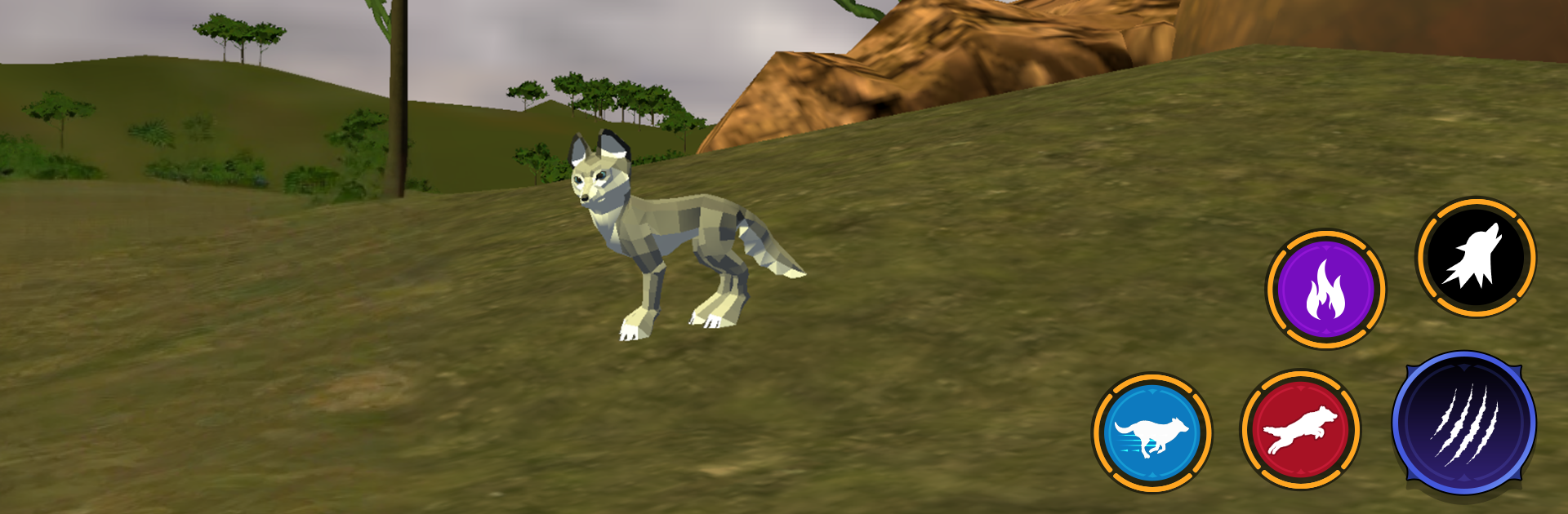
Wolf Life Simulator: Wildlife

Wolf Life Simulator: Wildlife

Simulation

| Nuts Game Ventures

Play on PC with BlueStacks or from our cloud

  • Overview
  • Game Features
  • How to Play

Page Modified On: November 28, 2025

Play Wolf Life Simulator: Wildlife on PC or Mac

From the innovators and creators at Nuts Game Ventures, Wolf Life Simulator: Wildlife is another fun addition to the World of Simulation games. Go beyond your mobile screen and play it bigger and better on your PC or Mac. An immersive experience awaits you.

Wolf Life Simulator: Wildlife is a straight animal survival game where the player lives as a lone wolf and slowly builds a life in the wild. It starts calm, with long runs through forests, snowy ridges, and dry valleys, then flips to tense when hunger and thirst tick down or a rival pack shows up. Hunting actually feels like hunting. The player tracks deer and rabbits, times a sprint, and finishes the chase, or just picks through old camps for scraps when things go wrong. There is a lot of wolf stuff that sells the fantasy too, like howling to find others, digging at a den, and marking ground so strangers keep their distance.

The big hook is the family angle. Finding a mate, setting up a den, and raising pups gives the whole loop purpose. Pups need food and protection, and teaching them to chase small prey is surprisingly fun. Pack dynamics matter, with chances to team up or try to lead, and that changes how risky the map feels. Custom options help a lot, since a tougher build or a faster one changes the way hunts play out. Exploration is steady, with hidden spots, small quests, and the odd surprise animal that will absolutely ruin a careless run. It looks good and the sound does work, from snow crunch to distant howls. On PC through BlueStacks, the bigger view and mouse control make tracking and camera swings easier, which helps when a fight turns messy.

Slay your opponents with your epic moves. Play it your way on BlueStacks and dominate the battlefield.


Game Features

Enhancements

  • Macros
  • Multi Instance
  • Multi Instance Sync
  • Script
  • Enhancements
Macros

Macros

Automate the predictable in Wolf Life Simulator: Wildlife and transform your gameplay with Macros. Get access to inventive Macros in the BlueStacks Macro Community
Multi Instance

Multi Instance

Play Wolf Life Simulator: Wildlife on one window. And chat with your friend on the other. Press CTRL + Shift + 8 to open the Multi-Instance Manager. And start creating fresh instances or clone an existing one.
Multi Instance Sync

Multi Instance Sync

Play Wolf Life Simulator: Wildlife with the power of Multi-Instance Sync. Replicate what you are doing on the main instance on all other instances. Level up faster, play more.
Script

Script

Script your way to gaming glory in Wolf Life Simulator: Wildlife with BlueStacks Script. Write and run a set of commands to automate repeated tasks. Trigger the command by assigning it to any key.
Read More

How to Download and Play Wolf Life Simulator: Wildlife on PC or Mac

  • Download and install BlueStacks on your PC or Mac

  • Complete Google sign-in to access the Play Store, or do it later

  • Look for Wolf Life Simulator: Wildlife in the search bar at the top right corner

  • Click to install Wolf Life Simulator: Wildlife from the search results

  • Complete Google sign-in (if you skipped step 2) to install Wolf Life Simulator: Wildlife

  • Click the Wolf Life Simulator: Wildlife icon on the home screen to start playing

video
Watch Video

Minimum System Requirements

With BlueStacks 5, you can get started on a PC that fulfills the following requirements.

  • Operating System

    Microsoft Windows 7 or above, macOS 11 (Big Sur) or above

  • Processor

    Intel, AMD or Apple Silicon Processor

  • RAM

    at least 4GB

  • HDD

    10GB Free Disk Space

Note:

* You must be an Administrator on your PC. Up to date graphics drivers from Microsoft or the chipset vendor.

Wolf Life Simulator: Wildlife - FAQs

  • How to play Wolf Life Simulator: Wildlife on Windows PC & Mac?

    Play Wolf Life Simulator: Wildlife on your PC or Mac by following these simple steps.

    • Click on 'Play Wolf Life Simulator: Wildlife on PC’ to download BlueStacks
    • Install it and log-in to Google Play Store
    • Launch and play the game.
  • Why is BlueStacks the fastest and safest platform to play games on PC?

    BlueStacks respects your privacy and is always safe and secure to use. It does not carry any malware, spyware, or any sort of additional software that could harm your PC.

    It is engineered to optimize speed and performance for a seamless gaming experience.

  • What are Wolf Life Simulator: Wildlife PC requirements?

    Minimum requirement to run Wolf Life Simulator: Wildlife on your PC

    • OS: Microsoft Windows 7 or above MacOS 11 (Big Sur) or above
    • Processor: Intel, AMD or Apple Silicon Processor
    • RAM: Your PC must have at least 4GB of RAM. (Note that having 4GB or more disk space is not a substitute for RAM)
    • HDD: 10GB Free Disk Space.
    • You must be an Administrator on your PC.