City of Apes: Gangster Driving

City of Apes: Gangster Driving

Strategy

| Nuts Game Ventures

Play on PC with BlueStacks or from our cloud

  • Overview
  • Game Features
  • How to Play

Page Modified On: August 15, 2026

Play City of Apes: Gangster Driving on PC or Mac

City of Apes: Gangster Driving brings the Strategy genre to life, and throws up exciting challenges for gamers. Developed by Nuts Game Ventures, this Android game is best experienced on BlueStacks, the World’s #1 app player for PC and Mac users.

About the Game

City of Apes: Gangster Driving is a Strategy sandbox where brains and brute force both matter. The city’s split between human crews and ape factions, and you’re carving out a name by planning heists, picking the right allies, and surviving wild street skirmishes. Want to play with sharper controls on a bigger screen? It runs smoothly on BlueStacks too.

Game Features

  • Open-city mayhem: Roam packed districts, alleys, rooftops, and side streets, from quiet corners to hotspots guarded by hostile crews.
  • Story jobs with momentum: Start in a modest hideout, take on risky contracts, and gradually unlock new blocks as your influence grows.
  • Ape factions in the mix: Broker help from hulking gorillas, outwit quick-tempered chimps, and watch out for those unpredictable mutant monkeys.
  • Wheels and getaways: Steal a ride, cut through traffic, hit jumps, and use tight shortcuts to shake the heat when things go loud.
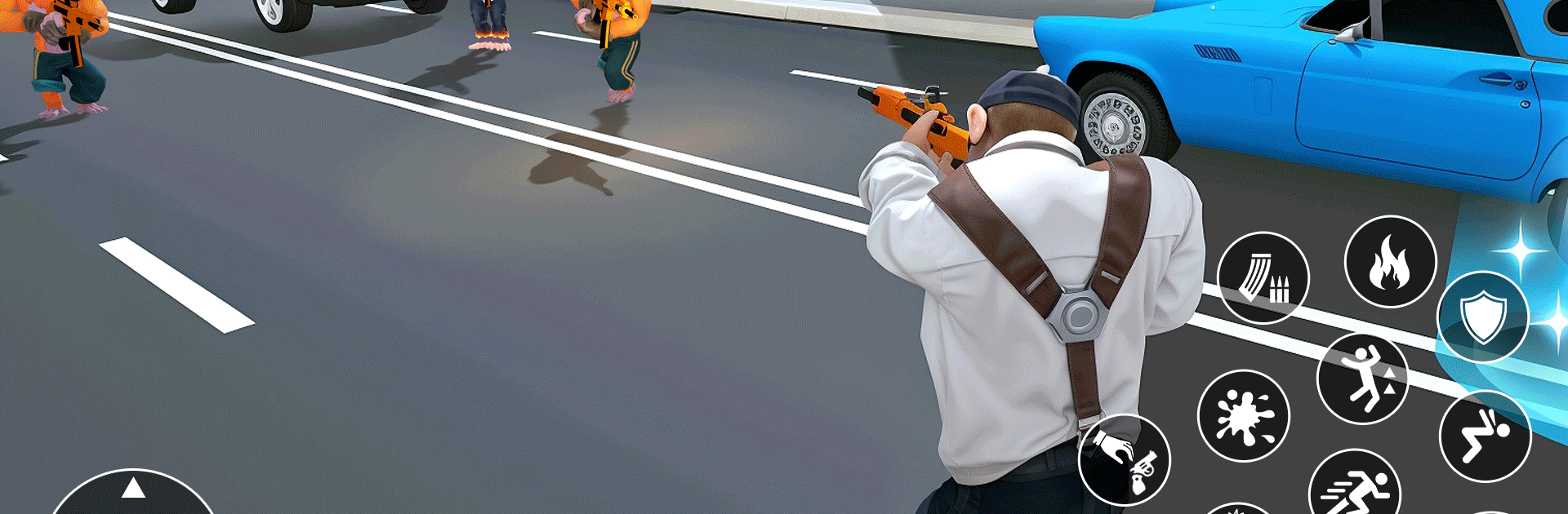
  • Brutal street combat: Swap between close-quarters brawls and gunfights, using cover, angles, and timing to control messy encounters.
  • Crew tactics on demand: Call in backup, set distractions, or split enemies with a pincer move when a straight shootout won’t cut it.
  • Escalating police pressure: The more chaos you cause, the tougher the response—lay low, switch vehicles, and reroute to stay off the radar.
  • Gear that fits your style: Earn cash to stock up on weapons, armor, and gadgets that make missions smoother—and your escapes cleaner.

Ready to top the leaderboard? We bet you do. Let precise controls and sharp visuals optimized on BlueStacks lead you to victory.


Game Features

Enhancements

  • Macros
  • Multi Instance
  • Multi Instance Sync
  • Eco Mode
  • Enhancements
Macros

Macros

Skip the boring parts of a game. Play City of Apes: Gangster Driving with Macros and get the edge. Simply record a sequence of commands and execute them at any moment.
Multi Instance

Multi Instance

Why limit to one game on your phone when you can play many on your PC? Open multiple instances of City of Apes: Gangster Driving at once with Multi-Instance. Leverage the power of different accounts by doing more.
Multi Instance Sync

Multi Instance Sync

Get the best out of City of Apes: Gangster Driving with Multi-Instance Sync. Play the game from different accounts and build your own empire. Use Multi-instance sync to repeat the action in the main BlueStacks instance on all other instances.
Eco Mode

Eco Mode

Find the rarest heroes by making multiple summons in City of Apes: Gangster Driving. And while you are at it, reduce your PC’s resource consumption with the Eco Mode. Farm efficiently. Get the best results.
Read More

How to Download and Play City of Apes: Gangster Driving on PC or Mac

  • Download and install BlueStacks on your PC or Mac

  • Complete Google sign-in to access the Play Store, or do it later

  • Look for City of Apes: Gangster Driving in the search bar at the top right corner

  • Click to install City of Apes: Gangster Driving from the search results

  • Complete Google sign-in (if you skipped step 2) to install City of Apes: Gangster Driving

  • Click the City of Apes: Gangster Driving icon on the home screen to start playing

video
Watch Video

Minimum System Requirements

With BlueStacks 5, you can get started on a PC that fulfills the following requirements.

  • Operating System

    Microsoft Windows 7 or above, macOS 11 (Big Sur) or above

  • Processor

    Intel, AMD or Apple Silicon Processor

  • RAM

    at least 4GB

  • HDD

    10GB Free Disk Space

Note:

* You must be an Administrator on your PC. Up to date graphics drivers from Microsoft or the chipset vendor.

City of Apes: Gangster Driving - FAQs

  • How to play City of Apes: Gangster Driving on Windows PC & Mac?

    Play City of Apes: Gangster Driving on your PC or Mac by following these simple steps.

    • Click on 'Play City of Apes: Gangster Driving on PC’ to download BlueStacks
    • Install it and log-in to Google Play Store
    • Launch and play the game.
  • Why is BlueStacks the fastest and safest platform to play games on PC?

    BlueStacks respects your privacy and is always safe and secure to use. It does not carry any malware, spyware, or any sort of additional software that could harm your PC.

    It is engineered to optimize speed and performance for a seamless gaming experience.

  • What are City of Apes: Gangster Driving PC requirements?

    Minimum requirement to run City of Apes: Gangster Driving on your PC

    • OS: Microsoft Windows 7 or above MacOS 11 (Big Sur) or above
    • Processor: Intel, AMD or Apple Silicon Processor
    • RAM: Your PC must have at least 4GB of RAM. (Note that having 4GB or more disk space is not a substitute for RAM)
    • HDD: 10GB Free Disk Space.
    • You must be an Administrator on your PC.