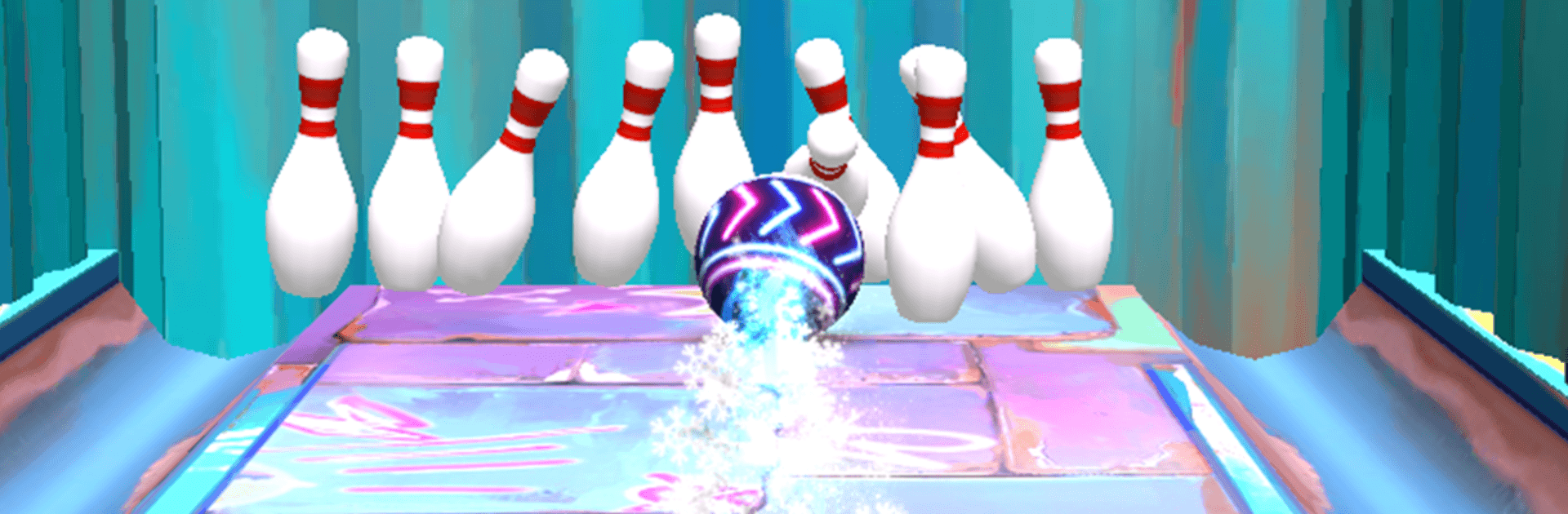
3D Bowling Strike Challenge

3D Bowling Strike Challenge

Sports

| Takenick Innovation

Play on PC with BlueStacks or from our cloud

  • Overview
  • Game Features
  • How to Play

Page Modified On: August 20, 2026

Play 3D Bowling Strike Challenge on PC or Mac

Explore a whole new adventure with 3D Bowling Strike Challenge, a Sports game created by Takenick Innovation. Experience great gameplay with BlueStacks, the most popular gaming platform to play Android games on your PC or Mac.

About the Game

3D Bowling Strike Challenge is a pick-up-and-roll Sports game that nails the feel of dropping a clean strike. It blends realistic physics with quick, replayable modes you can play solo or with friends—even without an internet connection. Prefer a bigger screen and comfy controls? You can roll frames on PC with BlueStacks, too.

Game Features

  • True-to-life rolls: A tuned physics engine makes every hook, curve, and pin scatter feel right, so skill actually matters.
  • Pick-your-play modes: Warm up in Practice, test yourself against a smart CPU in Opponent, or pass the device for friendly couch battles with Pass & Play.
  • Built for solo sessions: Work through 30+ handcrafted levels at your own pace, perfect for quick frames or longer streaks.
  • Head-to-head your way: Face the CPU or challenge friends, connected or offline, with smooth back-and-forth play.
  • Four striking lanes: Bowl across Neon Night, Wooden Classic, Tropical Beach, and Futuristic Glow to match your mood.
  • Your ball, your style: Collect 10+ unique balls, and let each player pick their favorite for that personal touch.
  • Flair on every throw: Equip 15+ trail effects to add color, sparks, and personality to your shots.
  • Make the alley yours: Swap wood styles and background masks to customize the vibe of your lane.
  • Clean 3D presentation: Bold visuals and crisp lanes make every frame easy to read and satisfying to watch.
  • Know your numbers: A detailed stats screen tracks accuracy, streaks, and overall progress so you can spot improvements.
  • Quick rewards spin: Try the Daily Spinner for a chance at gold, new balls, and other handy goodies.
  • Shop for upgrades: Use the in-game store to pick up gold, unlock balls, trails, and quality-of-life boosts.
  • Difficulty that keeps up: Dynamic tuning keeps beginners comfortable while still giving pros a real challenge.

Get ready for a buttery smooth, high-performance gaming action only on BlueStacks.

Game Features

Enhancements

  • Macros
  • Multi Instance
  • Multi Instance Sync
  • Script
  • Enhancements
Macros

Macros

Automate the predictable in 3D Bowling Strike Challenge and transform your gameplay with Macros. Get access to inventive Macros in the BlueStacks Macro Community
Multi Instance

Multi Instance

Play 3D Bowling Strike Challenge on one window. And chat with your friend on the other. Press CTRL + Shift + 8 to open the Multi-Instance Manager. And start creating fresh instances or clone an existing one.
Multi Instance Sync

Multi Instance Sync

Play 3D Bowling Strike Challenge with the power of Multi-Instance Sync. Replicate what you are doing on the main instance on all other instances. Level up faster, play more.
Script

Script

Script your way to gaming glory in 3D Bowling Strike Challenge with BlueStacks Script. Write and run a set of commands to automate repeated tasks. Trigger the command by assigning it to any key.
Read More

How to Download and Play 3D Bowling Strike Challenge on PC or Mac

  • Download and install BlueStacks on your PC or Mac

  • Complete Google sign-in to access the Play Store, or do it later

  • Look for 3D Bowling Strike Challenge in the search bar at the top right corner

  • Click to install 3D Bowling Strike Challenge from the search results

  • Complete Google sign-in (if you skipped step 2) to install 3D Bowling Strike Challenge

  • Click the 3D Bowling Strike Challenge icon on the home screen to start playing

video
Watch Video

Minimum System Requirements

With BlueStacks 5, you can get started on a PC that fulfills the following requirements.

  • Operating System

    Microsoft Windows 7 or above, macOS 11 (Big Sur) or above

  • Processor

    Intel, AMD or Apple Silicon Processor

  • RAM

    at least 4GB

  • HDD

    10GB Free Disk Space

Note:

* You must be an Administrator on your PC. Up to date graphics drivers from Microsoft or the chipset vendor.

3D Bowling Strike Challenge - FAQs

  • How to play 3D Bowling Strike Challenge on Windows PC & Mac?

    Play 3D Bowling Strike Challenge on your PC or Mac by following these simple steps.

    • Click on 'Play 3D Bowling Strike Challenge on PC’ to download BlueStacks
    • Install it and log-in to Google Play Store
    • Launch and play the game.
  • Why is BlueStacks the fastest and safest platform to play games on PC?

    BlueStacks respects your privacy and is always safe and secure to use. It does not carry any malware, spyware, or any sort of additional software that could harm your PC.

    It is engineered to optimize speed and performance for a seamless gaming experience.

  • What are 3D Bowling Strike Challenge PC requirements?

    Minimum requirement to run 3D Bowling Strike Challenge on your PC

    • OS: Microsoft Windows 7 or above MacOS 11 (Big Sur) or above
    • Processor: Intel, AMD or Apple Silicon Processor
    • RAM: Your PC must have at least 4GB of RAM. (Note that having 4GB or more disk space is not a substitute for RAM)
    • HDD: 10GB Free Disk Space.
    • You must be an Administrator on your PC.