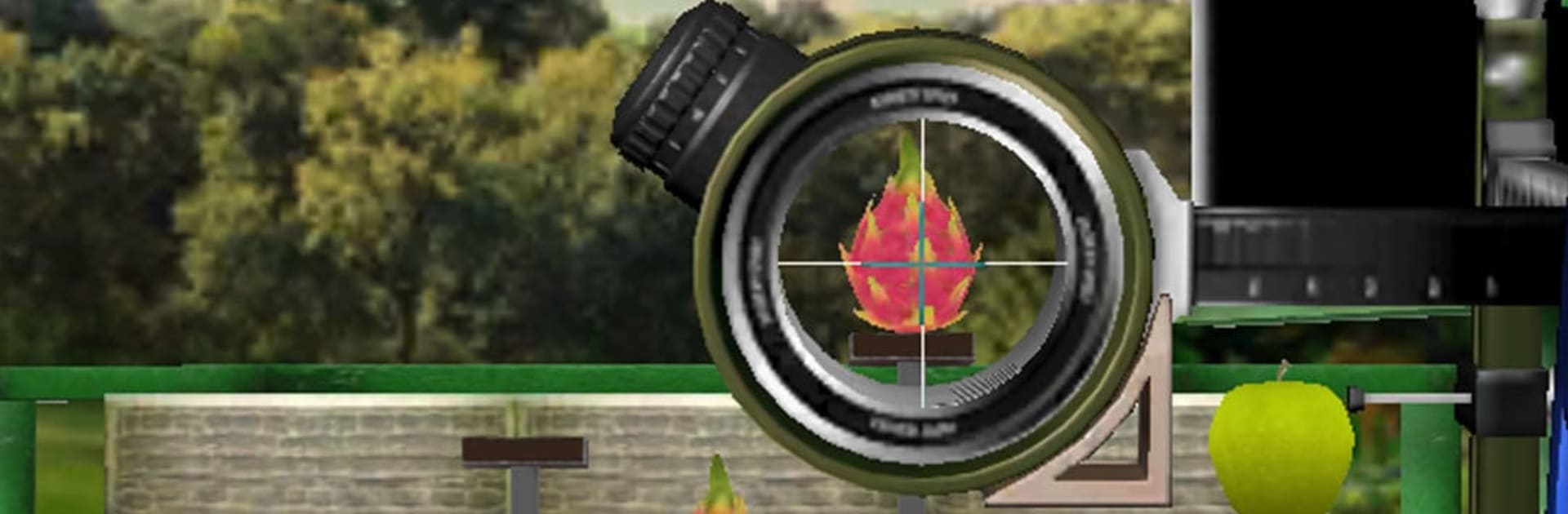
Archery Shooting & Bow Arrow

Archery Shooting & Bow Arrow

Sports

| FireflyPlays

Play on PC with BlueStacks or from our cloud

  • Overview
  • Game Features
  • How to Play

Page Modified On: December 26, 2025

Play Archery Shooting & Bow Arrow on PC or Mac

Join millions to experience Archery Shooting & Bow Arrow, an exciting Sports game from FireflyPlays. With BlueStacks App Player, you are always a step ahead of your opponent, ready to outplay them with faster gameplay and better control with the mouse and keyboard on your PC or Mac.

About the Game

Archery Shooting & Bow Arrow nails that satisfying snap of the string and the quiet focus before every shot. This Sports title from FireflyPlays mixes realistic 3D ranges with quick, approachable play, so you can warm up with a few bullseyes or chase a personal best without fuss. Prefer a relaxed session or a sweaty push for rankings? Both feel right at home here.

Game Features

  • Lifelike 3D ranges — Clean environments and smooth animations make each release feel weighty, from nocked arrow to target hit.
  • Effortless controls — Drag, aim, and release with responsive touch input that feels natural in minutes and precise for the long haul.
  • Targets that keep you guessing — Bullseyes, square plates, moving boards, fruit pops, and dummy targets each ask for different angles, timing, and judgment.
  • Weather that matters — Calm sunshine or shifty wind can nudge arrows off course, so reading conditions and adjusting becomes part of the fun.
  • Lots to conquer — Hundreds of hand-crafted stages steadily raise the challenge while sharpening your aim, rhythm, and focus.
  • Competitive streak — Enter tournaments and chase leaderboard spots when you want to put your consistency to the test.
  • Built around skill — Good habits pay off: steady hands, smart compensation, and clean releases beat luck every time.
  • Big-screen friendly — Prefer a larger view of the range? It runs smoothly on PC with BlueStacks for extra room to line up shots.
  • Play your pace — Quick rounds for a few minutes on the go or longer sessions when you’re dialed in and chasing perfect ends.
  • Tons of content — A generous spread of levels and targets means plenty to practice, master, and revisit.

Start your journey now. Download the game on BlueStacks, invite your friends, and march on a new adventure.


Game Features

Enhancements

  • Macros
  • Multi Instance
  • Multi Instance Sync
  • Script
  • Enhancements
Macros

Macros

Automate the predictable in Archery Shooting & Bow Arrow and transform your gameplay with Macros. Get access to inventive Macros in the BlueStacks Macro Community
Multi Instance

Multi Instance

Play Archery Shooting & Bow Arrow on one window. And chat with your friend on the other. Press CTRL + Shift + 8 to open the Multi-Instance Manager. And start creating fresh instances or clone an existing one.
Multi Instance Sync

Multi Instance Sync

Play Archery Shooting & Bow Arrow with the power of Multi-Instance Sync. Replicate what you are doing on the main instance on all other instances. Level up faster, play more.
Script

Script

Script your way to gaming glory in Archery Shooting & Bow Arrow with BlueStacks Script. Write and run a set of commands to automate repeated tasks. Trigger the command by assigning it to any key.
Read More

How to Download and Play Archery Shooting & Bow Arrow on PC or Mac

  • Download and install BlueStacks on your PC or Mac

  • Complete Google sign-in to access the Play Store, or do it later

  • Look for Archery Shooting & Bow Arrow in the search bar at the top right corner

  • Click to install Archery Shooting & Bow Arrow from the search results

  • Complete Google sign-in (if you skipped step 2) to install Archery Shooting & Bow Arrow

  • Click the Archery Shooting & Bow Arrow icon on the home screen to start playing

video
Watch Video

Minimum System Requirements

With BlueStacks 5, you can get started on a PC that fulfills the following requirements.

  • Operating System

    Microsoft Windows 7 or above, macOS 11 (Big Sur) or above

  • Processor

    Intel, AMD or Apple Silicon Processor

  • RAM

    at least 4GB

  • HDD

    10GB Free Disk Space

Note:

* You must be an Administrator on your PC. Up to date graphics drivers from Microsoft or the chipset vendor.

Archery Shooting & Bow Arrow - FAQs

  • How to play Archery Shooting & Bow Arrow on Windows PC & Mac?

    Play Archery Shooting & Bow Arrow on your PC or Mac by following these simple steps.

    • Click on 'Play Archery Shooting & Bow Arrow on PC’ to download BlueStacks
    • Install it and log-in to Google Play Store
    • Launch and play the game.
  • Why is BlueStacks the fastest and safest platform to play games on PC?

    BlueStacks respects your privacy and is always safe and secure to use. It does not carry any malware, spyware, or any sort of additional software that could harm your PC.

    It is engineered to optimize speed and performance for a seamless gaming experience.

  • What are Archery Shooting & Bow Arrow PC requirements?

    Minimum requirement to run Archery Shooting & Bow Arrow on your PC

    • OS: Microsoft Windows 7 or above MacOS 11 (Big Sur) or above
    • Processor: Intel, AMD or Apple Silicon Processor
    • RAM: Your PC must have at least 4GB of RAM. (Note that having 4GB or more disk space is not a substitute for RAM)
    • HDD: 10GB Free Disk Space.
    • You must be an Administrator on your PC.