Backyard Soccer '98
Backyard Soccer '98

Backyard Soccer '98

Sports

| Playground Productions LLC

Play on PC with BlueStacks or from our cloud

  • Overview
  • Game Features
  • How to Play

Page Modified On: December 05, 2025

Play Backyard Soccer '98 on PC or Mac

Explore a whole new adventure with Backyard Soccer ’98, a Sports game created by Playground Productions LLC. Experience great gameplay with BlueStacks, the most popular gaming platform to play Android games on your PC or Mac.

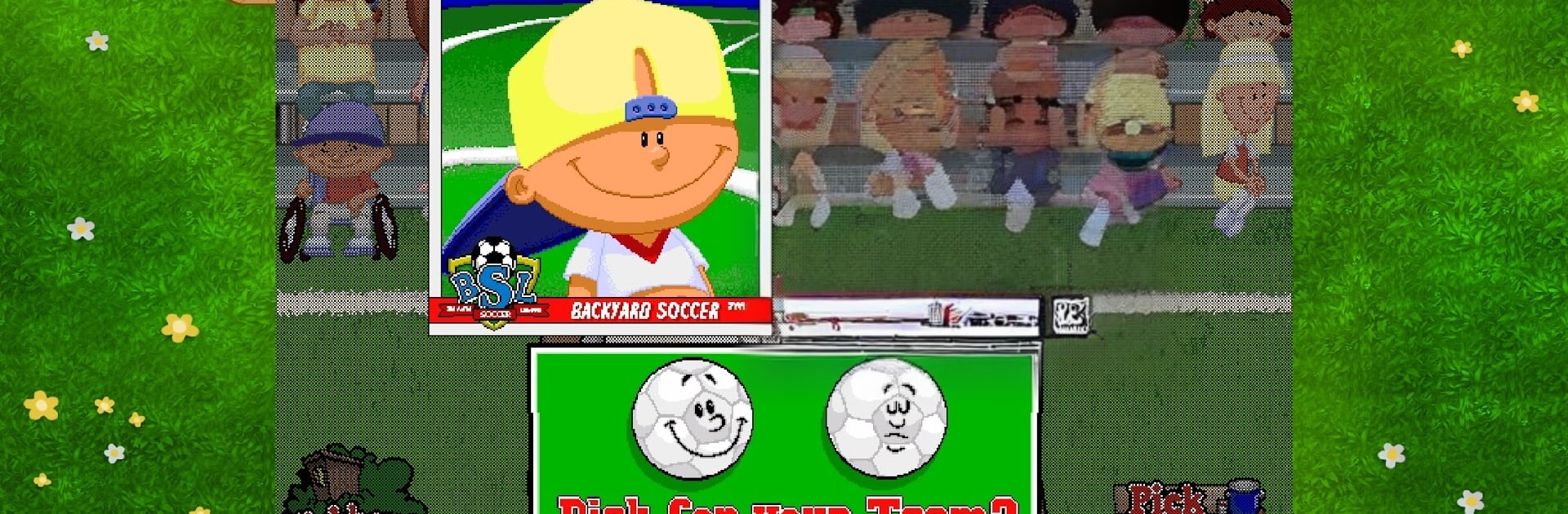
Backyard Soccer ’98 plays like a neighborhood match that got turned into a light little PC game, simple and funny in a way that still works. It is six on six, and everything runs off clicks, so passing, tackling, and shots are quick and snappy with a mouse. The whole thing leans into that kid-sports charm, with Sunny Day and Earl Grey chattering during plays and making even a sloppy tackle sound like a highlight. It is colorful without being noisy, and that backyard feel never goes away. On BlueStacks, the point and click setup feels natural, and swapping between windows or running a quick match is no fuss.

There is a quick Pick-up Game button that tosses two random teams onto a field and starts the whistle, or players can build a roster for a single Friendly Match. League Play is where it grows, since you name a team, pick colors, draft a squad of eight kids, and try to climb divisions through a season. Sit in the top four halfway through and an indoor invitational pops up, finish strong and the team moves up a tier, win it all and the Astonishingly Shiny Cup of All Cups Tournament waits at the end. There are about thirty Backyard kids to choose from, including the legend Pablo Sanchez, and a bunch of different fields so matches do not blur together. Penalty kicks can be practiced against Mr. Clanky, shootouts get tense fast, and silly power ups and bloopers keep it from feeling too serious. It is soccer for everyone, easy to learn, and oddly competitive once the standings start to matter.

Ready to top the leaderboard? We bet you do. Let precise controls and sharp visuals optimized on BlueStacks lead you to victory.


Game Features

Enhancements

  • Macros
  • Multi Instance
  • Multi Instance Sync
  • Script
  • Enhancements
Macros

Macros

Automate the predictable in Backyard Soccer '98 and transform your gameplay with Macros. Get access to inventive Macros in the BlueStacks Macro Community
Multi Instance

Multi Instance

Play Backyard Soccer '98 on one window. And chat with your friend on the other. Press CTRL + Shift + 8 to open the Multi-Instance Manager. And start creating fresh instances or clone an existing one.
Multi Instance Sync

Multi Instance Sync

Play Backyard Soccer '98 with the power of Multi-Instance Sync. Replicate what you are doing on the main instance on all other instances. Level up faster, play more.
Script

Script

Script your way to gaming glory in Backyard Soccer '98 with BlueStacks Script. Write and run a set of commands to automate repeated tasks. Trigger the command by assigning it to any key.
Read More

How to Download and Play Backyard Soccer '98 on PC or Mac

  • Download and install BlueStacks on your PC or Mac

  • Complete Google sign-in to access the Play Store, or do it later

  • Look for Backyard Soccer '98 in the search bar at the top right corner

  • Click to install Backyard Soccer '98 from the search results

  • Complete Google sign-in (if you skipped step 2) to install Backyard Soccer '98

  • Click the Backyard Soccer '98 icon on the home screen to start playing

video
Watch Video

Minimum System Requirements

With BlueStacks 5, you can get started on a PC that fulfills the following requirements.

  • Operating System

    Microsoft Windows 7 or above, macOS 11 (Big Sur) or above

  • Processor

    Intel, AMD or Apple Silicon Processor

  • RAM

    at least 4GB

  • HDD

    10GB Free Disk Space

Note:

* You must be an Administrator on your PC. Up to date graphics drivers from Microsoft or the chipset vendor.

Backyard Soccer '98 - FAQs

  • How to play Backyard Soccer '98 on Windows PC & Mac?

    Play Backyard Soccer '98 on your PC or Mac by following these simple steps.

    • Click on 'Play Backyard Soccer '98 on PC’ to download BlueStacks
    • Install it and log-in to Google Play Store
    • Launch and play the game.
  • Why is BlueStacks the fastest and safest platform to play games on PC?

    BlueStacks respects your privacy and is always safe and secure to use. It does not carry any malware, spyware, or any sort of additional software that could harm your PC.

    It is engineered to optimize speed and performance for a seamless gaming experience.

  • What are Backyard Soccer '98 PC requirements?

    Minimum requirement to run Backyard Soccer '98 on your PC

    • OS: Microsoft Windows 7 or above MacOS 11 (Big Sur) or above
    • Processor: Intel, AMD or Apple Silicon Processor
    • RAM: Your PC must have at least 4GB of RAM. (Note that having 4GB or more disk space is not a substitute for RAM)
    • HDD: 10GB Free Disk Space.
    • You must be an Administrator on your PC.