Backyard Basketball '01

Backyard Basketball '01

Sports

| Playground Productions LLC

Play on PC with BlueStacks or from our cloud

  • Overview
  • Game Features
  • How to Play

Page Modified On: December 05, 2025

Play Backyard Basketball '01 on PC or Mac

Backyard Basketball ’01 brings the Sports genre to life, and throws up exciting challenges for gamers. Developed by Playground Productions LLC, this Android game is best experienced on BlueStacks, the World’s #1 app player for PC and Mac users.

About the Game

Backyard Basketball ’01 brings that neighborhood hoop vibe back in a big way. It’s a nostalgic Sports throwback where kid versions of basketball legends team up with the Backyard crew for four quarters of fast, scrappy, and often hilarious ball. Build your lineup, tweak your uniforms, and choose whether you’re in for a quick game or a full season—your call.

Game Features

  • Classic Backyard Feel: The first hoops entry in the Backyard Sports series returns with its playful style intact, now tuned for mobile without losing the charm fans remember.
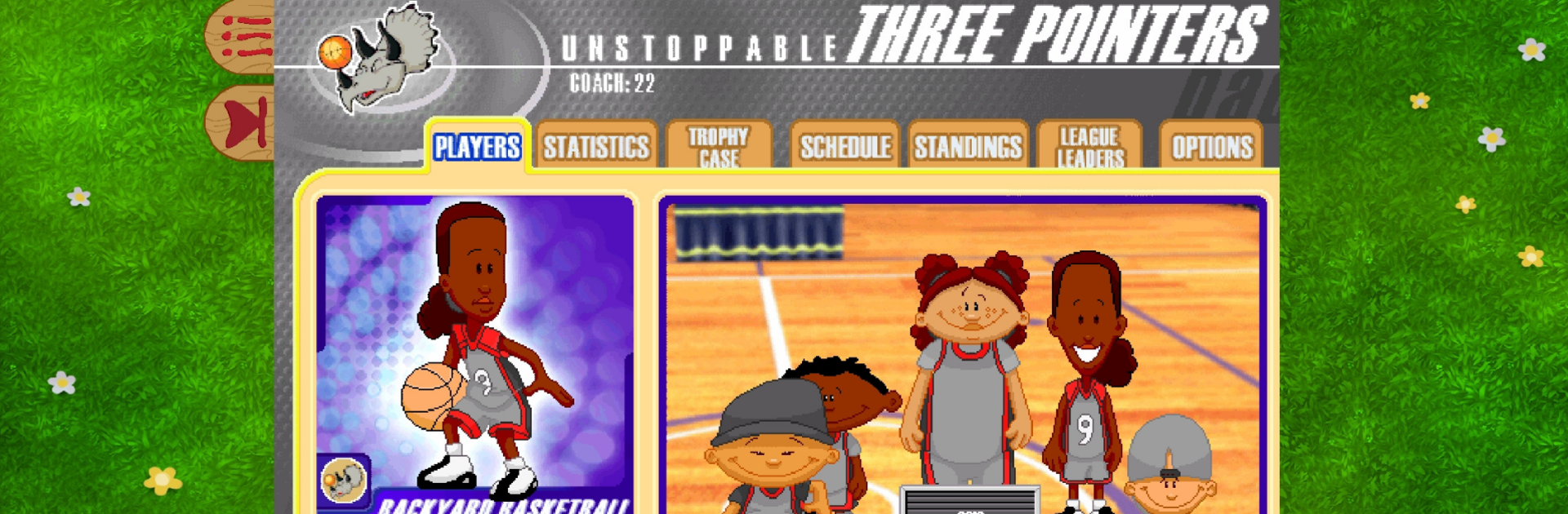
  • Build Your Squad: Pick your team name and colors, then assemble your fab five from a roster of 30 kid athletes—including a returning Lisa Leslie.
  • Modes for Any Mood: Jump into a Pick-up Game for instant action, grind through Season Play to chase a championship, or hit Practice to toy with lineups and learn the courts.
  • Create and Grow: Make custom players, track stats across the season, and watch skills tick up as you put in the work.
  • Kid Legends Included: Yes, Pablo Sanchez is here—the backyard GOAT. Roll with him or mix your favorites to craft the ultimate lineup.
  • Courts With Personality: Play across nine unique courts, each with its own look and quirks that change how the game flows.
  • Power-ups and Bloopers: Expect goofy boosts, funny mishaps, and the kind of silliness that made this classic so easy to love.
  • Lively Commentary: Sunny Day and Barry Dejay keep the chatter going from tip-off to buzzer, adding color to big plays and dud shots alike.
  • Brought Back With Care: Playground Productions LLC focused on preserving what made the original click, making it easy for new players and longtime fans to jump in.
  • Play on Your Terms: Prefer a bigger screen? You can also run it on BlueStacks for a comfy PC setup.

Make your gaming sessions memorable with precise controls that give you an edge in close combats and visuals that pop up, bringing every character to life.


Game Features

Enhancements

  • Macros
  • Multi Instance
  • Multi Instance Sync
  • Script
  • Enhancements
Macros

Macros

Automate the predictable in Backyard Basketball '01 and transform your gameplay with Macros. Get access to inventive Macros in the BlueStacks Macro Community
Multi Instance

Multi Instance

Play Backyard Basketball '01 on one window. And chat with your friend on the other. Press CTRL + Shift + 8 to open the Multi-Instance Manager. And start creating fresh instances or clone an existing one.
Multi Instance Sync

Multi Instance Sync

Play Backyard Basketball '01 with the power of Multi-Instance Sync. Replicate what you are doing on the main instance on all other instances. Level up faster, play more.
Script

Script

Script your way to gaming glory in Backyard Basketball '01 with BlueStacks Script. Write and run a set of commands to automate repeated tasks. Trigger the command by assigning it to any key.
Read More

How to Download and Play Backyard Basketball '01 on PC or Mac

  • Download and install BlueStacks on your PC or Mac

  • Complete Google sign-in to access the Play Store, or do it later

  • Look for Backyard Basketball '01 in the search bar at the top right corner

  • Click to install Backyard Basketball '01 from the search results

  • Complete Google sign-in (if you skipped step 2) to install Backyard Basketball '01

  • Click the Backyard Basketball '01 icon on the home screen to start playing

video
Watch Video

Minimum System Requirements

With BlueStacks 5, you can get started on a PC that fulfills the following requirements.

  • Operating System

    Microsoft Windows 7 or above, macOS 11 (Big Sur) or above

  • Processor

    Intel, AMD or Apple Silicon Processor

  • RAM

    at least 4GB

  • HDD

    10GB Free Disk Space

Note:

* You must be an Administrator on your PC. Up to date graphics drivers from Microsoft or the chipset vendor.

Backyard Basketball '01 - FAQs

  • How to play Backyard Basketball '01 on Windows PC & Mac?

    Play Backyard Basketball '01 on your PC or Mac by following these simple steps.

    • Click on 'Play Backyard Basketball '01 on PC’ to download BlueStacks
    • Install it and log-in to Google Play Store
    • Launch and play the game.
  • Why is BlueStacks the fastest and safest platform to play games on PC?

    BlueStacks respects your privacy and is always safe and secure to use. It does not carry any malware, spyware, or any sort of additional software that could harm your PC.

    It is engineered to optimize speed and performance for a seamless gaming experience.

  • What are Backyard Basketball '01 PC requirements?

    Minimum requirement to run Backyard Basketball '01 on your PC

    • OS: Microsoft Windows 7 or above MacOS 11 (Big Sur) or above
    • Processor: Intel, AMD or Apple Silicon Processor
    • RAM: Your PC must have at least 4GB of RAM. (Note that having 4GB or more disk space is not a substitute for RAM)
    • HDD: 10GB Free Disk Space.
    • You must be an Administrator on your PC.