
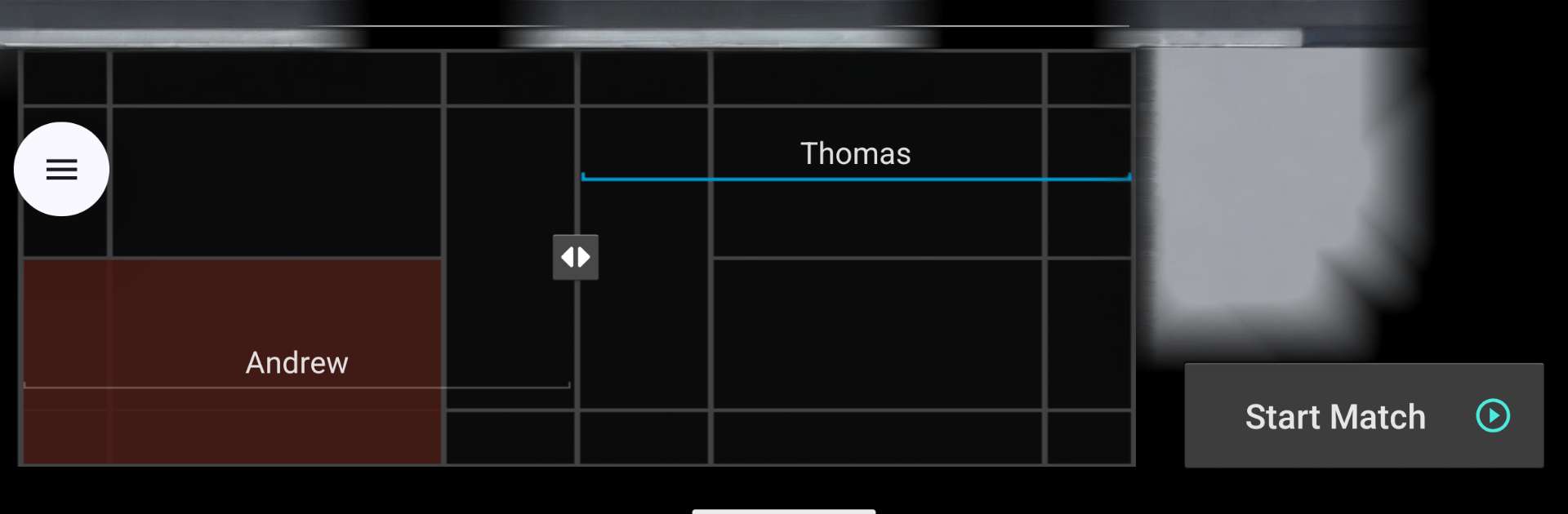
Badminton Umpire Score Keeper

Badminton Umpire Score Keeper

Sports

| SpicePOS - Point of Sale, Inventory, Billing

Play on PC with BlueStacks or from our cloud

  • Overview
  • How to Download

Page Modified On: July 06, 2026

Run Badminton Umpire Score Keeper on PC or Mac

Multitask effortlessly on your PC or Mac as you try out Badminton Umpire Score Keeper, a Sports app by SpicePOS – Point of Sale, Inventory, Billing on BlueStacks.

About the Game

Badminton Umpire Score Keeper is a handy Sports title that lets you run a badminton match like a real umpire. It tracks every point, keeps serving order straight, and shows you exactly what to call next, so you can stay focused on the rally instead of mental math. Singles or doubles, casual play or tournament vibes—everything updates in real time.

Game Features

  • BWF-accurate scoring: Uses the official rules to handle points, ends, and serving without second-guessing.
  • Tap-to-score flow: Just tap the side that won the rally and the game updates score, server, and positions instantly.
  • Clear court view: See player spots, the serving side, and rotation at a glance with an interactive court layout.
  • Smart announcements: Get the proper words to say after each point, with optional text-to-speech calling them out.
  • Singles or doubles setup: Enter names, assign positions on the diagram, and start in seconds.
  • Quick fixes: Made a mistake? Undo with one tap and keep going.
  • Helpful feedback: Vibration or beep cues confirm every point you record.
  • Match history and stats: Revisit previous matches and check momentum with a simple scoring trend graph.
  • Player profiles: Save frequent players to speed up your next match setup.
  • Timers and tools: Use warm-up timing, shuttle counting, and (in Pro) interval and injury timekeeping.
  • Share the action: Post results or send score sheets to teammates and friends; live score sharing is also available.
  • Tournament-ready (Pro): Run team or individual events, issue misconduct cards, and log detailed match summaries.
  • PDFs and external display (Pro): Export professional score sheets and show live scores on a second screen.
  • Multilingual touch: Includes French (France) and Canadian French options.
  • PC-friendly option: Prefer a bigger screen at the desk or scorer’s table? You can use it on BlueStacks too.

Ready to experience Badminton Umpire Score Keeper on a bigger screen, in all its glory? Download BlueStacks now.


How to Download and Run Badminton Umpire Score Keeper on PC or Mac

  • Download and install BlueStacks on your PC or Mac

  • Complete Google sign-in to access the Play Store, or do it later

  • Look for Badminton Umpire Score Keeper in the search bar at the top right corner

  • Click to install Badminton Umpire Score Keeper from the search results

  • Complete Google sign-in (if you skipped step 2) to install Badminton Umpire Score Keeper

  • Click the Badminton Umpire Score Keeper icon on the home screen to start playing

video
Watch Video

Minimum System Requirements

With BlueStacks 5, you can get started on a PC that fulfills the following requirements.

  • Operating System

    Microsoft Windows 7 or above, macOS 11 (Big Sur) or above

  • Processor

    Intel, AMD or Apple Silicon Processor

  • RAM

    at least 4GB

  • HDD

    10GB Free Disk Space

Note:

* You must be an Administrator on your PC. Up to date graphics drivers from Microsoft or the chipset vendor.

Badminton Umpire Score Keeper - FAQs

  • How to Run Badminton Umpire Score Keeper on Windows PC & Mac?

    Run Badminton Umpire Score Keeper on your PC or Mac by following these simple steps.

    • Click on ‘Download Badminton Umpire Score Keeper on PC’ to download BlueStacks
    • Install it and log-in to Google Play Store
    • Launch and run the app.
  • Why is BlueStacks the fastest and safest platform to play games on PC?

    BlueStacks respects your privacy and is always safe and secure to use. It does not carry any malware, spyware, or any sort of additional software that could harm your PC.

    It is engineered to optimize speed and performance for a seamless gaming experience.

  • What are Badminton Umpire Score Keeper PC requirements?

    Minimum requirement to run Badminton Umpire Score Keeper on your PC

    • OS: Microsoft Windows 7 and above:
    • Processor: Intel or AMD Processor:
    • RAM: Your PC must have at least 2GB of RAM. (Note that having 2GB or more disk space is not a substitute for RAM):
    • HDD: 5GB Free Disk Space.
    • You must be an Administrator on your PC.



