Basketball throw mobile

Basketball throw mobile

Sports

| Indibors

Play on PC with BlueStacks or from our cloud

  • Overview
  • Game Features
  • How to Play

Page Modified On: August 22, 2025

Play Basketball throw mobile on PC or Mac

Join millions to experience Basketball throw mobile, an exciting Sports game from Indibors. With BlueStacks App Player, you are always a step ahead of your opponent, ready to outplay them with faster gameplay and better control with the mouse and keyboard on your PC or Mac.

About the Game

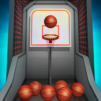
Ready to test your aim and show off your basketball skills? Basketball throw mobile lets you choose how tough you want the game to be and jump right in, whether you’re brand new or already a free throw champ. It’s easy to pick up, satisfying to master, and perfect for quick sessions—especially when you want a quick sports fix.

Game Features

  • Customizable Difficulty
    Start on easy and get a feel for things, or crank up the challenge if you’re feeling confident. There’s something for everyone, from beginners to folks who love a good, tough competition.

  • Easy Mode, Clear Trajectory
    If you want to practice or just relax, you can turn on the highlighted flight path. With a visual guide, it’s simple to land baskets and get into the groove.

  • Intermediate Mode, Subtle Guidance
    Challenge yourself a bit more with a hint on where the ball’s going, but now you’ll need to really pay attention and adjust your shot yourself.

  • Hard Mode, Pure Skill
    No hints, no shortcuts—just you, the ball, and the basket. Prove what you can do with no help at all.

  • Visual Customization
    Change accent color to highlight important stuff like the hoop or ball path, pick a dark theme for late-night gaming, and adjust things like corner shape, text size, or spacing for your own comfort.

  • Short, Satisfying Sessions
    Whether you’re looking to sneak in a round between meetings or unwind after work, it’s quick to play and easy to pick up wherever you left off. Playing on BlueStacks just makes things smoother.

Brought to you by Indibors, Basketball throw mobile is all about that no-frills fun.

Start your journey now. Download the game on BlueStacks, invite your friends, and march on a new adventure.


Game Features

Enhancements

  • Macros
  • Multi Instance
  • Multi Instance Sync
  • Script
  • Enhancements
Macros

Macros

Automate the predictable in Basketball throw mobile and transform your gameplay with Macros. Get access to inventive Macros in the BlueStacks Macro Community
Multi Instance

Multi Instance

Play Basketball throw mobile on one window. And chat with your friend on the other. Press CTRL + Shift + 8 to open the Multi-Instance Manager. And start creating fresh instances or clone an existing one.
Multi Instance Sync

Multi Instance Sync

Play Basketball throw mobile with the power of Multi-Instance Sync. Replicate what you are doing on the main instance on all other instances. Level up faster, play more.
Script

Script

Script your way to gaming glory in Basketball throw mobile with BlueStacks Script. Write and run a set of commands to automate repeated tasks. Trigger the command by assigning it to any key.
Read More

How to Download and Play Basketball throw mobile on PC or Mac

  • Download and install BlueStacks on your PC or Mac

  • Complete Google sign-in to access the Play Store, or do it later

  • Look for Basketball throw mobile in the search bar at the top right corner

  • Click to install Basketball throw mobile from the search results

  • Complete Google sign-in (if you skipped step 2) to install Basketball throw mobile

  • Click the Basketball throw mobile icon on the home screen to start playing

video
Watch Video

Minimum System Requirements

With BlueStacks 5, you can get started on a PC that fulfills the following requirements.

  • Operating System

    Microsoft Windows 7 or above, macOS 11 (Big Sur) or above

  • Processor

    Intel, AMD or Apple Silicon Processor

  • RAM

    at least 4GB

  • HDD

    10GB Free Disk Space

Note:

* You must be an Administrator on your PC. Up to date graphics drivers from Microsoft or the chipset vendor.

Basketball throw mobile - FAQs

  • How to play Basketball throw mobile on Windows PC & Mac?

    Play Basketball throw mobile on your PC or Mac by following these simple steps.

    • Click on 'Play Basketball throw mobile on PC’ to download BlueStacks
    • Install it and log-in to Google Play Store
    • Launch and play the game.
  • Why is BlueStacks the fastest and safest platform to play games on PC?

    BlueStacks respects your privacy and is always safe and secure to use. It does not carry any malware, spyware, or any sort of additional software that could harm your PC.

    It is engineered to optimize speed and performance for a seamless gaming experience.

  • What are Basketball throw mobile PC requirements?

    Minimum requirement to run Basketball throw mobile on your PC

    • OS: Microsoft Windows 7 or above MacOS 11 (Big Sur) or above
    • Processor: Intel, AMD or Apple Silicon Processor
    • RAM: Your PC must have at least 4GB of RAM. (Note that having 4GB or more disk space is not a substitute for RAM)
    • HDD: 10GB Free Disk Space.
    • You must be an Administrator on your PC.