BMX Playground
BMX Playground

BMX Playground

Sports

| Lemon Global

Play on PC with BlueStacks or from our cloud

  • Overview
  • Game Features
  • How to Play

Page Modified On: June 29, 2026

Play BMX Playground on PC or Mac

Step into the World of BMX Playground, a thrilling Sports game from the house of Lemon Global. Play this Android game on BlueStacks App Player and experience immersive gaming on PC or Mac.

About the Game

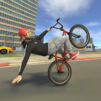
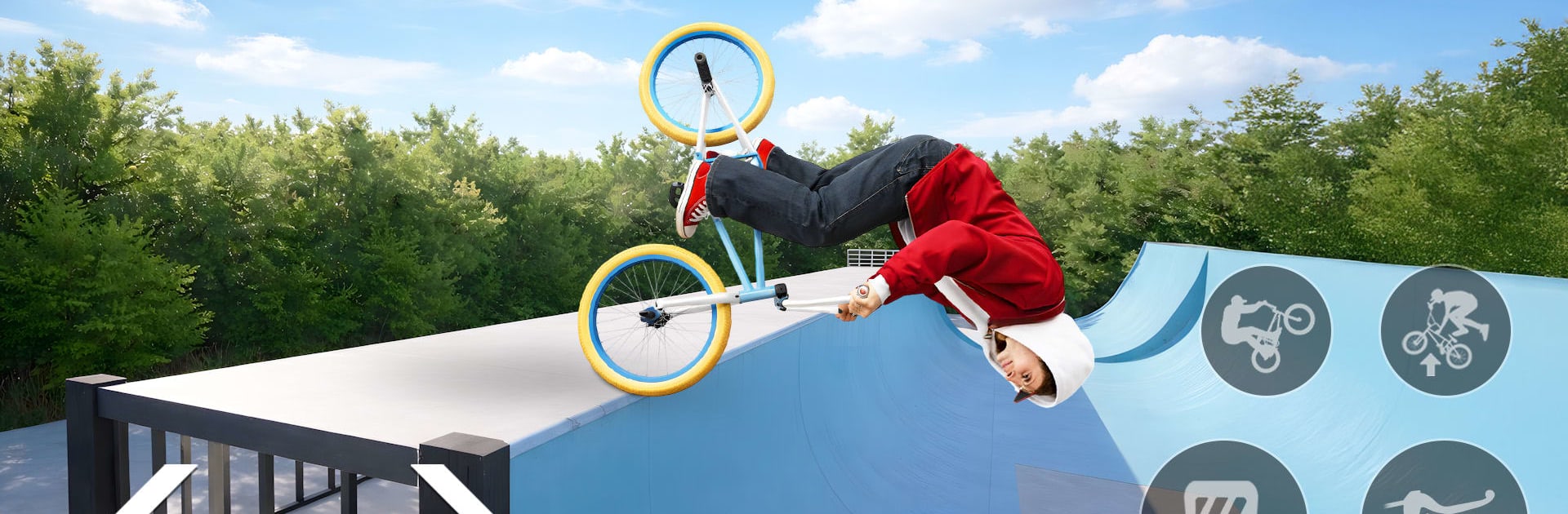
BMX Playground is all about flow, feel, and freedom. It drops you into a big freestyle space where you can cruise, experiment, and stitch together lines that actually make sense thanks to grounded, weighty bike handling. Whether you’re carving through street spots or kicking up dirt off-road, it’s a smooth, trick-forward Sports experience that rewards timing and control. Prefer a bigger screen and crisp inputs? It runs nicely on BlueStacks too.

Game Features

  • Freestyle sandbox: Roam wide-open parks and rougher trails, pick your own line, and turn any corner, bank, or ramp into a setup for the next trick.
  • Lifelike bike feel: A physics model that respects weight, speed, and balance, so every pump, hop, and manual changes how you approach the next feature.
  • Street and off-road zones: Hit rails, ledges, and bowls in the city, then swap to dirt paths, berms, and natural jumps when you want a change of pace.
  • Tricks, flips, and grinds: Mix backflips with barspins, airs with grinds, and link them into clean combos that feel earned, not canned.
  • Momentum and timing: Keep your speed through corners, manage airtime, and land centered—smooth riding sets you up for bigger lines ahead.
  • Clean landings matter: Nail your rotation, catch the transition, and hold balance on impact to stay in the flow.
  • Progression and unlocks: Open up new bikes, riders, and tracks as your skills grow, expanding what you can ride and how you ride it.
  • Polished handling: Responsive controls make manuals, hops, and whips feel immediate without losing that grounded, BMX weight.
  • Cinematic camera: A dynamic viewpoint follows your movement, highlighting big airtime, tight grinds, and those just-right landings.
  • Play your pace: Zone out with a relaxed session or chase tougher challenges when you’re ready—the game supports both styles.

Start playing BMX Playground on BlueStacks and get a smoother, more comfortable PC or Mac setup.

Game Features

Enhancements

  • Macros
  • Multi Instance
  • Multi Instance Sync
  • Script
  • Enhancements
Macros

Macros

Automate the predictable in BMX Playground and transform your gameplay with Macros. Get access to inventive Macros in the BlueStacks Macro Community
Multi Instance

Multi Instance

Play BMX Playground on one window. And chat with your friend on the other. Press CTRL + Shift + 8 to open the Multi-Instance Manager. And start creating fresh instances or clone an existing one.
Multi Instance Sync

Multi Instance Sync

Play BMX Playground with the power of Multi-Instance Sync. Replicate what you are doing on the main instance on all other instances. Level up faster, play more.
Script

Script

Script your way to gaming glory in BMX Playground with BlueStacks Script. Write and run a set of commands to automate repeated tasks. Trigger the command by assigning it to any key.
Read More

How to Download and Play BMX Playground on PC or Mac

  • Download and install BlueStacks on your PC or Mac

  • Complete Google sign-in to access the Play Store, or do it later

  • Look for BMX Playground in the search bar at the top right corner

  • Click to install BMX Playground from the search results

  • Complete Google sign-in (if you skipped step 2) to install BMX Playground

  • Click the BMX Playground icon on the home screen to start playing

video
Watch Video

Minimum System Requirements

With BlueStacks 5, you can get started on a PC that fulfills the following requirements.

  • Operating System

    Microsoft Windows 7 or above, macOS 11 (Big Sur) or above

  • Processor

    Intel, AMD or Apple Silicon Processor

  • RAM

    at least 4GB

  • HDD

    10GB Free Disk Space

Note:

* You must be an Administrator on your PC. Up to date graphics drivers from Microsoft or the chipset vendor.

BMX Playground - FAQs

  • How to play BMX Playground on Windows PC & Mac?

    Play BMX Playground on your PC or Mac by following these simple steps.

    • Click on 'Play BMX Playground on PC’ to download BlueStacks
    • Install it and log-in to Google Play Store
    • Launch and play the game.
  • Why is BlueStacks the fastest and safest platform to play games on PC?

    BlueStacks respects your privacy and is always safe and secure to use. It does not carry any malware, spyware, or any sort of additional software that could harm your PC.

    It is engineered to optimize speed and performance for a seamless gaming experience.

  • What are BMX Playground PC requirements?

    Minimum requirement to run BMX Playground on your PC

    • OS: Microsoft Windows 7 or above MacOS 11 (Big Sur) or above
    • Processor: Intel, AMD or Apple Silicon Processor
    • RAM: Your PC must have at least 4GB of RAM. (Note that having 4GB or more disk space is not a substitute for RAM)
    • HDD: 10GB Free Disk Space.
    • You must be an Administrator on your PC.