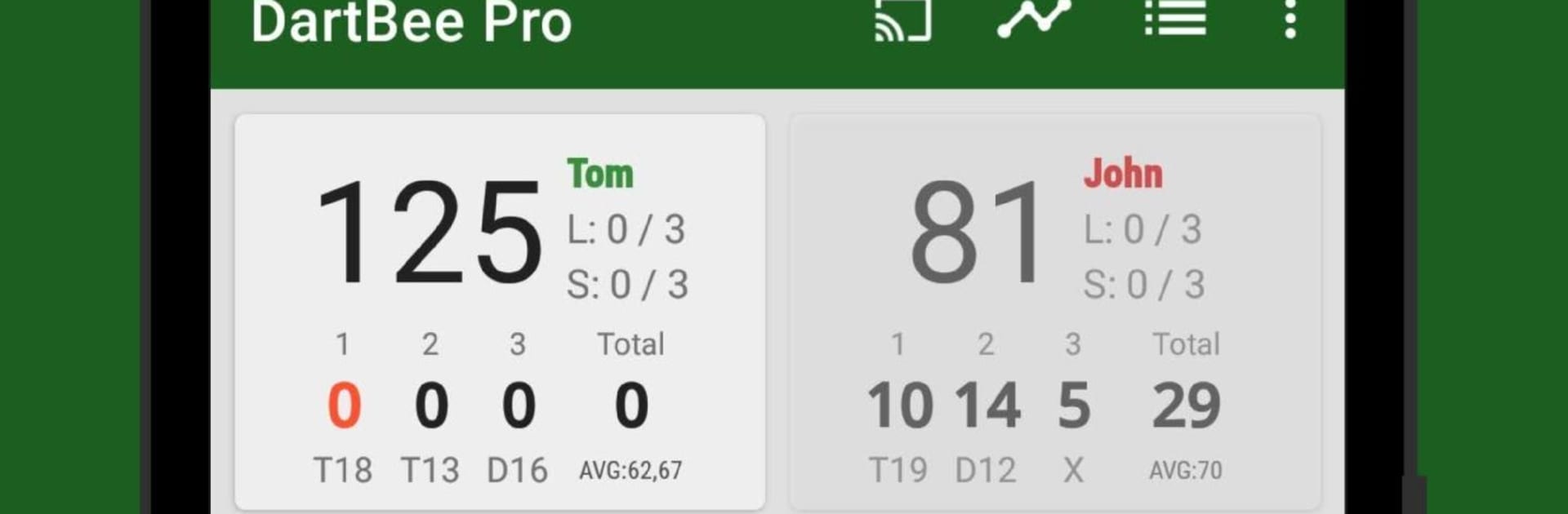
DartBee - Darts Score Counter

DartBee - Darts Score Counter

Sports

| Tom's Software Factory

Play on PC with BlueStacks or from our cloud

  • Overview
  • Game Features
  • How to Play

Page Modified On: December 15, 2025

Play DartBee - Darts Score Counter on PC or Mac

DartBee – Darts Score Counter brings the Sports genre to life, and throws up exciting challenges for gamers. Developed by Tom’s Software Factory, this Android game is best experienced on BlueStacks, the World’s #1 app player for PC and Mac users.

About the Game

DartBee – Darts Score Counter is your no-fuss sidekick for dart nights—at home, at the bar, or during league play. It keeps scoring tidy, adds helpful smarts, and makes every leg feel organized without getting in the way. Built by Tom’s Software Factory, this Sports tool is geared for everyone from beginners learning the ropes to veterans chasing tight finishes.

Game Features

  • Multiple ways to play: Switch between Cricket, X01 (501, 701, and more), and Cut Throat Cricket. Pick your format and get throwing.
  • Smart computer rival: Practice solo with a bot that adjusts to your skill level, especially handy for X01.
  • Fast or detailed input: Enter totals per turn if you’re quick, or log each dart one by one when you want precision.
  • Live stats, front and center: See your averages, checkout percentage, 180s, and other key numbers as the match unfolds.
  • Full match history: Build profiles, review past games, and track progress with clear graphs and matchup records.
  • Personalized finishes: Get tailored checkout suggestions that match your favorite doubles, so finishing feels natural.
  • Clean design with Dark Mode: Easy on the eyes and simple to navigate, whether you’re scoring on the fly or between legs.
  • Voice scorecaller: Hear a TV-style caller announce scores and suggested routes, adding a little stage drama to your board.
  • Big-screen scoreboard: Cast the scoreboard to your TV with Chromecast, or run it on BlueStacks for an easy-to-read desktop setup.
  • Cloud sync and backup: Keep your profiles and history safe and available across devices.
  • House rules, your way: Tweak legs-only play, starting scores, double/triple in or single/double out—set it up exactly how your group plays.

Get ready for a buttery smooth, high-performance gaming action only on BlueStacks.

Game Features

Enhancements

  • Macros
  • Multi Instance
  • Multi Instance Sync
  • Script
  • Enhancements
Macros

Macros

Automate the predictable in DartBee - Darts Score Counter and transform your gameplay with Macros. Get access to inventive Macros in the BlueStacks Macro Community
Multi Instance

Multi Instance

Play DartBee - Darts Score Counter on one window. And chat with your friend on the other. Press CTRL + Shift + 8 to open the Multi-Instance Manager. And start creating fresh instances or clone an existing one.
Multi Instance Sync

Multi Instance Sync

Play DartBee - Darts Score Counter with the power of Multi-Instance Sync. Replicate what you are doing on the main instance on all other instances. Level up faster, play more.
Script

Script

Script your way to gaming glory in DartBee - Darts Score Counter with BlueStacks Script. Write and run a set of commands to automate repeated tasks. Trigger the command by assigning it to any key.
Read More

How to Download and Play DartBee - Darts Score Counter on PC or Mac

  • Download and install BlueStacks on your PC or Mac

  • Complete Google sign-in to access the Play Store, or do it later

  • Look for DartBee - Darts Score Counter in the search bar at the top right corner

  • Click to install DartBee - Darts Score Counter from the search results

  • Complete Google sign-in (if you skipped step 2) to install DartBee - Darts Score Counter

  • Click the DartBee - Darts Score Counter icon on the home screen to start playing

video
Watch Video

Minimum System Requirements

With BlueStacks 5, you can get started on a PC that fulfills the following requirements.

  • Operating System

    Microsoft Windows 7 or above, macOS 11 (Big Sur) or above

  • Processor

    Intel, AMD or Apple Silicon Processor

  • RAM

    at least 4GB

  • HDD

    10GB Free Disk Space

Note:

* You must be an Administrator on your PC. Up to date graphics drivers from Microsoft or the chipset vendor.

DartBee - Darts Score Counter - FAQs

  • How to play DartBee - Darts Score Counter on Windows PC & Mac?

    Play DartBee - Darts Score Counter on your PC or Mac by following these simple steps.

    • Click on 'Play DartBee - Darts Score Counter on PC’ to download BlueStacks
    • Install it and log-in to Google Play Store
    • Launch and play the game.
  • Why is BlueStacks the fastest and safest platform to play games on PC?

    BlueStacks respects your privacy and is always safe and secure to use. It does not carry any malware, spyware, or any sort of additional software that could harm your PC.

    It is engineered to optimize speed and performance for a seamless gaming experience.

  • What are DartBee - Darts Score Counter PC requirements?

    Minimum requirement to run DartBee - Darts Score Counter on your PC

    • OS: Microsoft Windows 7 or above MacOS 11 (Big Sur) or above
    • Processor: Intel, AMD or Apple Silicon Processor
    • RAM: Your PC must have at least 4GB of RAM. (Note that having 4GB or more disk space is not a substitute for RAM)
    • HDD: 10GB Free Disk Space.
    • You must be an Administrator on your PC.