ES12
ES12

ES12

Sports

| Ernest Sports, Inc.

Play on PC with BlueStacks or from our cloud

  • Overview
  • Game Features
  • How to Play

Page Modified On: June 29, 2026

Play ES12 on PC or Mac

ES12 by Ernest Sports, Inc. has plenty to keep you busy. BlueStacks lets you play it on PC or Mac with more screen space, better control, and fewer mobile limits.

About the Game

ES12 turns your golf practice into a smart, numbers-driven session without losing the fun. Pair it with the ES12 Portable Launch Monitor and you’ll get real-time feedback, clean visuals, and tools that actually help you make better swings. Whether you’re brand new to the game or keeping a single-digit handicap, it’s built to make every ball you hit more meaningful.

Game Features

  • Companion launch monitor support: Connect to the ES12 Portable Launch Monitor to automatically track shots and store up to 2,000 swings with key metrics like ball speed, carry distance, and club used.
  • Instant audio feedback: Hear your results right away after each strike so you can adjust on the spot instead of waiting until the end of the session.
  • Shot and club analytics: Review performance by individual shot or break it down by club to spot patterns, strengths, and trouble areas.
  • Course Caddy suggestions: Enter the yardage you’re facing and get a club recommendation based on your personal shot history—not guesswork.
  • Video analysis tools: Record or import swing clips, draw lines in multiple colors, save your notes, and compare single or side-by-side videos to see changes clearly.
  • Club averages at a glance: See typical numbers for your entire bag on one screen to understand what you really hit, not just what you think you hit.
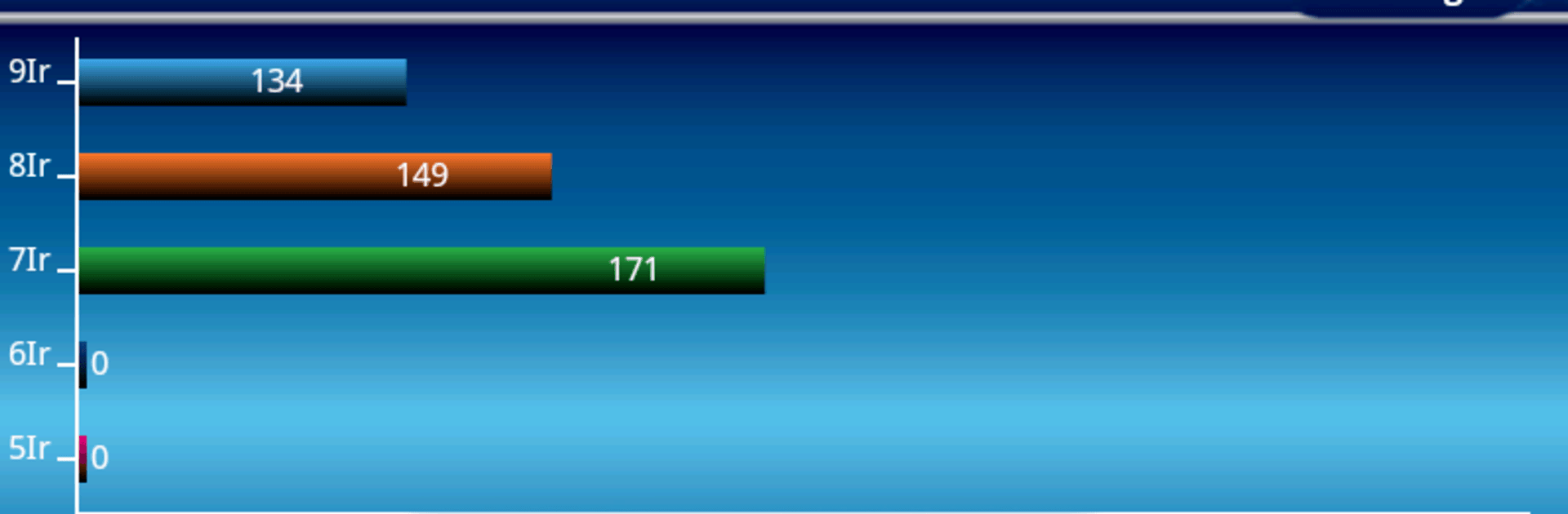
  • Mind the gaps: A clean bar-chart view highlights distance gaps from 5-iron through lob wedge so you can fine-tune your set makeup.
  • Easy data export: Take your session data with you in CSV format for deeper number-crunching or sharing.
  • Built for all golfers: From juniors to scratch players, the tools scale with your skill level—use it on the range or during a practice round.
  • Big-screen friendly: Running ES12 on BlueStacks makes reviewing charts and swing videos more comfortable on a larger display.

Start playing ES12 on BlueStacks and get a smoother, more comfortable PC or Mac setup.

Game Features

Enhancements

  • Macros
  • Multi Instance
  • Multi Instance Sync
  • Script
  • Enhancements
Macros

Macros

Automate the predictable in ES12 and transform your gameplay with Macros. Get access to inventive Macros in the BlueStacks Macro Community
Multi Instance

Multi Instance

Play ES12 on one window. And chat with your friend on the other. Press CTRL + Shift + 8 to open the Multi-Instance Manager. And start creating fresh instances or clone an existing one.
Multi Instance Sync

Multi Instance Sync

Play ES12 with the power of Multi-Instance Sync. Replicate what you are doing on the main instance on all other instances. Level up faster, play more.
Script

Script

Script your way to gaming glory in ES12 with BlueStacks Script. Write and run a set of commands to automate repeated tasks. Trigger the command by assigning it to any key.
Read More

How to Download and Play ES12 on PC or Mac

  • Download and install BlueStacks on your PC or Mac

  • Complete Google sign-in to access the Play Store, or do it later

  • Look for ES12 in the search bar at the top right corner

  • Click to install ES12 from the search results

  • Complete Google sign-in (if you skipped step 2) to install ES12

  • Click the ES12 icon on the home screen to start playing

video
Watch Video

Minimum System Requirements

With BlueStacks 5, you can get started on a PC that fulfills the following requirements.

  • Operating System

    Microsoft Windows 7 or above, macOS 11 (Big Sur) or above

  • Processor

    Intel, AMD or Apple Silicon Processor

  • RAM

    at least 4GB

  • HDD

    10GB Free Disk Space

Note:

* You must be an Administrator on your PC. Up to date graphics drivers from Microsoft or the chipset vendor.

ES12 - FAQs

  • How to play ES12 on Windows PC & Mac?

    Play ES12 on your PC or Mac by following these simple steps.

    • Click on 'Play ES12 on PC’ to download BlueStacks
    • Install it and log-in to Google Play Store
    • Launch and play the game.
  • Why is BlueStacks the fastest and safest platform to play games on PC?

    BlueStacks respects your privacy and is always safe and secure to use. It does not carry any malware, spyware, or any sort of additional software that could harm your PC.

    It is engineered to optimize speed and performance for a seamless gaming experience.

  • What are ES12 PC requirements?

    Minimum requirement to run ES12 on your PC

    • OS: Microsoft Windows 7 or above MacOS 11 (Big Sur) or above
    • Processor: Intel, AMD or Apple Silicon Processor
    • RAM: Your PC must have at least 4GB of RAM. (Note that having 4GB or more disk space is not a substitute for RAM)
    • HDD: 10GB Free Disk Space.
    • You must be an Administrator on your PC.