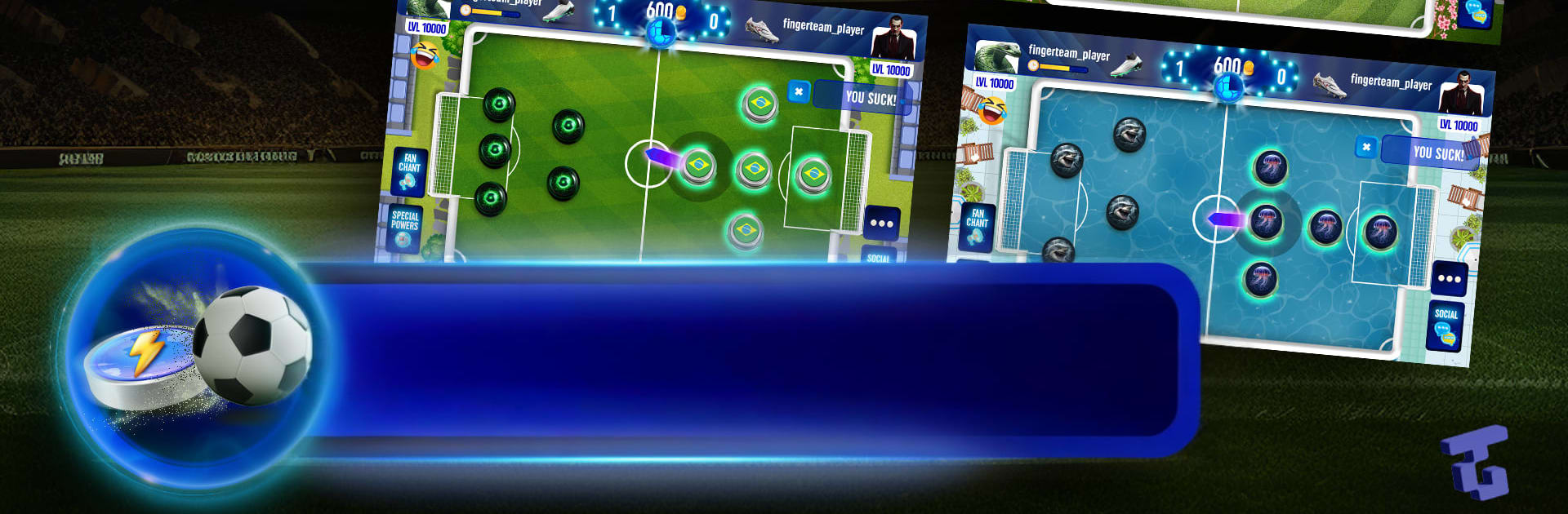
Finger Soccer Star : Online

Finger Soccer Star : Online

Sports

| Tiamo Games

Play on PC with BlueStacks or from our cloud

  • Overview
  • Game Features
  • How to Play

Page Modified On: October 21, 2026

Play Finger Soccer Star : Online on PC or Mac

Explore a whole new adventure with Finger Soccer Star : Online, a Sports game created by Tiamo Games. Experience great gameplay with BlueStacks, the most popular gaming platform to play Android games on your PC or Mac.

About the Game

Finger Soccer Star : Online turns quick flicks into highlight-reel goals. It’s a fast, pick-up-and-play take on Sports where timing, angle, and a bit of cheeky strategy decide every match. Hop into real-time battles, curve the ball past defenders, and tinker with builds that suit your style—great on the go and just as smooth on a bigger screen with BlueStacks.

Game Features

  • Real-time Multiplayer: Queue up against friends or global rivals and settle matches in quick, high-energy sessions that reward smart plays over button mashing.
  • Flick Precision Controls: Use intuitive swipe-and-flick moves to pass, chip, or blast shots—easy to learn in a minute, satisfying to master for the long haul.
  • Physics-Driven Goals: Bend shots around walls, ping the post, or squeeze the ball under a tackle thanks to responsive physics and crisp visuals that make every score feel earned.
  • Tactical Power-Ups: Turn the tide with clever boosts—save them for clutch moments, stack them for pressure, or bait opponents into wasting theirs.
  • Deep Customization: Build a look that’s unmistakably yours with unique avatars, colors, and even team chants that hype up every kickoff.
  • Ranked Leaderboards: Track your climb from casual contender to feared finisher, with rankings that reflect both consistency and clutch wins.
  • Play-Friendly Pace: Short matches and simple inputs keep things approachable, while layered strategies keep veterans coming back.
  • Free-to-Play Access: Jump in at no cost and expand your options with optional in-app purchases if you want to personalize or progress faster.

Get ready for a buttery smooth, high-performance gaming action only on BlueStacks.

Game Features

Enhancements

  • Macros
  • Multi Instance
  • Multi Instance Sync
  • Script
  • Enhancements
Macros

Macros

Automate the predictable in Finger Soccer Star : Online and transform your gameplay with Macros. Get access to inventive Macros in the BlueStacks Macro Community
Multi Instance

Multi Instance

Play Finger Soccer Star : Online on one window. And chat with your friend on the other. Press CTRL + Shift + 8 to open the Multi-Instance Manager. And start creating fresh instances or clone an existing one.
Multi Instance Sync

Multi Instance Sync

Play Finger Soccer Star : Online with the power of Multi-Instance Sync. Replicate what you are doing on the main instance on all other instances. Level up faster, play more.
Script

Script

Script your way to gaming glory in Finger Soccer Star : Online with BlueStacks Script. Write and run a set of commands to automate repeated tasks. Trigger the command by assigning it to any key.
Read More

How to Download and Play Finger Soccer Star : Online on PC or Mac

  • Download and install BlueStacks on your PC or Mac

  • Complete Google sign-in to access the Play Store, or do it later

  • Look for Finger Soccer Star : Online in the search bar at the top right corner

  • Click to install Finger Soccer Star : Online from the search results

  • Complete Google sign-in (if you skipped step 2) to install Finger Soccer Star : Online

  • Click the Finger Soccer Star : Online icon on the home screen to start playing

video
Watch Video

Minimum System Requirements

With BlueStacks 5, you can get started on a PC that fulfills the following requirements.

  • Operating System

    Microsoft Windows 7 or above, macOS 11 (Big Sur) or above

  • Processor

    Intel, AMD or Apple Silicon Processor

  • RAM

    at least 4GB

  • HDD

    10GB Free Disk Space

Note:

* You must be an Administrator on your PC. Up to date graphics drivers from Microsoft or the chipset vendor.

Finger Soccer Star : Online - FAQs

  • How to play Finger Soccer Star : Online on Windows PC & Mac?

    Play Finger Soccer Star : Online on your PC or Mac by following these simple steps.

    • Click on 'Play Finger Soccer Star : Online on PC’ to download BlueStacks
    • Install it and log-in to Google Play Store
    • Launch and play the game.
  • Why is BlueStacks the fastest and safest platform to play games on PC?

    BlueStacks respects your privacy and is always safe and secure to use. It does not carry any malware, spyware, or any sort of additional software that could harm your PC.

    It is engineered to optimize speed and performance for a seamless gaming experience.

  • What are Finger Soccer Star : Online PC requirements?

    Minimum requirement to run Finger Soccer Star : Online on your PC

    • OS: Microsoft Windows 7 or above MacOS 11 (Big Sur) or above
    • Processor: Intel, AMD or Apple Silicon Processor
    • RAM: Your PC must have at least 4GB of RAM. (Note that having 4GB or more disk space is not a substitute for RAM)
    • HDD: 10GB Free Disk Space.
    • You must be an Administrator on your PC.