
Harry's LapTimer Rookie

Harry's LapTimer Rookie

Sports

| Harald Schlangmann

Play on PC with BlueStacks or from our cloud

  • Overview
  • Game Features
  • How to Play

Page Modified On: October 24, 2025

Play Harry's LapTimer Rookie on PC or Mac

Bring your A-game to Harry’s LapTimer Rookie, the Sports game sensation from Harald Schlangmann. Give your gameplay the much-needed boost with precise game controls, high FPS graphics, and top-tier features on your PC or Mac with BlueStacks.

About the Game

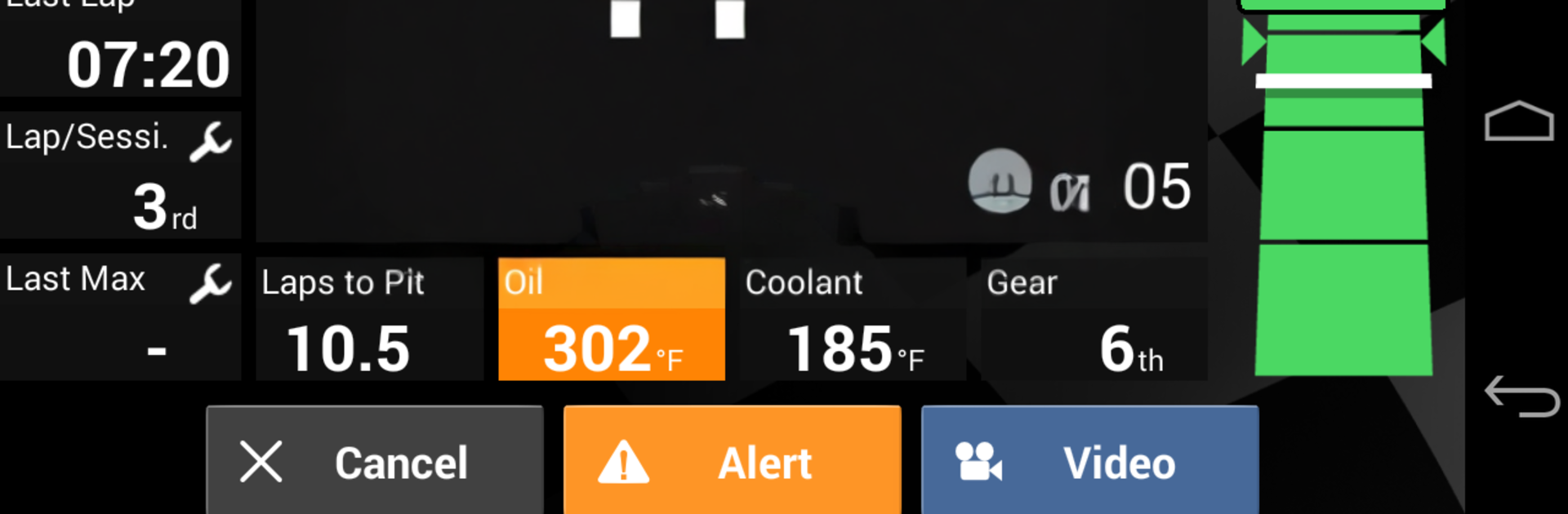
Harry’s LapTimer Rookie turns your phone into a track-day buddy that actually knows what it’s doing. Built by Harald Schlangmann, this Sports title pulls data from your device (and optional sensors) to time laps, map your lines, and help you squeeze more speed out of every session. It’s straightforward to use, but deep enough to keep data nerds happy.

Game Features

  • Quick track setup: Pick from 750+ preloaded circuits worldwide, hit the road, and let GPS handle the start/finish and split detection automatically.
  • Clear lap analytics: Break down sector times, see where you braked and accelerated, and spot exactly where you’re leaving time on the table.
  • Real-time competition: Watch friends on the same track as you in real time, compare laps, and climb the Hall of Fame with clean, consistent runs.
  • Everyday driving insights: Not just for track days—set up your commute as a “track” and compare routes to figure out which one actually saves time.
  • Sensor-friendly by design: Start with just your phone. Add external GPS and OBD II later for tighter accuracy and richer engine and vehicle data.
  • Smart sharing and exports: Review your sessions with purpose-built views and export data in several formats, including Google Earth, to showcase your best laps.
  • Grows with your needs: This is the Rookie edition—great for timing and analysis. If you want more video and advanced analytics, you can upgrade to Petrolhead inside the app.
  • Big-screen reviewing: Prefer a larger view for telemetry and charts? Run Harry’s LapTimer Rookie on your PC with BlueStacks and study every lap in comfort.

Get ready for a buttery smooth, high-performance gaming action only on BlueStacks.

Game Features

Enhancements

  • Macros
  • Multi Instance
  • Multi Instance Sync
  • Script
  • Enhancements
Macros

Macros

Automate the predictable in Harry's LapTimer Rookie and transform your gameplay with Macros. Get access to inventive Macros in the BlueStacks Macro Community
Multi Instance

Multi Instance

Play Harry's LapTimer Rookie on one window. And chat with your friend on the other. Press CTRL + Shift + 8 to open the Multi-Instance Manager. And start creating fresh instances or clone an existing one.
Multi Instance Sync

Multi Instance Sync

Play Harry's LapTimer Rookie with the power of Multi-Instance Sync. Replicate what you are doing on the main instance on all other instances. Level up faster, play more.
Script

Script

Script your way to gaming glory in Harry's LapTimer Rookie with BlueStacks Script. Write and run a set of commands to automate repeated tasks. Trigger the command by assigning it to any key.
Read More

How to Download and Play Harry's LapTimer Rookie on PC or Mac

  • Download and install BlueStacks on your PC or Mac

  • Complete Google sign-in to access the Play Store, or do it later

  • Look for Harry's LapTimer Rookie in the search bar at the top right corner

  • Click to install Harry's LapTimer Rookie from the search results

  • Complete Google sign-in (if you skipped step 2) to install Harry's LapTimer Rookie

  • Click the Harry's LapTimer Rookie icon on the home screen to start playing

video
Watch Video

Minimum System Requirements

With BlueStacks 5, you can get started on a PC that fulfills the following requirements.

  • Operating System

    Microsoft Windows 7 or above, macOS 11 (Big Sur) or above

  • Processor

    Intel, AMD or Apple Silicon Processor

  • RAM

    at least 4GB

  • HDD

    10GB Free Disk Space

Note:

* You must be an Administrator on your PC. Up to date graphics drivers from Microsoft or the chipset vendor.

Harry's LapTimer Rookie - FAQs

  • How to play Harry's LapTimer Rookie on Windows PC & Mac?

    Play Harry's LapTimer Rookie on your PC or Mac by following these simple steps.

    • Click on 'Play Harry's LapTimer Rookie on PC’ to download BlueStacks
    • Install it and log-in to Google Play Store
    • Launch and play the game.
  • Why is BlueStacks the fastest and safest platform to play games on PC?

    BlueStacks respects your privacy and is always safe and secure to use. It does not carry any malware, spyware, or any sort of additional software that could harm your PC.

    It is engineered to optimize speed and performance for a seamless gaming experience.

  • What are Harry's LapTimer Rookie PC requirements?

    Minimum requirement to run Harry's LapTimer Rookie on your PC

    • OS: Microsoft Windows 7 or above MacOS 11 (Big Sur) or above
    • Processor: Intel, AMD or Apple Silicon Processor
    • RAM: Your PC must have at least 4GB of RAM. (Note that having 4GB or more disk space is not a substitute for RAM)
    • HDD: 10GB Free Disk Space.
    • You must be an Administrator on your PC.








