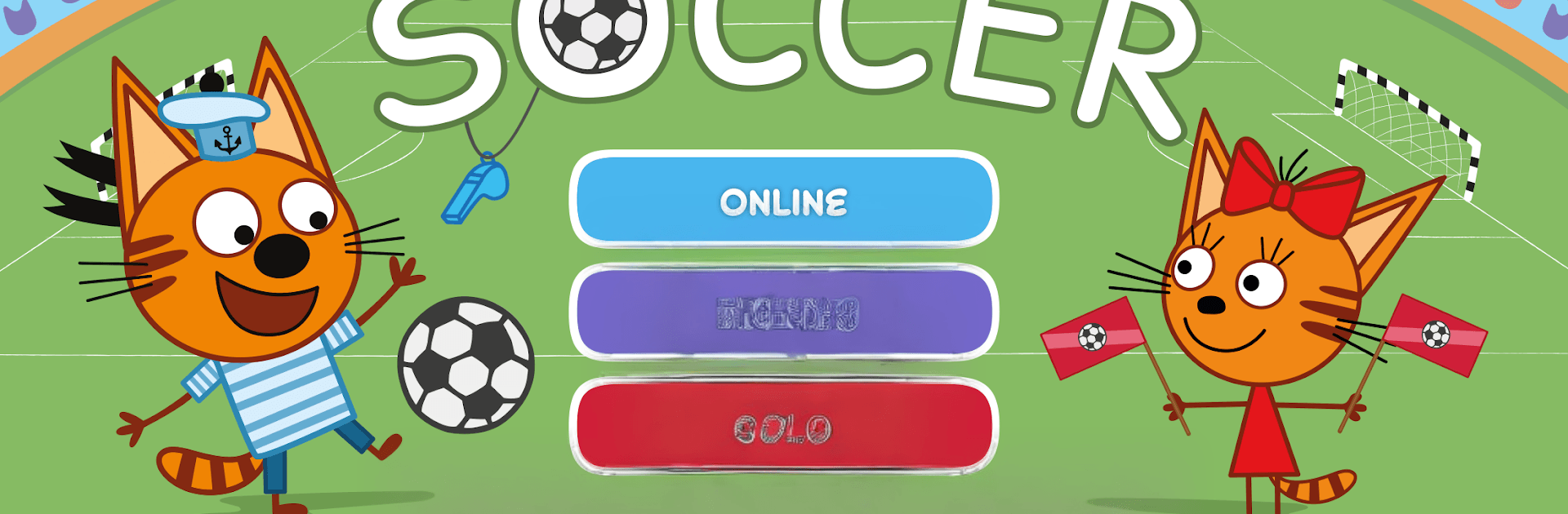
Kid-E-Cats Soccer
Kid-E-Cats Soccer

Kid-E-Cats Soccer

Sports

| Kidify

Play on PC with BlueStacks or from our cloud

  • Overview
  • Game Features
  • How to Play

Page Modified On: June 29, 2026

Play Kid-E-Cats Soccer on PC or Mac

Play Kid-E-Cats Soccer by Kidify on PC or Mac with BlueStacks. Use a bigger screen, mouse and keyboard controls, and smoother performance while you play.

About the Game

Kid-E-Cats Soccer is a fast, friendly Sports brawler where every tap can flip the score. Choose your favorite kitten, hop into quick matches, and try to outsmart your opponent with sharp reflexes and smart timing. It’s simple to pick up, but you’ll quickly find yourself chasing that next goal—and the next Elo bump. Prefer a bigger screen? It plays nicely on BlueStacks too.

Game Features

  • Real-time online duels: Jump into live matches in seconds or send an invite code to meet a friend on the same field, no matter where they are.
  • Couch 2-player mode: Share one device for side-by-side showdowns—perfect for quick rematches and playful bragging rights.
  • Solo vs. smart bots: Practice or grind wins against AI that scales from beginner to expert, each with its own rhythm and tricks.
  • Elo rankings that matter: Your rating updates the moment the final whistle blows; tougher opponents mean bigger swings, so every match counts.
  • Match history: Keep tabs on recent results and track your progress over time without digging through menus.
  • Six cat heroes: Pick from Candy, Cookie, Pudding, and more—each match is packed with expressive cat reactions that make goals (and misses) extra funny.
  • Snappy sessions: Short, energetic games with minimal waiting, so you’re back kicking off before the excitement fades.
  • Stadium style and trophies: Play in a bright Kid-E-Cats world and fill your collection with shiny rewards that show where you’ve been and who you’ve beaten.
  • Easy to learn, tough to quit: Straightforward controls with just enough depth to keep you experimenting with timing, angles, and that perfect last-second strike.

Start your journey now. Download the game on BlueStacks, invite your friends, and march on a new adventure.


Game Features

Enhancements

  • Macros
  • Multi Instance
  • Multi Instance Sync
  • Script
  • Enhancements
Macros

Macros

Automate the predictable in Kid-E-Cats Soccer and transform your gameplay with Macros. Get access to inventive Macros in the BlueStacks Macro Community
Multi Instance

Multi Instance

Play Kid-E-Cats Soccer on one window. And chat with your friend on the other. Press CTRL + Shift + 8 to open the Multi-Instance Manager. And start creating fresh instances or clone an existing one.
Multi Instance Sync

Multi Instance Sync

Play Kid-E-Cats Soccer with the power of Multi-Instance Sync. Replicate what you are doing on the main instance on all other instances. Level up faster, play more.
Script

Script

Script your way to gaming glory in Kid-E-Cats Soccer with BlueStacks Script. Write and run a set of commands to automate repeated tasks. Trigger the command by assigning it to any key.
Read More

How to Download and Play Kid-E-Cats Soccer on PC or Mac

  • Download and install BlueStacks on your PC or Mac

  • Complete Google sign-in to access the Play Store, or do it later

  • Look for Kid-E-Cats Soccer in the search bar at the top right corner

  • Click to install Kid-E-Cats Soccer from the search results

  • Complete Google sign-in (if you skipped step 2) to install Kid-E-Cats Soccer

  • Click the Kid-E-Cats Soccer icon on the home screen to start playing

video
Watch Video

Minimum System Requirements

With BlueStacks 5, you can get started on a PC that fulfills the following requirements.

  • Operating System

    Microsoft Windows 7 or above, macOS 11 (Big Sur) or above

  • Processor

    Intel, AMD or Apple Silicon Processor

  • RAM

    at least 4GB

  • HDD

    10GB Free Disk Space

Note:

* You must be an Administrator on your PC. Up to date graphics drivers from Microsoft or the chipset vendor.

Kid-E-Cats Soccer - FAQs

  • How to play Kid-E-Cats Soccer on Windows PC & Mac?

    Play Kid-E-Cats Soccer on your PC or Mac by following these simple steps.

    • Click on 'Play Kid-E-Cats Soccer on PC’ to download BlueStacks
    • Install it and log-in to Google Play Store
    • Launch and play the game.
  • Why is BlueStacks the fastest and safest platform to play games on PC?

    BlueStacks respects your privacy and is always safe and secure to use. It does not carry any malware, spyware, or any sort of additional software that could harm your PC.

    It is engineered to optimize speed and performance for a seamless gaming experience.

  • What are Kid-E-Cats Soccer PC requirements?

    Minimum requirement to run Kid-E-Cats Soccer on your PC

    • OS: Microsoft Windows 7 or above MacOS 11 (Big Sur) or above
    • Processor: Intel, AMD or Apple Silicon Processor
    • RAM: Your PC must have at least 4GB of RAM. (Note that having 4GB or more disk space is not a substitute for RAM)
    • HDD: 10GB Free Disk Space.
    • You must be an Administrator on your PC.