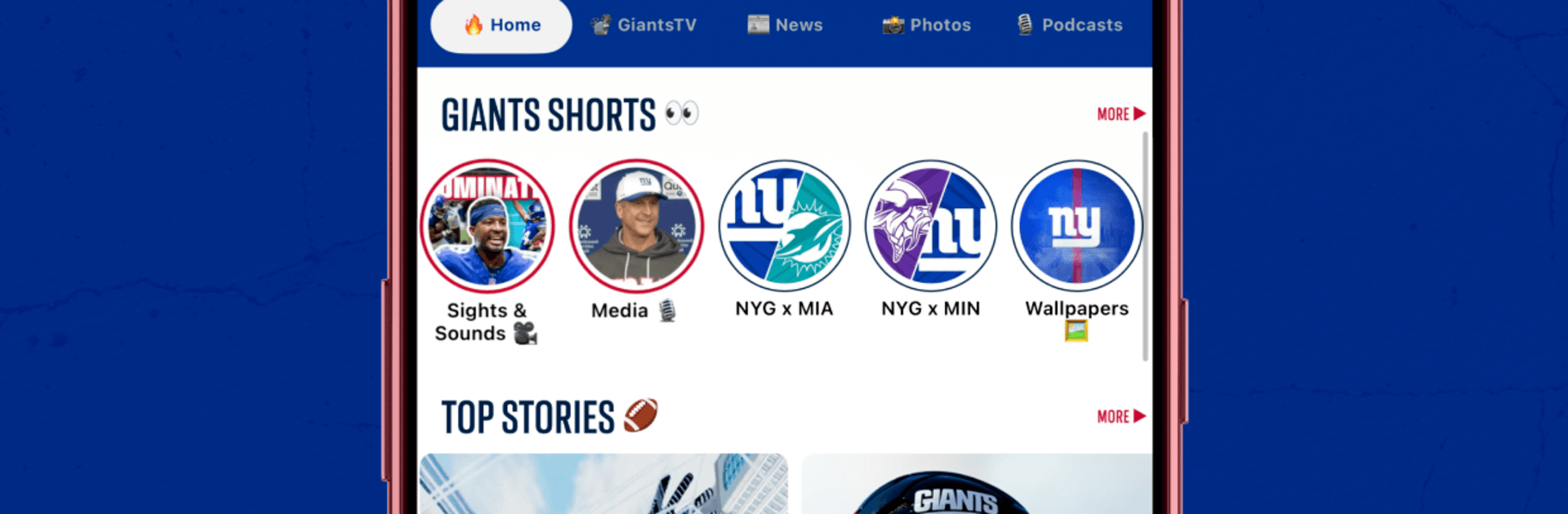
New York Giants Mobile

New York Giants Mobile

Sports

| YinzCam, Inc.

Play on PC with BlueStacks or from our cloud

  • Overview
  • Game Features
  • How to Play

Page Modified On: October 12, 2026

Play New York Giants Mobile on PC or Mac

Play New York Giants Mobile by YinzCam, Inc. on PC or Mac with BlueStacks. Use a bigger screen, mouse and keyboard controls, and smoother performance while you play.

About the Game

New York Giants Mobile is your all-access pass to Big Blue, wrapped up in one handy place. This Sports companion keeps you close to the team with fresh content, game-day tools, and ways to follow along wherever you are. Prefer a bigger screen at home or work? It also works smoothly on BlueStacks without getting in the way.

Game Features

  • GiantsTV & Replays: Catch exclusive videos, behind-the-scenes moments, and full-game replays so you can relive the best drives and clutch stops anytime.
  • Official Podcasts: Hear in-depth analysis, player interviews, and insider chatter from the Giants Podcast Network, perfect for your commute or pregame ritual.
  • Digital Tickets & Account Tools: Store tickets, access your season ticket member hub, and manage your Giants Account in a couple of taps—simple and stress-free.
  • In-Seat Food & Drink Ordering: Skip the lines at MetLife Stadium by ordering from your seat and grabbing your food fast.
  • Gameday Hub Essentials: Get the need-to-know details for home games—parking and gate times, giveaways, autograph opportunities, entertainment, and interactive fan experiences.
  • CarPlay Support: Go hands-free with live game audio, podcasts, and team updates through CarPlay while you’re on the road.
  • Custom Icons & Themes: Personalize the app with classic and current Giants looks to match your style or your game-day superstition.
  • Real-Time Alerts: Get breaking news, key updates, and important game-day info delivered straight to your device so you never miss a moment.

BlueStacks gives you more room to focus on the game and less time adjusting around mobile limitations.


Game Features

Enhancements

  • Macros
  • Multi Instance
  • Multi Instance Sync
  • Script
  • Enhancements
Macros

Macros

Automate the predictable in New York Giants Mobile and transform your gameplay with Macros. Get access to inventive Macros in the BlueStacks Macro Community
Multi Instance

Multi Instance

Play New York Giants Mobile on one window. And chat with your friend on the other. Press CTRL + Shift + 8 to open the Multi-Instance Manager. And start creating fresh instances or clone an existing one.
Multi Instance Sync

Multi Instance Sync

Play New York Giants Mobile with the power of Multi-Instance Sync. Replicate what you are doing on the main instance on all other instances. Level up faster, play more.
Script

Script

Script your way to gaming glory in New York Giants Mobile with BlueStacks Script. Write and run a set of commands to automate repeated tasks. Trigger the command by assigning it to any key.
Read More

How to Download and Play New York Giants Mobile on PC or Mac

  • Download and install BlueStacks on your PC or Mac

  • Complete Google sign-in to access the Play Store, or do it later

  • Look for New York Giants Mobile in the search bar at the top right corner

  • Click to install New York Giants Mobile from the search results

  • Complete Google sign-in (if you skipped step 2) to install New York Giants Mobile

  • Click the New York Giants Mobile icon on the home screen to start playing

video
Watch Video

Minimum System Requirements

With BlueStacks 5, you can get started on a PC that fulfills the following requirements.

  • Operating System

    Microsoft Windows 7 or above, macOS 11 (Big Sur) or above

  • Processor

    Intel, AMD or Apple Silicon Processor

  • RAM

    at least 4GB

  • HDD

    10GB Free Disk Space

Note:

* You must be an Administrator on your PC. Up to date graphics drivers from Microsoft or the chipset vendor.

New York Giants Mobile - FAQs

  • How to play New York Giants Mobile on Windows PC & Mac?

    Play New York Giants Mobile on your PC or Mac by following these simple steps.

    • Click on 'Play New York Giants Mobile on PC’ to download BlueStacks
    • Install it and log-in to Google Play Store
    • Launch and play the game.
  • Why is BlueStacks the fastest and safest platform to play games on PC?

    BlueStacks respects your privacy and is always safe and secure to use. It does not carry any malware, spyware, or any sort of additional software that could harm your PC.

    It is engineered to optimize speed and performance for a seamless gaming experience.

  • What are New York Giants Mobile PC requirements?

    Minimum requirement to run New York Giants Mobile on your PC

    • OS: Microsoft Windows 7 or above MacOS 11 (Big Sur) or above
    • Processor: Intel, AMD or Apple Silicon Processor
    • RAM: Your PC must have at least 4GB of RAM. (Note that having 4GB or more disk space is not a substitute for RAM)
    • HDD: 10GB Free Disk Space.
    • You must be an Administrator on your PC.