Offroad Jeep Driving Pro Games

Offroad Jeep Driving Pro Games

Sports

| Dark Games Studio

Play on PC with BlueStacks or from our cloud

  • Overview
  • Game Features
  • How to Play

Page Modified On: August 18, 2025

Play Offroad Jeep Driving Pro Games on PC or Mac

Join millions to experience Offroad Jeep Driving Pro Games, an exciting Sports game from Dark Games Studio. With BlueStacks App Player, you are always a step ahead of your opponent, ready to outplay them with faster gameplay and better control with the mouse and keyboard on your PC or Mac.

About the Game

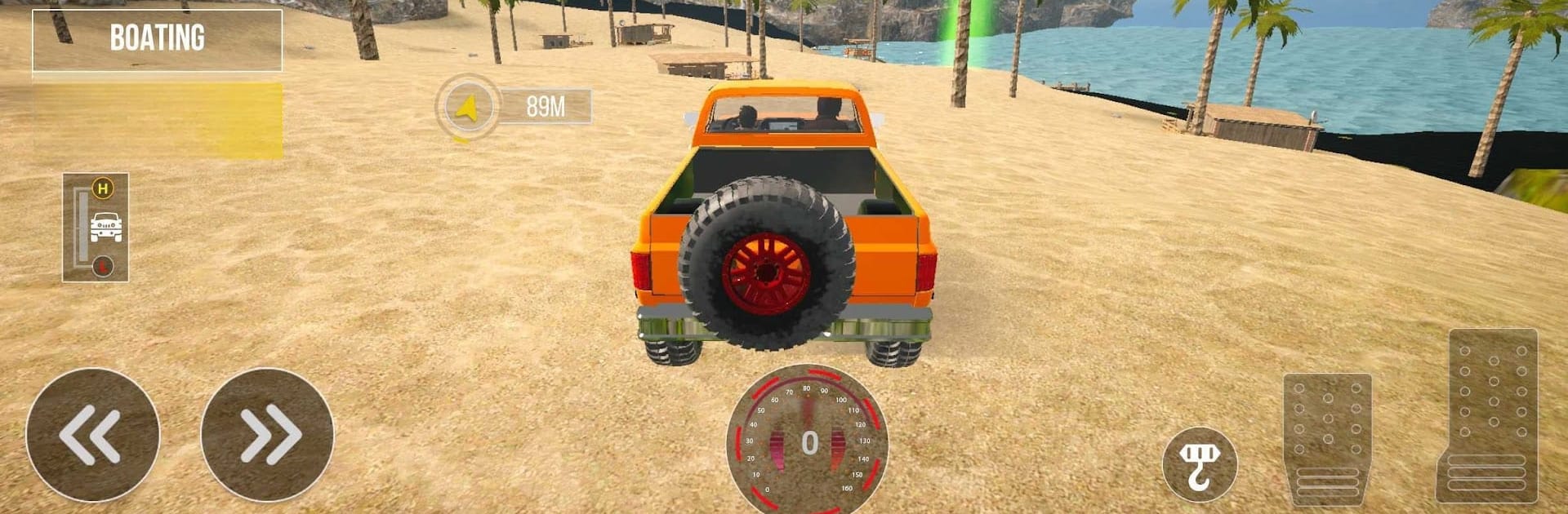
Got a thing for wild adventures and gnarly trails? Offroad Jeep Driving Pro Games from Dark Games Studio throws you right into the heart of the action. Whether you’re itching to wrangle a 4×4 through muddy backroads, or test yourself against treacherous mountain slopes, this Sports game serves up the full offroad experience. Expect chunky tires caked in mud, powerful engines, and total mayhem—especially if you’re bold enough to race rivals or haul oversized cargo through narrow mountain passes.

Game Features

  • Serious Offroad Physics
    Every bump, rumble, and wheel slip feels real thanks to spot-on physics. Suspension and tire grip actually matter, so don’t expect to cruise over mud and rocks like it’s nothing.

  • A Garage Full of Beasts
    Take your pick: compact jeeps, heavy pickups, or monstrous 6×6 trucks. You get options, and each one handles a little differently on the messiest terrain.

  • Choose How You Drive
    Looking for a challenge? Tackle career missions, go on timed runs, or just wander around in free roam mode. There’s climbing, racing, delivery jobs, and plenty of unexpected twists.

  • Weather That Won’t Quit
    Gorgeous 3D graphics cover everything from snoozy sun to nasty storms. When it rains, you really feel it—good luck getting that truck up the hill in slippery mud.

  • Built for Hardcore Fans
    Detailed interiors, manual gears, winches, and even differential locks. Love trucking sims? All the features you want are waiting, and handling is precise enough for true offroad game junkies.

  • Deliver or Race—Up to You
    Want to drag heavy cargo through a winding forest? Go for a City Cargo Truck mission. Hungry for competition instead? Jeep racing modes are right there, ready for you to throw down.

  • Tough New Levels to Unlock
    Progress unlocks tougher tracks and fancier vehicles, so you’ve always got a new hill to conquer or a deeper ditch to cross.

And hey, if you’re playing on BlueStacks, those gritty hills and soggy trails look even better, with a nice edge on controls too.

Make your gaming sessions memorable with precise controls that give you an edge in close combats and visuals that pop up, bringing every character to life.


Game Features

Enhancements

  • Macros
  • Multi Instance
  • Multi Instance Sync
  • Script
  • Enhancements
Macros

Macros

Automate the predictable in Offroad Jeep Driving Pro Games and transform your gameplay with Macros. Get access to inventive Macros in the BlueStacks Macro Community
Multi Instance

Multi Instance

Play Offroad Jeep Driving Pro Games on one window. And chat with your friend on the other. Press CTRL + Shift + 8 to open the Multi-Instance Manager. And start creating fresh instances or clone an existing one.
Multi Instance Sync

Multi Instance Sync

Play Offroad Jeep Driving Pro Games with the power of Multi-Instance Sync. Replicate what you are doing on the main instance on all other instances. Level up faster, play more.
Script

Script

Script your way to gaming glory in Offroad Jeep Driving Pro Games with BlueStacks Script. Write and run a set of commands to automate repeated tasks. Trigger the command by assigning it to any key.
Read More

How to Download and Play Offroad Jeep Driving Pro Games on PC or Mac

  • Download and install BlueStacks on your PC or Mac

  • Complete Google sign-in to access the Play Store, or do it later

  • Look for Offroad Jeep Driving Pro Games in the search bar at the top right corner

  • Click to install Offroad Jeep Driving Pro Games from the search results

  • Complete Google sign-in (if you skipped step 2) to install Offroad Jeep Driving Pro Games

  • Click the Offroad Jeep Driving Pro Games icon on the home screen to start playing

video
Watch Video

Minimum System Requirements

With BlueStacks 5, you can get started on a PC that fulfills the following requirements.

  • Operating System

    Microsoft Windows 7 or above, macOS 11 (Big Sur) or above

  • Processor

    Intel, AMD or Apple Silicon Processor

  • RAM

    at least 4GB

  • HDD

    10GB Free Disk Space

Note:

* You must be an Administrator on your PC. Up to date graphics drivers from Microsoft or the chipset vendor.

Offroad Jeep Driving Pro Games - FAQs

  • How to play Offroad Jeep Driving Pro Games on Windows PC & Mac?

    Play Offroad Jeep Driving Pro Games on your PC or Mac by following these simple steps.

    • Click on 'Play Offroad Jeep Driving Pro Games on PC’ to download BlueStacks
    • Install it and log-in to Google Play Store
    • Launch and play the game.
  • Why is BlueStacks the fastest and safest platform to play games on PC?

    BlueStacks respects your privacy and is always safe and secure to use. It does not carry any malware, spyware, or any sort of additional software that could harm your PC.

    It is engineered to optimize speed and performance for a seamless gaming experience.

  • What are Offroad Jeep Driving Pro Games PC requirements?

    Minimum requirement to run Offroad Jeep Driving Pro Games on your PC

    • OS: Microsoft Windows 7 or above MacOS 11 (Big Sur) or above
    • Processor: Intel, AMD or Apple Silicon Processor
    • RAM: Your PC must have at least 4GB of RAM. (Note that having 4GB or more disk space is not a substitute for RAM)
    • HDD: 10GB Free Disk Space.
    • You must be an Administrator on your PC.