Quinidroid
Quinidroid

Quinidroid

Sports

| Iván Morales

Play on PC with BlueStacks or from our cloud

  • Overview
  • Game Features
  • How to Play

Page Modified On: August 19, 2025

Play Quinidroid on PC or Mac

From the innovators and creators at Iván Morales, Quinidroid is another fun addition to the World of Sports games. Go beyond your mobile screen and play it bigger and better on your PC or Mac. An immersive experience awaits you.

About the Game

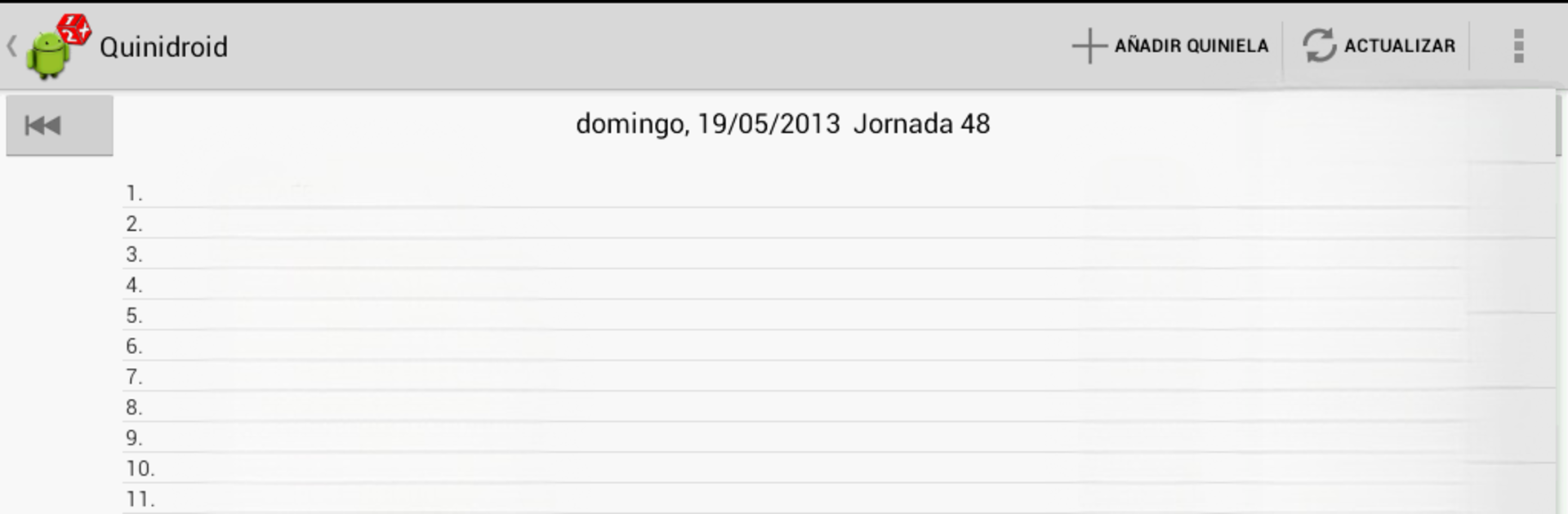
Quinidroid lets you keep your soccer predictions and match results right at your fingertips—no need to juggle papers or refresh web pages every five seconds. Whether you’re tracking your own quinielas or just like knowing how your favorite leagues are doing, this app by Iván Morales gives you an organized, hands-on way to manage it all. Sports fans get a ton of control, and yeah, it’s easy to use from your phone or even with BlueStacks on your PC.

Game Features

  • Types of Quinielas
    Handle all kinds of prediction sheets—sencillas, múltiples, reducidas, and condicionadas—so you’re not stuck with just one way to play.

  • Live Match Tracking
    Watch your results update in real time as matches unfold each week. You can see goals as they happen and view updated scores directly in the app.

  • Schedules & Broadcast Info
    Not sure when a match is? Get the upcoming game dates, times, and TV channels, so you never miss kick-off.

  • Instant Notifications
    Set up alerts for goals, results, or even prize jackpots, and get notified right away—no more FOMO.

  • Official Prognosis Percentages
    See the same prediction percentages that the pros follow before you make your picks.

  • Random or Smart Quinielas
    Let the app generate random quinielas for you, or base them off actual betting percentages if you’re feeling strategic.

  • Team Stats & Analysis
    Dig into detailed stats and historical data for each team, handy when making those tough calls.

  • Prize Calculations
    Curious about your winnings? Quinidroid works out your prize after each matchday.

  • Easy Sharing & Sync
    Import, export, and even share your quinielas in xml or txt formats to keep friends in the loop or back up your picks.

  • Group Management
    Organize your friends and peña so game day chats—or rivalries—stay lively and fun.

  • Comprehensive League Coverage
    Track team standings not just in Spain, but also popular international leagues. Yep, that’s Primera, Segunda, Premier League, Bundesliga, Serie A, Ligue 1, and a few more.

  • Personalized Look
    Play around with themes and customize your live score view however you like.

And if you’re using BlueStacks, everything’s just as smooth on your PC as it is on your phone.

Make your gaming sessions memorable with precise controls that give you an edge in close combats and visuals that pop up, bringing every character to life.


Game Features

Enhancements

  • Macros
  • Multi Instance
  • Multi Instance Sync
  • Script
  • Enhancements
Macros

Macros

Automate the predictable in Quinidroid and transform your gameplay with Macros. Get access to inventive Macros in the BlueStacks Macro Community
Multi Instance

Multi Instance

Play Quinidroid on one window. And chat with your friend on the other. Press CTRL + Shift + 8 to open the Multi-Instance Manager. And start creating fresh instances or clone an existing one.
Multi Instance Sync

Multi Instance Sync

Play Quinidroid with the power of Multi-Instance Sync. Replicate what you are doing on the main instance on all other instances. Level up faster, play more.
Script

Script

Script your way to gaming glory in Quinidroid with BlueStacks Script. Write and run a set of commands to automate repeated tasks. Trigger the command by assigning it to any key.
Read More

How to Download and Play Quinidroid on PC or Mac

  • Download and install BlueStacks on your PC or Mac

  • Complete Google sign-in to access the Play Store, or do it later

  • Look for Quinidroid in the search bar at the top right corner

  • Click to install Quinidroid from the search results

  • Complete Google sign-in (if you skipped step 2) to install Quinidroid

  • Click the Quinidroid icon on the home screen to start playing

video
Watch Video

Minimum System Requirements

With BlueStacks 5, you can get started on a PC that fulfills the following requirements.

  • Operating System

    Microsoft Windows 7 or above, macOS 11 (Big Sur) or above

  • Processor

    Intel, AMD or Apple Silicon Processor

  • RAM

    at least 4GB

  • HDD

    10GB Free Disk Space

Note:

* You must be an Administrator on your PC. Up to date graphics drivers from Microsoft or the chipset vendor.

Quinidroid - FAQs

  • How to play Quinidroid on Windows PC & Mac?

    Play Quinidroid on your PC or Mac by following these simple steps.

    • Click on 'Play Quinidroid on PC’ to download BlueStacks
    • Install it and log-in to Google Play Store
    • Launch and play the game.
  • Why is BlueStacks the fastest and safest platform to play games on PC?

    BlueStacks respects your privacy and is always safe and secure to use. It does not carry any malware, spyware, or any sort of additional software that could harm your PC.

    It is engineered to optimize speed and performance for a seamless gaming experience.

  • What are Quinidroid PC requirements?

    Minimum requirement to run Quinidroid on your PC

    • OS: Microsoft Windows 7 or above MacOS 11 (Big Sur) or above
    • Processor: Intel, AMD or Apple Silicon Processor
    • RAM: Your PC must have at least 4GB of RAM. (Note that having 4GB or more disk space is not a substitute for RAM)
    • HDD: 10GB Free Disk Space.
    • You must be an Administrator on your PC.