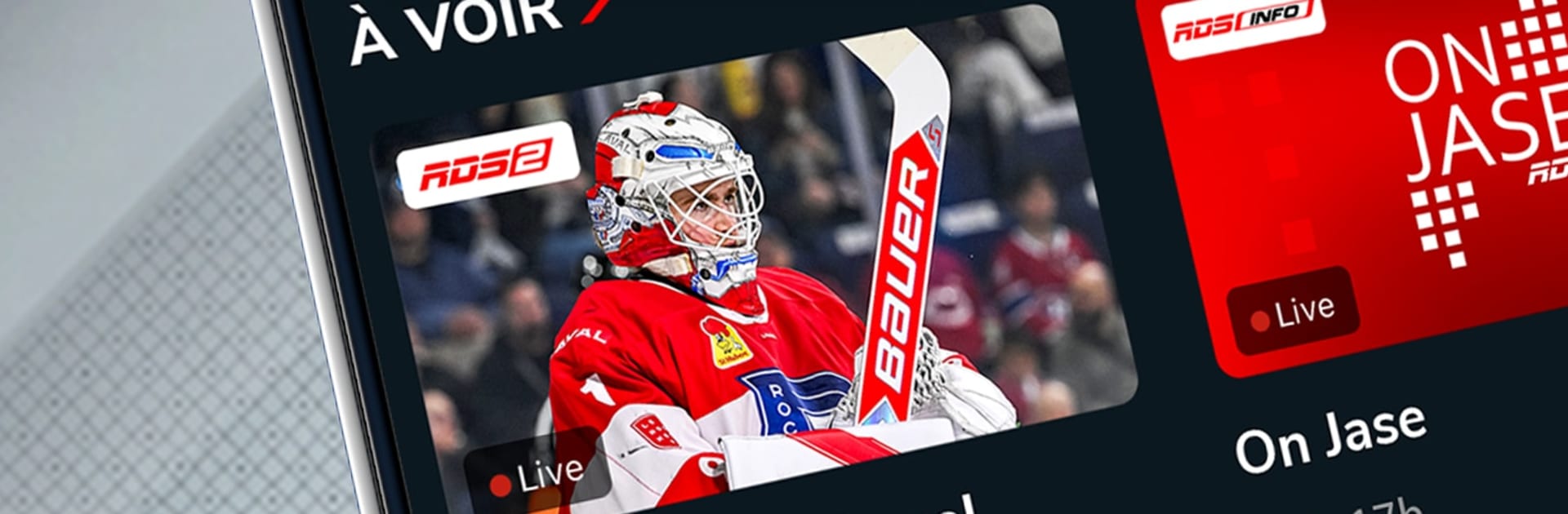
RDS: LNH, NBA, CFL, MLB & plus

RDS: LNH, NBA, CFL, MLB & plus

Sports

| Bell Media Inc.

Play on PC with BlueStacks or from our cloud

  • Overview
  • Game Features
  • How to Play

Page Modified On: May 11, 2026

Play RDS: LNH, NBA, CFL, MLB & plus on PC or Mac

Bring your A-game to RDS: LNH, NBA, CFL, MLB & plus, the Sports game sensation from Bell Media Inc.. Give your gameplay the much-needed boost with precise game controls, high FPS graphics, and top-tier features on your PC or Mac with BlueStacks.

About the Game

RDS: LNH, NBA, CFL, MLB & plus from Bell Media Inc. is your French-language home for nonstop sports. It pulls live action, replays, and quick-hit highlights into one clean place so you can keep up with the leagues and teams you actually care about. Want hockey at puck drop, an NBA nightcap, or F1 on a Sunday morning? It’s all lined up and easy to find. Prefer a bigger screen? It plays nicely on BlueStacks.

Game Features

  • Live channels in French: Stream RDS, RDS2, and RDS Info in real time for wall-to-wall coverage, from hockey nights to basketball doubleheaders and busy soccer weekends.
  • All the leagues you follow: Watch action from the NHL, QMJHL, CHL, AHL, IIHF and the World Juniors; NBA; NFL RedZone; CFL including the Grey Cup; MLB; MLS, La Liga, Copa America, and the Leagues Cup; ATP tennis with the French Open, Wimbledon, and the US Open; PGA golf; F1; plus curling, rugby, boxing, MMA, and wrestling.
  • Teams that matter: Keep tabs on the Montreal Canadiens, Ottawa Senators, Montreal Alouettes, Laval Rocket, CF Montréal, Toronto FC, Vancouver Whitecaps FC, and the Toronto Raptors, among others.
  • Missed it? Watch later: Catch-up videos and on-demand replays let you jump back into the game or skim the best moments when you’ve got time.
  • News and highlights: Get quick updates, scores, and top plays without digging through menus.
  • Studio shows you know: Settle in with favorites like 5 à 7, Hockey 360, Sports 30, and L’Antichambre for expert analysis and lively debates.
  • Availability and subscription: Viewing is available in Canada only and may be subject to geographic limits. A subscription is required and renews automatically based on your plan (in Quebec, renewals are monthly). You can cancel or change plans before your renewal date. Fees are nonrefundable for the billed period and may change over time.

Slay your opponents with your epic moves. Play it your way on BlueStacks and dominate the battlefield.

Game Features

Enhancements

  • Macros
  • Multi Instance
  • Multi Instance Sync
  • Script
  • Enhancements
Macros

Macros

Automate the predictable in RDS: LNH, NBA, CFL, MLB & plus and transform your gameplay with Macros. Get access to inventive Macros in the BlueStacks Macro Community
Multi Instance

Multi Instance

Play RDS: LNH, NBA, CFL, MLB & plus on one window. And chat with your friend on the other. Press CTRL + Shift + 8 to open the Multi-Instance Manager. And start creating fresh instances or clone an existing one.
Multi Instance Sync

Multi Instance Sync

Play RDS: LNH, NBA, CFL, MLB & plus with the power of Multi-Instance Sync. Replicate what you are doing on the main instance on all other instances. Level up faster, play more.
Script

Script

Script your way to gaming glory in RDS: LNH, NBA, CFL, MLB & plus with BlueStacks Script. Write and run a set of commands to automate repeated tasks. Trigger the command by assigning it to any key.
Read More

How to Download and Play RDS: LNH, NBA, CFL, MLB & plus on PC or Mac

  • Download and install BlueStacks on your PC or Mac

  • Complete Google sign-in to access the Play Store, or do it later

  • Look for RDS: LNH, NBA, CFL, MLB & plus in the search bar at the top right corner

  • Click to install RDS: LNH, NBA, CFL, MLB & plus from the search results

  • Complete Google sign-in (if you skipped step 2) to install RDS: LNH, NBA, CFL, MLB & plus

  • Click the RDS: LNH, NBA, CFL, MLB & plus icon on the home screen to start playing

video
Watch Video

Minimum System Requirements

With BlueStacks 5, you can get started on a PC that fulfills the following requirements.

  • Operating System

    Microsoft Windows 7 or above, macOS 11 (Big Sur) or above

  • Processor

    Intel, AMD or Apple Silicon Processor

  • RAM

    at least 4GB

  • HDD

    10GB Free Disk Space

Note:

* You must be an Administrator on your PC. Up to date graphics drivers from Microsoft or the chipset vendor.

RDS: LNH, NBA, CFL, MLB & plus - FAQs

  • How to play RDS: LNH, NBA, CFL, MLB & plus on Windows PC & Mac?

    Play RDS: LNH, NBA, CFL, MLB & plus on your PC or Mac by following these simple steps.

    • Click on 'Play RDS: LNH, NBA, CFL, MLB & plus on PC’ to download BlueStacks
    • Install it and log-in to Google Play Store
    • Launch and play the game.
  • Why is BlueStacks the fastest and safest platform to play games on PC?

    BlueStacks respects your privacy and is always safe and secure to use. It does not carry any malware, spyware, or any sort of additional software that could harm your PC.

    It is engineered to optimize speed and performance for a seamless gaming experience.

  • What are RDS: LNH, NBA, CFL, MLB & plus PC requirements?

    Minimum requirement to run RDS: LNH, NBA, CFL, MLB & plus on your PC

    • OS: Microsoft Windows 7 or above MacOS 11 (Big Sur) or above
    • Processor: Intel, AMD or Apple Silicon Processor
    • RAM: Your PC must have at least 4GB of RAM. (Note that having 4GB or more disk space is not a substitute for RAM)
    • HDD: 10GB Free Disk Space.
    • You must be an Administrator on your PC.