REFSIX - Soccer Referee Watch

REFSIX - Soccer Referee Watch

Sports

| REFSIX Ltd

Play on PC with BlueStacks or from our cloud

  • Overview
  • Game Features
  • How to Play

Page Modified On: November 28, 2025

Play REFSIX - Soccer Referee Watch on PC or Mac

Bring your A-game to REFSIX – Soccer Referee Watch, the Sports game sensation from REFSIX Ltd. Give your gameplay the much-needed boost with precise game controls, high FPS graphics, and top-tier features on your PC or Mac with BlueStacks.

About the Game

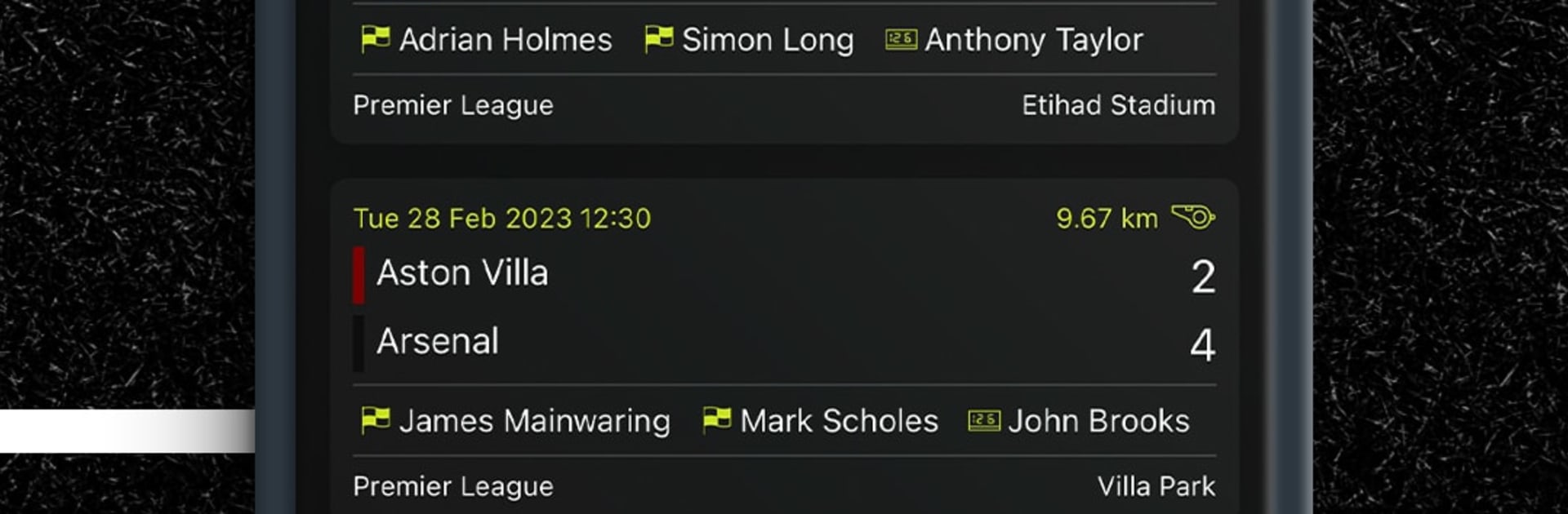
REFSIX – Soccer Referee Watch turns your match day into something smoother and a lot less stressful. It handles the boring bits—timing, logging incidents, and post-game breakdowns—so you can focus on reading the play and making the right calls. Built by REFSIX Ltd for the Sports crowd that lives on the touchline, it’s a clean, practical tool for refs at any level.

Game Features

  • Flexible match setup: Create fixtures in seconds and tailor the details—match type, location, period length, extra time, team sheets, and more.
  • Easy timing and logging: Start the clock, pause, add stoppage time, and record goals, cards, subs, and injuries without reaching for a notebook.
  • Phone or Wear OS: Use your phone or your Wear OS watch during the game; both keep your data tidy and in sync.
  • Ref-focused analytics: Review movement heatmaps, where you made key decisions, distance covered, sprint counts, and other stats that actually matter to officials.
  • Video-linked review: Sync your match timeline to game footage and study positioning and decision moments with proper context.
  • Advanced timers: Run separate timers for game time and stoppages, and set prompts for halves, added time, or other match controls.
  • Season history, no spreadsheets: Track your fixtures and performance over time without juggling files—everything’s stored and searchable.
  • Great on a bigger screen: Prefer reviewing matches at your desk? Run the app on your PC with BlueStacks and go through incidents and analytics comfortably.

Make your gaming sessions memorable with precise controls that give you an edge in close combats and visuals that pop up, bringing every character to life.


Game Features

Enhancements

  • Macros
  • Multi Instance
  • Multi Instance Sync
  • Script
  • Enhancements
Macros

Macros

Automate the predictable in REFSIX - Soccer Referee Watch and transform your gameplay with Macros. Get access to inventive Macros in the BlueStacks Macro Community
Multi Instance

Multi Instance

Play REFSIX - Soccer Referee Watch on one window. And chat with your friend on the other. Press CTRL + Shift + 8 to open the Multi-Instance Manager. And start creating fresh instances or clone an existing one.
Multi Instance Sync

Multi Instance Sync

Play REFSIX - Soccer Referee Watch with the power of Multi-Instance Sync. Replicate what you are doing on the main instance on all other instances. Level up faster, play more.
Script

Script

Script your way to gaming glory in REFSIX - Soccer Referee Watch with BlueStacks Script. Write and run a set of commands to automate repeated tasks. Trigger the command by assigning it to any key.
Read More

How to Download and Play REFSIX - Soccer Referee Watch on PC or Mac

  • Download and install BlueStacks on your PC or Mac

  • Complete Google sign-in to access the Play Store, or do it later

  • Look for REFSIX - Soccer Referee Watch in the search bar at the top right corner

  • Click to install REFSIX - Soccer Referee Watch from the search results

  • Complete Google sign-in (if you skipped step 2) to install REFSIX - Soccer Referee Watch

  • Click the REFSIX - Soccer Referee Watch icon on the home screen to start playing

video
Watch Video

Minimum System Requirements

With BlueStacks 5, you can get started on a PC that fulfills the following requirements.

  • Operating System

    Microsoft Windows 7 or above, macOS 11 (Big Sur) or above

  • Processor

    Intel, AMD or Apple Silicon Processor

  • RAM

    at least 4GB

  • HDD

    10GB Free Disk Space

Note:

* You must be an Administrator on your PC. Up to date graphics drivers from Microsoft or the chipset vendor.

REFSIX - Soccer Referee Watch - FAQs

  • How to play REFSIX - Soccer Referee Watch on Windows PC & Mac?

    Play REFSIX - Soccer Referee Watch on your PC or Mac by following these simple steps.

    • Click on 'Play REFSIX - Soccer Referee Watch on PC’ to download BlueStacks
    • Install it and log-in to Google Play Store
    • Launch and play the game.
  • Why is BlueStacks the fastest and safest platform to play games on PC?

    BlueStacks respects your privacy and is always safe and secure to use. It does not carry any malware, spyware, or any sort of additional software that could harm your PC.

    It is engineered to optimize speed and performance for a seamless gaming experience.

  • What are REFSIX - Soccer Referee Watch PC requirements?

    Minimum requirement to run REFSIX - Soccer Referee Watch on your PC

    • OS: Microsoft Windows 7 or above MacOS 11 (Big Sur) or above
    • Processor: Intel, AMD or Apple Silicon Processor
    • RAM: Your PC must have at least 4GB of RAM. (Note that having 4GB or more disk space is not a substitute for RAM)
    • HDD: 10GB Free Disk Space.
    • You must be an Administrator on your PC.