Sail Racer
Sail Racer

Sail Racer

Sports

| UAB Sailracer

Play on PC with BlueStacks or from our cloud

  • Overview
  • How to Download

Page Modified On: July 20, 2026

Run Sail Racer on PC or Mac

Upgrade your experience. Try Sail Racer, the fantastic Sports app from UAB Sailracer, from the comfort of your laptop, PC, or Mac, only on BlueStacks.

About the Game

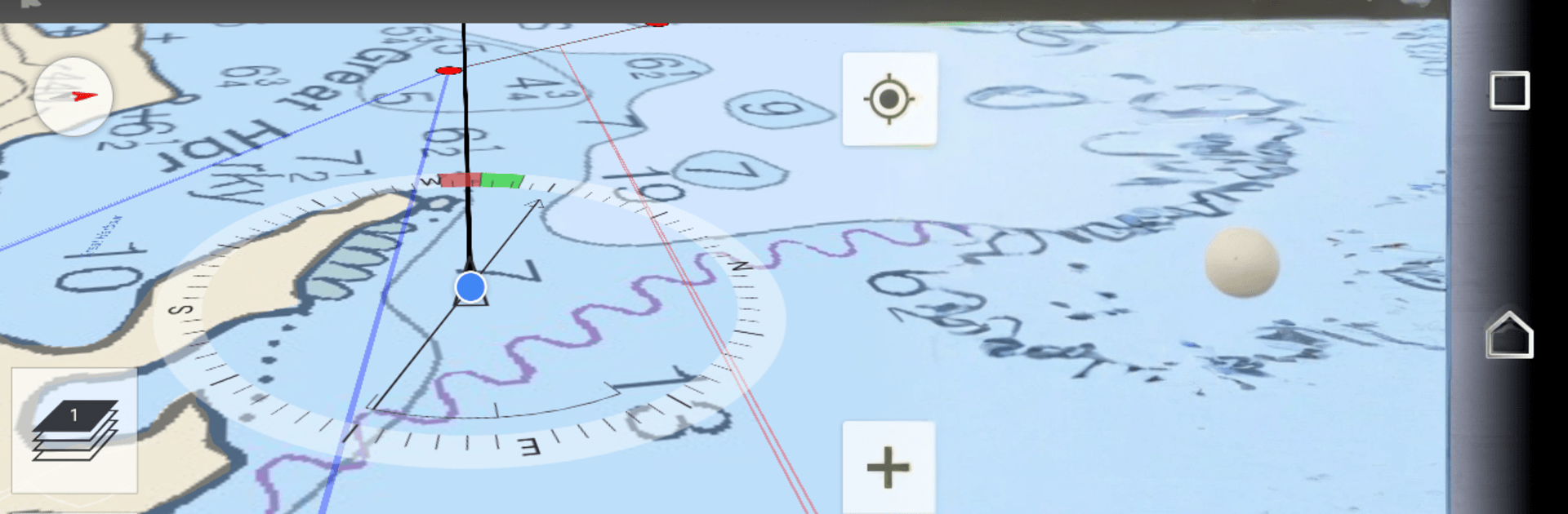
Sail Racer is a Sports sailing experience built for people who love the start gun as much as the finish horn. You’re making real tactical calls—spotting shifts, finding the favored end, and timing that perfect punch off the line—without getting buried in cluttered numbers. Want a cleaner view of the action? Running it on BlueStacks lets the charts and shift bars shine on a bigger display.

Game Features

  • Smart start tools: Use a race-ready countdown, “time to burn,” and starting box distances to launch right on time and at full pace.
  • Wind and shift reading: Gusts and lulls nudge your heading; a clear shift bar across the compass and map shows when it’s time to tack or hold.
  • Instant laylines and marks: See laylines, mark distance, and ETA at a glance so you can choose the fast lane instead of guessing.
  • Performance insights: Track boat efficiency against polars to understand where you’re gaining or leaving speed on the table.
  • Trend tracking: Wind averages over 6 minutes and 1 hour help filter noise and confirm whether a lift is real or just a tease.
  • Course smarts: Get course averages even without external feeds, keeping your tactics sharp when instruments are limited.
  • Charts and tracking: Navigate with nautical charts and record your path to replay starts, shifts, and crossings later.
  • Sensor-friendly: Hooks into NMEA 0183 and Bluetooth instruments, supports SailTimer wind data, and even shows current influence.
  • Wear it on the wrist: Works on Wear OS, so the essentials—timer, shifts, laylines—stay visible while your hands stay busy on the helm.

Big screen. Bigger performance. Use BlueStacks on your PC or Mac to run your favorite apps.

How to Download and Run Sail Racer on PC or Mac

  • Download and install BlueStacks on your PC or Mac

  • Complete Google sign-in to access the Play Store, or do it later

  • Look for Sail Racer in the search bar at the top right corner

  • Click to install Sail Racer from the search results

  • Complete Google sign-in (if you skipped step 2) to install Sail Racer

  • Click the Sail Racer icon on the home screen to start playing

video
Watch Video

Minimum System Requirements

With BlueStacks 5, you can get started on a PC that fulfills the following requirements.

  • Operating System

    Microsoft Windows 7 or above, macOS 11 (Big Sur) or above

  • Processor

    Intel, AMD or Apple Silicon Processor

  • RAM

    at least 4GB

  • HDD

    10GB Free Disk Space

Note:

* You must be an Administrator on your PC. Up to date graphics drivers from Microsoft or the chipset vendor.

Sail Racer - FAQs

  • How to Run Sail Racer on Windows PC & Mac?

    Run Sail Racer on your PC or Mac by following these simple steps.

    • Click on ‘Download Sail Racer on PC’ to download BlueStacks
    • Install it and log-in to Google Play Store
    • Launch and run the app.
  • Why is BlueStacks the fastest and safest platform to play games on PC?

    BlueStacks respects your privacy and is always safe and secure to use. It does not carry any malware, spyware, or any sort of additional software that could harm your PC.

    It is engineered to optimize speed and performance for a seamless gaming experience.

  • What are Sail Racer PC requirements?

    Minimum requirement to run Sail Racer on your PC

    • OS: Microsoft Windows 7 and above:
    • Processor: Intel or AMD Processor:
    • RAM: Your PC must have at least 2GB of RAM. (Note that having 2GB or more disk space is not a substitute for RAM):
    • HDD: 5GB Free Disk Space.
    • You must be an Administrator on your PC.