Skiline
Skiline

Skiline

Sports

| Alturos Destinations GmbH

Play on PC with BlueStacks or from our cloud

  • Overview
  • Game Features
  • How to Play

Page Modified On: November 28, 2025

Play Skiline on PC or Mac

Step into the World of Skiline, a thrilling Sports game from the house of Alturos Destinations GmbH. Play this Android game on BlueStacks App Player and experience immersive gaming on PC or Mac.

About the Game

Skiline is all about turning your ski days into something you can actually look back on. Scan your ski pass, hit the slopes, and the app quietly collects the good stuff—how far you went, how high you climbed, and which lifts you took. It’s a clean, fun Sports experience from Alturos Destinations GmbH that makes every run feel like progress you can see.

Game Features

  • Real-time stats: Track vertical feet, miles skied, and your lift history without lifting a finger after you scan your pass.
  • Your day at a glance: See a clear summary of your sessions—perfect for comparing runs or planning the next big day out.
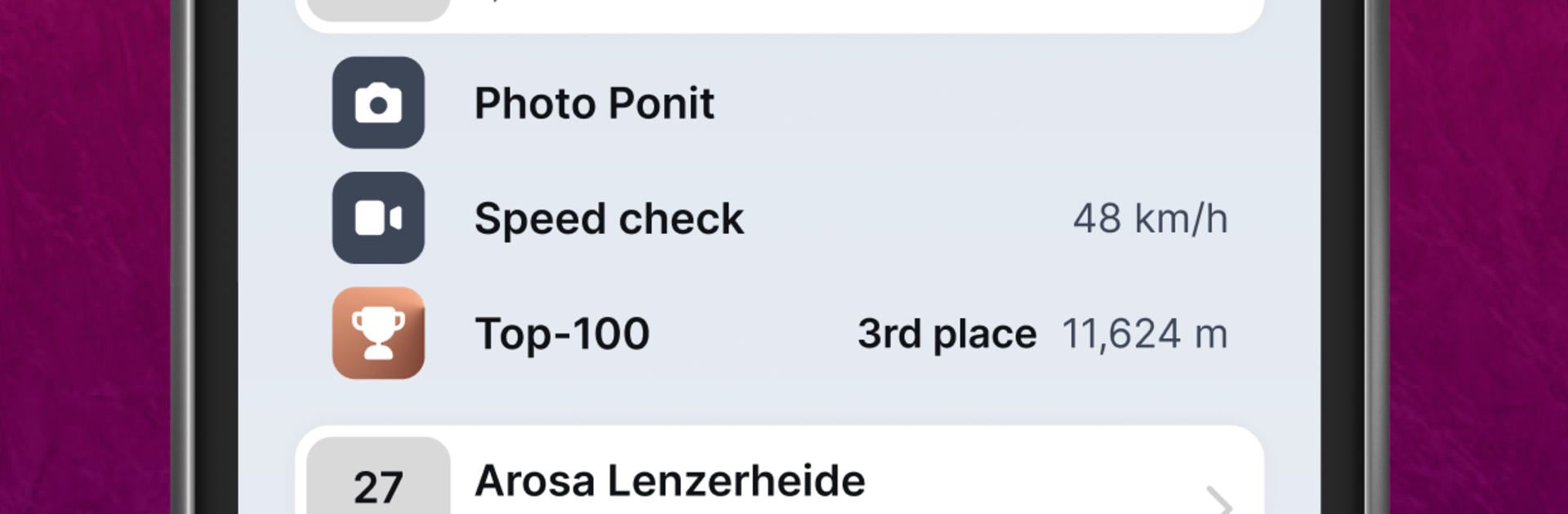
  • Highlight moments: Get action clips and speed shots from special on-mountain cameras when available, so your best runs don’t fade away.
  • Souvenir photos: Stop at official photo points and grab keepsake shots tied to your ski day.
  • Friends feed: Follow buddies, swap highlights, and see who had the most epic day. A little friendly competition never hurts.
  • Challenges and contests: Join seasonal challenges and resort contests to push yourself and climb local leaderboards.
  • Battery-friendly design: Skiline doesn’t rely on constant GPS tracking, so your phone lasts through that last chair.
  • Easy pass setup: Add your ski pass in seconds—NFC tap support keeps it painless on compatible phones.
  • Buy passes in-app: In select resorts, purchase your ski pass right inside Skiline and head straight to the lifts.
  • Worldwide resort coverage: Works across hundreds of ski areas around the globe, so your stats follow you wherever winter takes you.
  • Smooth on PC with BlueStacks: Prefer a bigger screen for browsing stats and sharing clips? Check your Skiline feed comfortably on BlueStacks.

Slay your opponents with your epic moves. Play it your way on BlueStacks and dominate the battlefield.


Game Features

Enhancements

  • Macros
  • Multi Instance
  • Multi Instance Sync
  • Script
  • Enhancements
Macros

Macros

Automate the predictable in Skiline and transform your gameplay with Macros. Get access to inventive Macros in the BlueStacks Macro Community
Multi Instance

Multi Instance

Play Skiline on one window. And chat with your friend on the other. Press CTRL + Shift + 8 to open the Multi-Instance Manager. And start creating fresh instances or clone an existing one.
Multi Instance Sync

Multi Instance Sync

Play Skiline with the power of Multi-Instance Sync. Replicate what you are doing on the main instance on all other instances. Level up faster, play more.
Script

Script

Script your way to gaming glory in Skiline with BlueStacks Script. Write and run a set of commands to automate repeated tasks. Trigger the command by assigning it to any key.
Read More

How to Download and Play Skiline on PC or Mac

  • Download and install BlueStacks on your PC or Mac

  • Complete Google sign-in to access the Play Store, or do it later

  • Look for Skiline in the search bar at the top right corner

  • Click to install Skiline from the search results

  • Complete Google sign-in (if you skipped step 2) to install Skiline

  • Click the Skiline icon on the home screen to start playing

video
Watch Video

Minimum System Requirements

With BlueStacks 5, you can get started on a PC that fulfills the following requirements.

  • Operating System

    Microsoft Windows 7 or above, macOS 11 (Big Sur) or above

  • Processor

    Intel, AMD or Apple Silicon Processor

  • RAM

    at least 4GB

  • HDD

    10GB Free Disk Space

Note:

* You must be an Administrator on your PC. Up to date graphics drivers from Microsoft or the chipset vendor.

Skiline - FAQs

  • How to play Skiline on Windows PC & Mac?

    Play Skiline on your PC or Mac by following these simple steps.

    • Click on 'Play Skiline on PC’ to download BlueStacks
    • Install it and log-in to Google Play Store
    • Launch and play the game.
  • Why is BlueStacks the fastest and safest platform to play games on PC?

    BlueStacks respects your privacy and is always safe and secure to use. It does not carry any malware, spyware, or any sort of additional software that could harm your PC.

    It is engineered to optimize speed and performance for a seamless gaming experience.

  • What are Skiline PC requirements?

    Minimum requirement to run Skiline on your PC

    • OS: Microsoft Windows 7 or above MacOS 11 (Big Sur) or above
    • Processor: Intel, AMD or Apple Silicon Processor
    • RAM: Your PC must have at least 4GB of RAM. (Note that having 4GB or more disk space is not a substitute for RAM)
    • HDD: 10GB Free Disk Space.
    • You must be an Administrator on your PC.