Soccer Player: Legend Path

Soccer Player: Legend Path

Sports

| ATEA Games

Play on PC with BlueStacks or from our cloud

  • Overview
  • Game Features
  • How to Play

Page Modified On: September 21, 2026

Play Soccer Player: Legend Path on PC or Mac

Soccer Player: Legend Path brings the Sports genre to life, and throws up exciting challenges for gamers. Developed by ATEA Games, this Android game is best experienced on BlueStacks, the World’s #1 app player for PC and Mac users.

About the Game

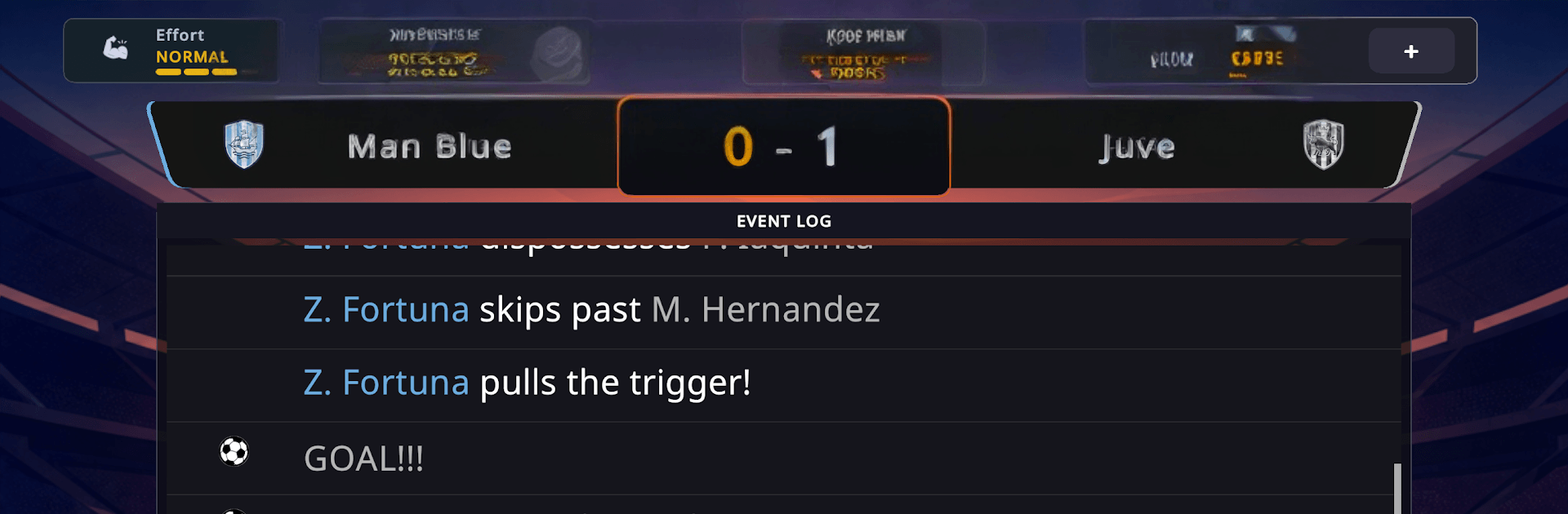
Soccer Player: Legend Path is a Sports career and life sim where you start as a nobody and try to make a name the world actually remembers. You’ll grind through training, nail those big match moments, and juggle the off-field stuff that can make or break a career. Prefer a bigger screen and keyboard? It plays comfortably on PC with BlueStacks.

Game Features

  • Create Your Pro: Shape your look, choose a position, set your playstyle, and kick off a journey that feels personal from day one.
  • Play or Sim: Jump into clutch highlights to influence results, or simulate entire matches when you want to focus on the long game.
  • Focused Training: Work on shooting, passing, dribbling, technique, speed, and conditioning to raise your stats, rating, and market value.
  • Smart Contracts: Negotiate wages, bonuses, and contract length, and weigh transfer offers when bigger clubs come calling.
  • Energy and Recovery: Balance training loads, rest, diet, and routines so you stay sharp for the weekend without burning out.
  • Money Management: Track income and expenses, then invest in homes, vehicles, and gear that actually impact your career.
  • Relationships Matter: Earn coach trust, build chemistry with teammates, grow your fan rep, and navigate romance without derailing form.
  • Coach Objectives: Hit rotating targets across match cycles to secure starts, keep your place, and unlock better opportunities.
  • Season Hub: Follow fixtures, standings, player stats, news, and your calendar to plan every step like a pro.
  • Real Competitions: Battle through leagues and cups, chase continental nights, and stash your silverware in a proper trophy cabinet.
  • Career Moments: Handle media buzz, sponsorship talks, injuries, and social stories that add pressure—and personality—to your path.
  • Easy Onboarding: A short tutorial gets you settled, and the game supports multiple languages so you can play your way.

Start your journey now. Download the game on BlueStacks, invite your friends, and march on a new adventure.


Game Features

Enhancements

  • Macros
  • Multi Instance
  • Multi Instance Sync
  • Script
  • Enhancements
Macros

Macros

Automate the predictable in Soccer Player: Legend Path and transform your gameplay with Macros. Get access to inventive Macros in the BlueStacks Macro Community
Multi Instance

Multi Instance

Play Soccer Player: Legend Path on one window. And chat with your friend on the other. Press CTRL + Shift + 8 to open the Multi-Instance Manager. And start creating fresh instances or clone an existing one.
Multi Instance Sync

Multi Instance Sync

Play Soccer Player: Legend Path with the power of Multi-Instance Sync. Replicate what you are doing on the main instance on all other instances. Level up faster, play more.
Script

Script

Script your way to gaming glory in Soccer Player: Legend Path with BlueStacks Script. Write and run a set of commands to automate repeated tasks. Trigger the command by assigning it to any key.
Read More

How to Download and Play Soccer Player: Legend Path on PC or Mac

  • Download and install BlueStacks on your PC or Mac

  • Complete Google sign-in to access the Play Store, or do it later

  • Look for Soccer Player: Legend Path in the search bar at the top right corner

  • Click to install Soccer Player: Legend Path from the search results

  • Complete Google sign-in (if you skipped step 2) to install Soccer Player: Legend Path

  • Click the Soccer Player: Legend Path icon on the home screen to start playing

video
Watch Video

Minimum System Requirements

With BlueStacks 5, you can get started on a PC that fulfills the following requirements.

  • Operating System

    Microsoft Windows 7 or above, macOS 11 (Big Sur) or above

  • Processor

    Intel, AMD or Apple Silicon Processor

  • RAM

    at least 4GB

  • HDD

    10GB Free Disk Space

Note:

* You must be an Administrator on your PC. Up to date graphics drivers from Microsoft or the chipset vendor.

Soccer Player: Legend Path - FAQs

  • How to play Soccer Player: Legend Path on Windows PC & Mac?

    Play Soccer Player: Legend Path on your PC or Mac by following these simple steps.

    • Click on 'Play Soccer Player: Legend Path on PC’ to download BlueStacks
    • Install it and log-in to Google Play Store
    • Launch and play the game.
  • Why is BlueStacks the fastest and safest platform to play games on PC?

    BlueStacks respects your privacy and is always safe and secure to use. It does not carry any malware, spyware, or any sort of additional software that could harm your PC.

    It is engineered to optimize speed and performance for a seamless gaming experience.

  • What are Soccer Player: Legend Path PC requirements?

    Minimum requirement to run Soccer Player: Legend Path on your PC

    • OS: Microsoft Windows 7 or above MacOS 11 (Big Sur) or above
    • Processor: Intel, AMD or Apple Silicon Processor
    • RAM: Your PC must have at least 4GB of RAM. (Note that having 4GB or more disk space is not a substitute for RAM)
    • HDD: 10GB Free Disk Space.
    • You must be an Administrator on your PC.