Ultimate XI - Football Game

Ultimate XI - Football Game

Sports

| Mallat Entertainment

Play on PC with BlueStacks or from our cloud

  • Overview
  • Game Features
  • How to Play

Page Modified On: July 27, 2026

Play Ultimate XI - Football Game on PC or Mac

Ultimate XI – Football Game brings the Sports genre to life, and throws up exciting challenges for gamers. Developed by Mallat Entertainment, this Android game is best experienced on BlueStacks, the World’s #1 app player for PC and Mac users.

About the Game

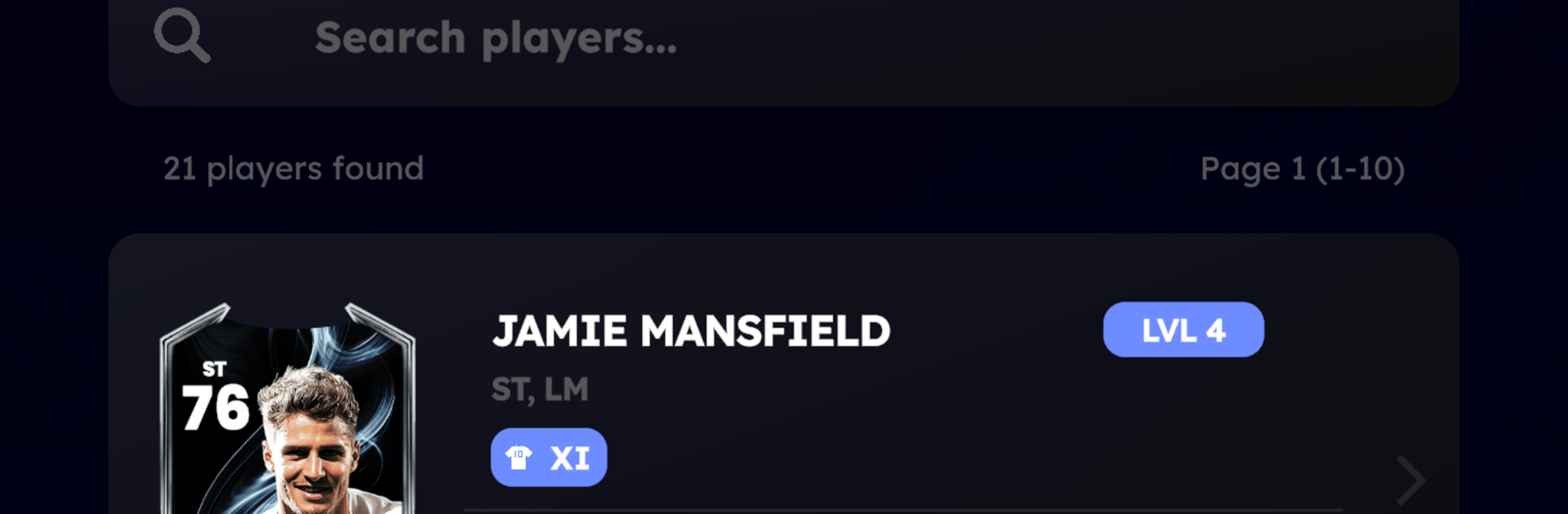
Ultimate XI – Football Game puts you in charge of a squad built from collectible player cards, then lets you prove you can manage with the best of them. Draft a lineup that fits your style, train stars to new heights, and outthink opponents in matches that actually reflect your choices. It’s a Sports title with an easy pick-up feel and plenty of depth once you start chasing promotions.

Game Features

  • Build Your Dream XI: Gather unique player cards across positions and nationalities, then assemble a lineup that clicks on the pitch. Mix favorites and hidden gems to craft a team that feels truly yours.

  • Train and Upgrade: Boost stats, refine positions, and grow card tiers through targeted training. Matches also grant EXP, so every game pushes your players closer to elite status.

  • Tactics That Matter: Pick a formation, set a game plan, and tweak your approach to counter different opponents. Smart adjustments can swing tight matches in your favor.

  • Realistic Match Flow: See your management decisions pay off in grounded, football-first gameplay. Perform well to unlock new players, trainers, and resources that keep your project moving.

  • Climb the Divisions: Start lower on the ladder and fight your way up by beating rivals. Each step brings tougher challenges—and better rewards.

  • Collection Rewards: Completing themed player sets doesn’t just look cool; it also nets extra perks that help you expand and refine your squad.

  • Play Your Way: Prefer a bigger screen and steady controls? You can jump in on PC with BlueStacks for a clean, comfortable setup while you manage and match.

Get ready for a buttery smooth, high-performance gaming action only on BlueStacks.

Game Features

Enhancements

  • Macros
  • Multi Instance
  • Multi Instance Sync
  • Script
  • Enhancements
Macros

Macros

Automate the predictable in Ultimate XI - Football Game and transform your gameplay with Macros. Get access to inventive Macros in the BlueStacks Macro Community
Multi Instance

Multi Instance

Play Ultimate XI - Football Game on one window. And chat with your friend on the other. Press CTRL + Shift + 8 to open the Multi-Instance Manager. And start creating fresh instances or clone an existing one.
Multi Instance Sync

Multi Instance Sync

Play Ultimate XI - Football Game with the power of Multi-Instance Sync. Replicate what you are doing on the main instance on all other instances. Level up faster, play more.
Script

Script

Script your way to gaming glory in Ultimate XI - Football Game with BlueStacks Script. Write and run a set of commands to automate repeated tasks. Trigger the command by assigning it to any key.
Read More

How to Download and Play Ultimate XI - Football Game on PC or Mac

  • Download and install BlueStacks on your PC or Mac

  • Complete Google sign-in to access the Play Store, or do it later

  • Look for Ultimate XI - Football Game in the search bar at the top right corner

  • Click to install Ultimate XI - Football Game from the search results

  • Complete Google sign-in (if you skipped step 2) to install Ultimate XI - Football Game

  • Click the Ultimate XI - Football Game icon on the home screen to start playing

video
Watch Video

Minimum System Requirements

With BlueStacks 5, you can get started on a PC that fulfills the following requirements.

  • Operating System

    Microsoft Windows 7 or above, macOS 11 (Big Sur) or above

  • Processor

    Intel, AMD or Apple Silicon Processor

  • RAM

    at least 4GB

  • HDD

    10GB Free Disk Space

Note:

* You must be an Administrator on your PC. Up to date graphics drivers from Microsoft or the chipset vendor.

Ultimate XI - Football Game - FAQs

  • How to play Ultimate XI - Football Game on Windows PC & Mac?

    Play Ultimate XI - Football Game on your PC or Mac by following these simple steps.

    • Click on 'Play Ultimate XI - Football Game on PC’ to download BlueStacks
    • Install it and log-in to Google Play Store
    • Launch and play the game.
  • Why is BlueStacks the fastest and safest platform to play games on PC?

    BlueStacks respects your privacy and is always safe and secure to use. It does not carry any malware, spyware, or any sort of additional software that could harm your PC.

    It is engineered to optimize speed and performance for a seamless gaming experience.

  • What are Ultimate XI - Football Game PC requirements?

    Minimum requirement to run Ultimate XI - Football Game on your PC

    • OS: Microsoft Windows 7 or above MacOS 11 (Big Sur) or above
    • Processor: Intel, AMD or Apple Silicon Processor
    • RAM: Your PC must have at least 4GB of RAM. (Note that having 4GB or more disk space is not a substitute for RAM)
    • HDD: 10GB Free Disk Space.
    • You must be an Administrator on your PC.