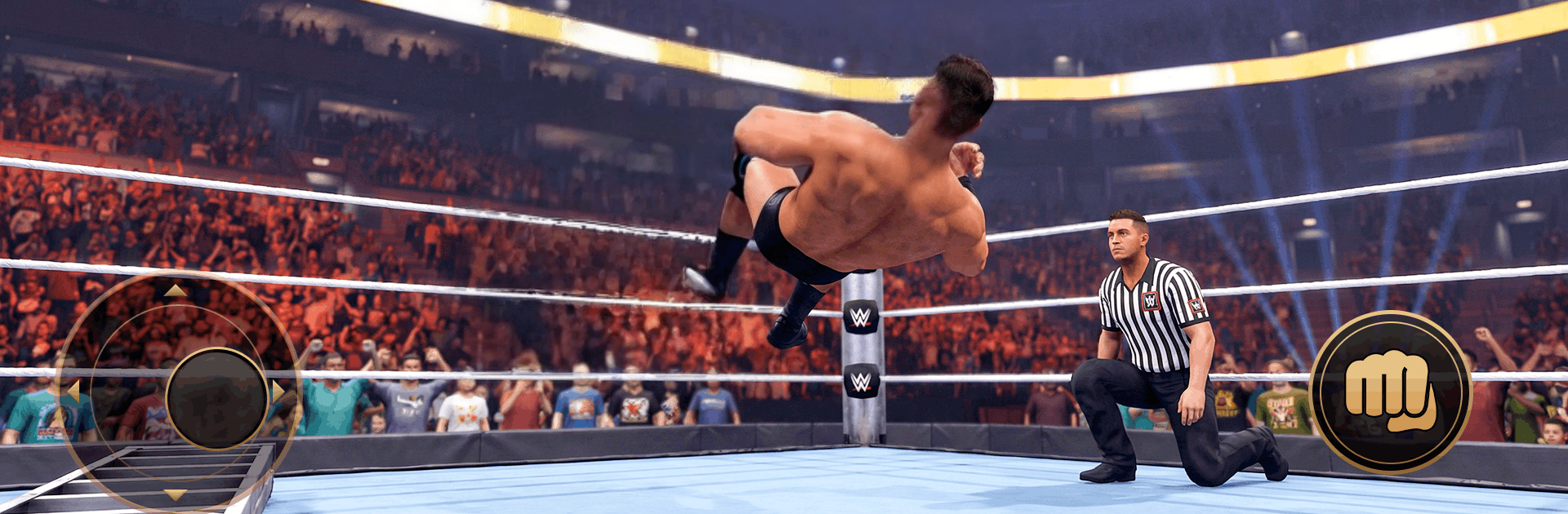
Wrestling 3d: Revolution Game

Wrestling 3d: Revolution Game

Sports

| L'ART OF LEATHER LLC

Play on PC with BlueStacks or from our cloud

  • Overview
  • Game Features
  • How to Play

Page Modified On: June 25, 2026

Play Wrestling 3d: Revolution Game on PC or Mac

Play Wrestling 3d: Revolution Game by L’ART OF LEATHER LLC on PC or Mac with BlueStacks. Use a bigger screen, mouse and keyboard controls, and smoother performance while you play.

About the Game

Wrestling 3d: Revolution Game drops you straight into the ring for gritty, no-nonsense brawls where timing and attitude matter as much as raw power. It’s all about landing big slams, reading your opponent, and working the crowd while you chase belts and bragging rights. Expect fast fights, chunky impacts, and a classic pro-wrestling vibe wrapped in a flexible Sports brawler.

Game Features

  • Modes to master: Jump into a story-style Campaign, settle scores in quick 1v1 matches, go for glory in Championship bouts, or stack cash and pride in the risk-and-reward Money Bag mode.
  • A full wrestling toolkit: Mix strikes, grapples, corner beatdowns, and flashy combos to control the pace. Time counters and reversals to flip momentum when you’re on the ropes.
  • Weapons when things get wild: Chairs, bats—use them to turn a close match into a statement win when the moment’s right.
  • Progress that actually helps: Upgrade health to outlast longer fights and boost power to make every hit sting. Build a style that fits how you like to win.
  • Smarter opposition: Face brawlers with different rhythms and quirks, pushing you to learn spacing, bait mistakes, and punish openings.
  • Big-arena feel: Energetic crowds, punchy sound, and clean, responsive controls keep every match intense and readable.
  • Play your way: Quick bursts or long sessions both work—especially smooth on PC with BlueStacks if you like precise keyboard controls and a roomy screen.

Start your journey now. Download the game on BlueStacks, invite your friends, and march on a new adventure.


Game Features

Enhancements

  • Macros
  • Multi Instance
  • Multi Instance Sync
  • Script
  • Enhancements
Macros

Macros

Automate the predictable in Wrestling 3d: Revolution Game and transform your gameplay with Macros. Get access to inventive Macros in the BlueStacks Macro Community
Multi Instance

Multi Instance

Play Wrestling 3d: Revolution Game on one window. And chat with your friend on the other. Press CTRL + Shift + 8 to open the Multi-Instance Manager. And start creating fresh instances or clone an existing one.
Multi Instance Sync

Multi Instance Sync

Play Wrestling 3d: Revolution Game with the power of Multi-Instance Sync. Replicate what you are doing on the main instance on all other instances. Level up faster, play more.
Script

Script

Script your way to gaming glory in Wrestling 3d: Revolution Game with BlueStacks Script. Write and run a set of commands to automate repeated tasks. Trigger the command by assigning it to any key.
Read More

How to Download and Play Wrestling 3d: Revolution Game on PC or Mac

  • Download and install BlueStacks on your PC or Mac

  • Complete Google sign-in to access the Play Store, or do it later

  • Look for Wrestling 3d: Revolution Game in the search bar at the top right corner

  • Click to install Wrestling 3d: Revolution Game from the search results

  • Complete Google sign-in (if you skipped step 2) to install Wrestling 3d: Revolution Game

  • Click the Wrestling 3d: Revolution Game icon on the home screen to start playing

video
Watch Video

Minimum System Requirements

With BlueStacks 5, you can get started on a PC that fulfills the following requirements.

  • Operating System

    Microsoft Windows 7 or above, macOS 11 (Big Sur) or above

  • Processor

    Intel, AMD or Apple Silicon Processor

  • RAM

    at least 4GB

  • HDD

    10GB Free Disk Space

Note:

* You must be an Administrator on your PC. Up to date graphics drivers from Microsoft or the chipset vendor.

Wrestling 3d: Revolution Game - FAQs

  • How to play Wrestling 3d: Revolution Game on Windows PC & Mac?

    Play Wrestling 3d: Revolution Game on your PC or Mac by following these simple steps.

    • Click on 'Play Wrestling 3d: Revolution Game on PC’ to download BlueStacks
    • Install it and log-in to Google Play Store
    • Launch and play the game.
  • Why is BlueStacks the fastest and safest platform to play games on PC?

    BlueStacks respects your privacy and is always safe and secure to use. It does not carry any malware, spyware, or any sort of additional software that could harm your PC.

    It is engineered to optimize speed and performance for a seamless gaming experience.

  • What are Wrestling 3d: Revolution Game PC requirements?

    Minimum requirement to run Wrestling 3d: Revolution Game on your PC

    • OS: Microsoft Windows 7 or above MacOS 11 (Big Sur) or above
    • Processor: Intel, AMD or Apple Silicon Processor
    • RAM: Your PC must have at least 4GB of RAM. (Note that having 4GB or more disk space is not a substitute for RAM)
    • HDD: 10GB Free Disk Space.
    • You must be an Administrator on your PC.