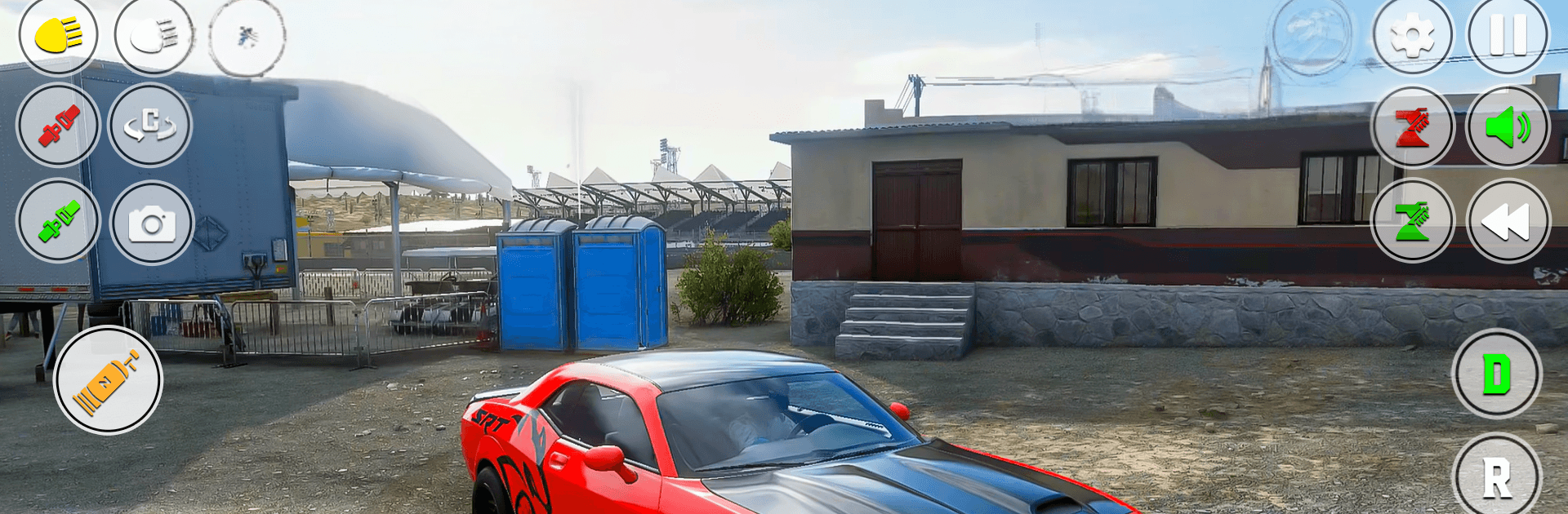
Advance Car Offline Game

Advance Car Offline Game

Strategy

| ShadowByte Games

Play on PC with BlueStacks or from our cloud

  • Overview
  • Game Features
  • How to Play

Page Modified On: April 13, 2026

Play Advance Car Offline Game on PC or Mac

Bring your A-game to Advance Car Offline Game, the Strategy game sensation from ShadowByte Games. Give your gameplay the much-needed boost with precise game controls, high FPS graphics, and top-tier features on your PC or Mac with BlueStacks.

About the Game

Advance Car Offline Game is a relaxed-but-challenging Strategy take on driving where every mission asks you to think a step ahead. One moment you’re learning traffic rules; the next, you’re threading tight parking spots, flying off stunt ramps, or shaking a police tail. It’s built for quick sessions, longer runs, and anyone who likes variety behind the wheel.

Game Features

  • Driving School: Start with clear, beginner-friendly lessons that teach signals, lane discipline, and safe habits so you’re not just fast—you’re precise.
  • Parking Trials: Squeeze through tight spaces, avoid bumps, and finish within limited attempts. It’s all about control and patience.
  • Ramp Stunts: Hit massive ramps, manage speed and balance in midair, and stick the landing without losing your cool.
  • City Races: Face off against tough opponents on urban roads—pick smart lines, time your overtakes, and push for first.
  • Pick-and-Drop Mission: Play the helpful friend—grab your buddy after a breakdown and get him to the office on time, no drama (well, maybe a little).
  • Police Chase: When the sirens light up, use sharp turns and smart speed control to slip away cleanly.
  • Multiple Cars: Choose from a range of rides in the garage and switch to what suits each challenge.
  • Realistic Handling: Smooth, responsive driving that rewards careful steering and throttle finesse.
  • Flexible Controls: Go with a steering wheel, tilt, or tap buttons—whatever feels natural to you.
  • HD Visuals: Crisp scenes, clean roads, and big ramps that make every mission easy on the eyes.
  • Offline-Friendly: Play anytime, anywhere—no connection required. Prefer a larger screen? It also runs nicely on BlueStacks.
  • From ShadowByte Games: A varied mission set that keeps things fresh while staying true to thoughtful Strategy gameplay.

Make your gaming sessions memorable with precise controls that give you an edge in close combats and visuals that pop up, bringing every character to life.


Game Features

Enhancements

  • Macros
  • Multi Instance
  • Multi Instance Sync
  • Eco Mode
  • Enhancements
Macros

Macros

Skip the boring parts of a game. Play Advance Car Offline Game with Macros and get the edge. Simply record a sequence of commands and execute them at any moment.
Multi Instance

Multi Instance

Why limit to one game on your phone when you can play many on your PC? Open multiple instances of Advance Car Offline Game at once with Multi-Instance. Leverage the power of different accounts by doing more.
Multi Instance Sync

Multi Instance Sync

Get the best out of Advance Car Offline Game with Multi-Instance Sync. Play the game from different accounts and build your own empire. Use Multi-instance sync to repeat the action in the main BlueStacks instance on all other instances.
Eco Mode

Eco Mode

Find the rarest heroes by making multiple summons in Advance Car Offline Game. And while you are at it, reduce your PC’s resource consumption with the Eco Mode. Farm efficiently. Get the best results.
Read More

How to Download and Play Advance Car Offline Game on PC or Mac

  • Download and install BlueStacks on your PC or Mac

  • Complete Google sign-in to access the Play Store, or do it later

  • Look for Advance Car Offline Game in the search bar at the top right corner

  • Click to install Advance Car Offline Game from the search results

  • Complete Google sign-in (if you skipped step 2) to install Advance Car Offline Game

  • Click the Advance Car Offline Game icon on the home screen to start playing

video
Watch Video

Minimum System Requirements

With BlueStacks 5, you can get started on a PC that fulfills the following requirements.

  • Operating System

    Microsoft Windows 7 or above, macOS 11 (Big Sur) or above

  • Processor

    Intel, AMD or Apple Silicon Processor

  • RAM

    at least 4GB

  • HDD

    10GB Free Disk Space

Note:

* You must be an Administrator on your PC. Up to date graphics drivers from Microsoft or the chipset vendor.

Advance Car Offline Game - FAQs

  • How to play Advance Car Offline Game on Windows PC & Mac?

    Play Advance Car Offline Game on your PC or Mac by following these simple steps.

    • Click on 'Play Advance Car Offline Game on PC’ to download BlueStacks
    • Install it and log-in to Google Play Store
    • Launch and play the game.
  • Why is BlueStacks the fastest and safest platform to play games on PC?

    BlueStacks respects your privacy and is always safe and secure to use. It does not carry any malware, spyware, or any sort of additional software that could harm your PC.

    It is engineered to optimize speed and performance for a seamless gaming experience.

  • What are Advance Car Offline Game PC requirements?

    Minimum requirement to run Advance Car Offline Game on your PC

    • OS: Microsoft Windows 7 or above MacOS 11 (Big Sur) or above
    • Processor: Intel, AMD or Apple Silicon Processor
    • RAM: Your PC must have at least 4GB of RAM. (Note that having 4GB or more disk space is not a substitute for RAM)
    • HDD: 10GB Free Disk Space.
    • You must be an Administrator on your PC.