Auto Car Dealership Car Game

Auto Car Dealership Car Game

Strategy

| Pragma Studios

Play on PC with BlueStacks or from our cloud

  • Overview
  • Game Features
  • How to Play

Page Modified On: May 25, 2026

Play Auto Car Dealership Car Game on PC or Mac

Play Auto Car Dealership Car Game by Pragma Studios on PC or Mac with BlueStacks. Use a bigger screen, mouse and keyboard controls, and smoother performance while you play.

About the Game

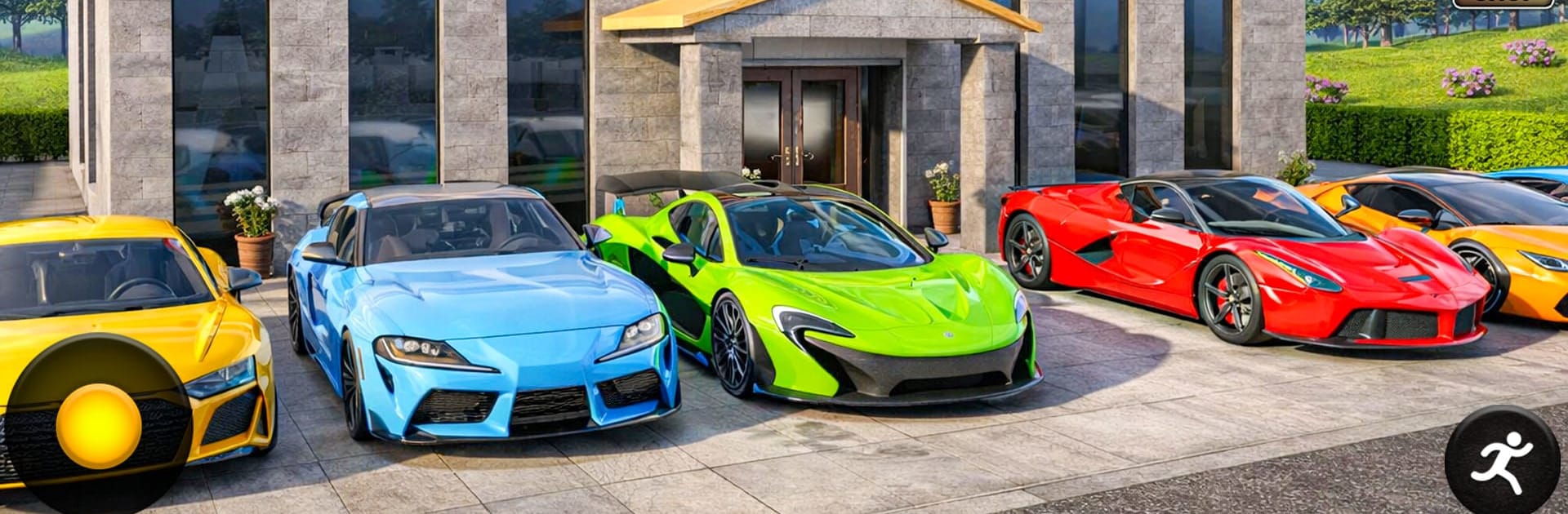
Auto Car Dealership Car Game is all about turning a humble lot into a buzzing showroom, one smart deal at a time. You’ll scout cars, size up their condition, and decide what’s worth bringing onto your floor. It’s a Strategy sim with a satisfying loop: buy low, make the right fixes, sell confidently, and keep growing your dealership. Prefer a bigger display and keyboard control? It runs great on BlueStacks, too.

Game Features

  • Start Small, Think Big: Begin with a modest selection and build your way up, expanding your inventory as your cash flow and reputation grow.
  • Smart Buying & Inspections: Check mileage, condition, and market trends before you commit. Every car is an investment—pick winners and avoid money pits.
  • Test, Tweak, Then Sell: Take cars out for a spin, handle basic touch-ups, and present them at their best to boost resale value.
  • Build Your Showroom: Upgrade your space to showcase different models and make customers take notice. A better floor means better offers.
  • Market Your Listings: Post the right ads, set competitive prices, and time your sales to move vehicles faster without leaving money on the table.
  • Variety of Rides: From everyday commuters to flashy head-turners, manage a diverse lineup to reach different buyers.
  • Achievements to Chase: Hit sales milestones and unlock achievements that reflect your growth from side-hustler to dealership heavyweight.
  • Simple, Satisfying Controls: Easy-to-grasp controls keep the focus on strategy and decision-making, not fiddly menus.
  • Offline Friendly: Play anytime and keep managing your dealership even when you’re not connected.

Ready to top the leaderboard? We bet you do. Let precise controls and sharp visuals optimized on BlueStacks lead you to victory.


Game Features

Enhancements

  • Macros
  • Multi Instance
  • Multi Instance Sync
  • Eco Mode
  • Enhancements
Macros

Macros

Skip the boring parts of a game. Play Auto Car Dealership Car Game with Macros and get the edge. Simply record a sequence of commands and execute them at any moment.
Multi Instance

Multi Instance

Why limit to one game on your phone when you can play many on your PC? Open multiple instances of Auto Car Dealership Car Game at once with Multi-Instance. Leverage the power of different accounts by doing more.
Multi Instance Sync

Multi Instance Sync

Get the best out of Auto Car Dealership Car Game with Multi-Instance Sync. Play the game from different accounts and build your own empire. Use Multi-instance sync to repeat the action in the main BlueStacks instance on all other instances.
Eco Mode

Eco Mode

Find the rarest heroes by making multiple summons in Auto Car Dealership Car Game. And while you are at it, reduce your PC’s resource consumption with the Eco Mode. Farm efficiently. Get the best results.
Read More

How to Download and Play Auto Car Dealership Car Game on PC or Mac

  • Download and install BlueStacks on your PC or Mac

  • Complete Google sign-in to access the Play Store, or do it later

  • Look for Auto Car Dealership Car Game in the search bar at the top right corner

  • Click to install Auto Car Dealership Car Game from the search results

  • Complete Google sign-in (if you skipped step 2) to install Auto Car Dealership Car Game

  • Click the Auto Car Dealership Car Game icon on the home screen to start playing

video
Watch Video

Minimum System Requirements

With BlueStacks 5, you can get started on a PC that fulfills the following requirements.

  • Operating System

    Microsoft Windows 7 or above, macOS 11 (Big Sur) or above

  • Processor

    Intel, AMD or Apple Silicon Processor

  • RAM

    at least 4GB

  • HDD

    10GB Free Disk Space

Note:

* You must be an Administrator on your PC. Up to date graphics drivers from Microsoft or the chipset vendor.

Auto Car Dealership Car Game - FAQs

  • How to play Auto Car Dealership Car Game on Windows PC & Mac?

    Play Auto Car Dealership Car Game on your PC or Mac by following these simple steps.

    • Click on 'Play Auto Car Dealership Car Game on PC’ to download BlueStacks
    • Install it and log-in to Google Play Store
    • Launch and play the game.
  • Why is BlueStacks the fastest and safest platform to play games on PC?

    BlueStacks respects your privacy and is always safe and secure to use. It does not carry any malware, spyware, or any sort of additional software that could harm your PC.

    It is engineered to optimize speed and performance for a seamless gaming experience.

  • What are Auto Car Dealership Car Game PC requirements?

    Minimum requirement to run Auto Car Dealership Car Game on your PC

    • OS: Microsoft Windows 7 or above MacOS 11 (Big Sur) or above
    • Processor: Intel, AMD or Apple Silicon Processor
    • RAM: Your PC must have at least 4GB of RAM. (Note that having 4GB or more disk space is not a substitute for RAM)
    • HDD: 10GB Free Disk Space.
    • You must be an Administrator on your PC.