Bounce Defense : Pinball Hero

Bounce Defense : Pinball Hero

Strategy

| CookApps

Play on PC with BlueStacks or from our cloud

  • Overview
  • Game Features
  • How to Play

Page Modified On: April 24, 2026

Play Bounce Defense : Pinball Hero on PC or Mac

From the innovators and creators at CookApps, Bounce Defense : Pinball Hero is another fun addition to the World of Strategy games. Go beyond your mobile screen and play it bigger and better on your PC or Mac. An immersive experience awaits you.

About the Game

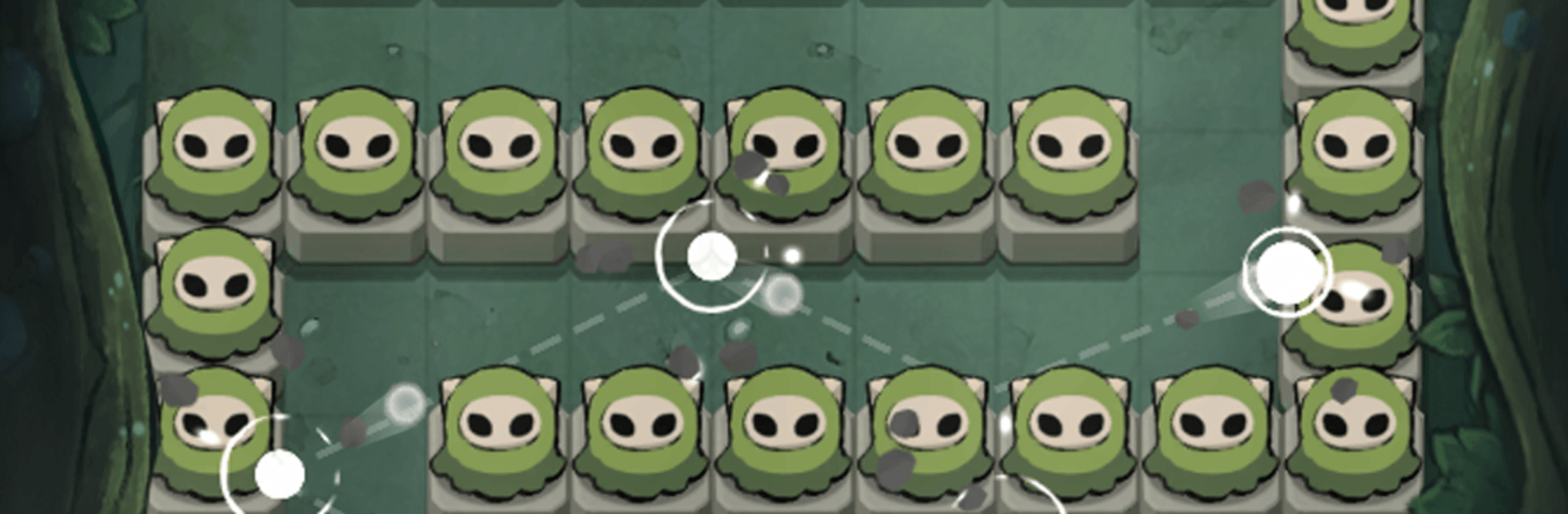
Bounce Defense : Pinball Hero takes classic pinball chaos and turns it into a clever monster defense challenge. You’re flinging balls into swarms, plotting angles, and watching ricochets melt through waves while you tweak builds between rounds. Made by CookApps, it’s a Strategy game that’s quick to pick up and surprisingly deep once the combos kick in.

Game Features

  • Pinball Combat, Strategy Brain: Aim, release, and let physics do the heavy lifting as your shots bounce across the board. Smart angles and bank shots can clear a lane or set up a satisfying chain reaction.

  • Special Balls, Wild Effects: Unlock balls with unique powers that shake up every run. Mix abilities to pierce, burst, or stack helpful effects when things get messy.

  • Roguelite Choices Every Wave: After each round, choose from random skills and buffs—more attack speed, bigger shots, extra effects, and more. Your picks shape your build and how long you last.

  • Merge, Upgrade, Repeat: Combine and improve your arsenal to keep pace with tougher enemies. A steady flow of resources lets you grow your lineup just by playing.

  • Bosses With Bite: Meet oversized threats like the Snowman Tyrant and the Giant Desert Scorpion. Switch tactics, stack the right buffs, and time those clutch shots to push them back.

  • Easy Controls, Snappy Rounds: Drag to aim, lift to fire—simple to learn, but there’s plenty of room for slick plays and satisfying rebounds.

  • Charming, Slightly Mysterious World: Cute visuals and quirky enemies keep the mood light even when the screen fills with chaos.

  • Comfortable Anywhere: Plays great on your phone, and it’s also nice on a bigger screen with BlueStacks if you want more room to plan your angles.

Start your journey now. Download the game on BlueStacks, invite your friends, and march on a new adventure.


Game Features

Enhancements

  • Macros
  • Multi Instance
  • Multi Instance Sync
  • Eco Mode
  • Enhancements
Macros

Macros

Skip the boring parts of a game. Play Bounce Defense : Pinball Hero with Macros and get the edge. Simply record a sequence of commands and execute them at any moment.
Multi Instance

Multi Instance

Why limit to one game on your phone when you can play many on your PC? Open multiple instances of Bounce Defense : Pinball Hero at once with Multi-Instance. Leverage the power of different accounts by doing more.
Multi Instance Sync

Multi Instance Sync

Get the best out of Bounce Defense : Pinball Hero with Multi-Instance Sync. Play the game from different accounts and build your own empire. Use Multi-instance sync to repeat the action in the main BlueStacks instance on all other instances.
Eco Mode

Eco Mode

Find the rarest heroes by making multiple summons in Bounce Defense : Pinball Hero. And while you are at it, reduce your PC’s resource consumption with the Eco Mode. Farm efficiently. Get the best results.
Read More

How to Download and Play Bounce Defense : Pinball Hero on PC or Mac

  • Download and install BlueStacks on your PC or Mac

  • Complete Google sign-in to access the Play Store, or do it later

  • Look for Bounce Defense : Pinball Hero in the search bar at the top right corner

  • Click to install Bounce Defense : Pinball Hero from the search results

  • Complete Google sign-in (if you skipped step 2) to install Bounce Defense : Pinball Hero

  • Click the Bounce Defense : Pinball Hero icon on the home screen to start playing

video
Watch Video

Minimum System Requirements

With BlueStacks 5, you can get started on a PC that fulfills the following requirements.

  • Operating System

    Microsoft Windows 7 or above, macOS 11 (Big Sur) or above

  • Processor

    Intel, AMD or Apple Silicon Processor

  • RAM

    at least 4GB

  • HDD

    10GB Free Disk Space

Note:

* You must be an Administrator on your PC. Up to date graphics drivers from Microsoft or the chipset vendor.

Bounce Defense : Pinball Hero - FAQs

  • How to play Bounce Defense : Pinball Hero on Windows PC & Mac?

    Play Bounce Defense : Pinball Hero on your PC or Mac by following these simple steps.

    • Click on 'Play Bounce Defense : Pinball Hero on PC’ to download BlueStacks
    • Install it and log-in to Google Play Store
    • Launch and play the game.
  • Why is BlueStacks the fastest and safest platform to play games on PC?

    BlueStacks respects your privacy and is always safe and secure to use. It does not carry any malware, spyware, or any sort of additional software that could harm your PC.

    It is engineered to optimize speed and performance for a seamless gaming experience.

  • What are Bounce Defense : Pinball Hero PC requirements?

    Minimum requirement to run Bounce Defense : Pinball Hero on your PC

    • OS: Microsoft Windows 7 or above MacOS 11 (Big Sur) or above
    • Processor: Intel, AMD or Apple Silicon Processor
    • RAM: Your PC must have at least 4GB of RAM. (Note that having 4GB or more disk space is not a substitute for RAM)
    • HDD: 10GB Free Disk Space.
    • You must be an Administrator on your PC.