Car Driving Game Car Racing

Car Driving Game Car Racing

Strategy

| HH ASSOCIATES.

Play on PC with BlueStacks or from our cloud

  • Overview
  • Game Features
  • How to Play

Page Modified On: October 12, 2026

Play Car Driving Game Car Racing on PC or Mac

Car Driving Game Car Racing brings the Strategy genre to life, and throws up exciting challenges for gamers. Developed by HH ASSOCIATES., this Android game is best experienced on BlueStacks, the World’s #1 app player for PC and Mac users.

About the Game

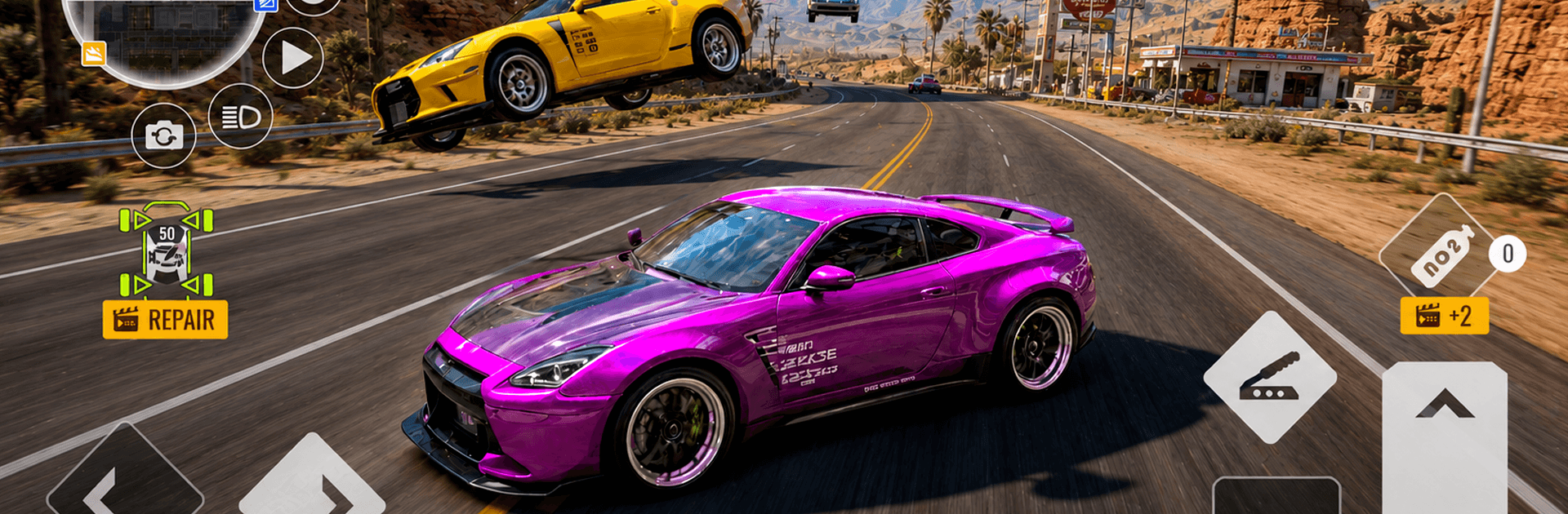
Car Driving Game Car Racing is for drivers who like thinking as much as hitting the gas. Framed as a Strategy experience, it nudges you to plan routes, judge braking points, and read traffic while mastering realistic cars across a living 3D city. Expect tight parking puzzles and full-throttle sprints—and yes, it also plays nicely on BlueStacks.

Game Features

  • Authentic handling: A grounded physics model makes every car feel unique, so throttle control, braking distance, and grip actually matter.
  • Open-city sandbox: Explore a large urban map with avenues, alleyways, and highways—pick your line, find shortcuts, and discover new challenges on your own schedule.
  • Parking that tests nerves: Squeeze into tight spaces and multi-level garages where clean angles and smooth inputs are the difference between “nailed it” and a redo.
  • Career and school modes: Start with driving school missions to learn the ropes, then move into a full career with goals that steadily raise the stakes.
  • Street racing and drift sessions: Chase the checkered flag in city races or rack up points in drift-focused runs built for big angles and throttle finesse.
  • Highway rush hour: Thread through traffic at speed, time lane changes, and manage gaps to keep momentum without turning chaos into carnage.
  • Stunts and precision trials: Tackle ramps, cones, and obstacle courses that reward measured throttle and tidy landings.
  • Camera choices: Swap between cockpit, chase, hood, and other views to match your comfort and driving style.
  • Smooth, customizable controls: Dial in steering sensitivity and layout options so inputs feel crisp and predictable.
  • Free drive mode: Cruise without timers or objectives—perfect for practicing lines, testing cars, or just unwinding around the city.
  • Garage of modern rides: Build a collection that ranges from nimble city cars to powerful cruisers, with tweaks to suit racing, drifting, or parking tasks.
  • Sharp sights and sounds: Clean 3D visuals and punchy engine audio make every tunnel, boulevard, and burnout feel satisfying.
  • Optimized and offline: Runs efficiently and supports offline play, so it’s easy to jump in for a quick session or a long haul.

Start your journey now. Download the game on BlueStacks, invite your friends, and march on a new adventure.


Game Features

Enhancements

  • Macros
  • Multi Instance
  • Multi Instance Sync
  • Eco Mode
  • Enhancements
Macros

Macros

Skip the boring parts of a game. Play Car Driving Game Car Racing with Macros and get the edge. Simply record a sequence of commands and execute them at any moment.
Multi Instance

Multi Instance

Why limit to one game on your phone when you can play many on your PC? Open multiple instances of Car Driving Game Car Racing at once with Multi-Instance. Leverage the power of different accounts by doing more.
Multi Instance Sync

Multi Instance Sync

Get the best out of Car Driving Game Car Racing with Multi-Instance Sync. Play the game from different accounts and build your own empire. Use Multi-instance sync to repeat the action in the main BlueStacks instance on all other instances.
Eco Mode

Eco Mode

Find the rarest heroes by making multiple summons in Car Driving Game Car Racing. And while you are at it, reduce your PC’s resource consumption with the Eco Mode. Farm efficiently. Get the best results.
Read More

How to Download and Play Car Driving Game Car Racing on PC or Mac

  • Download and install BlueStacks on your PC or Mac

  • Complete Google sign-in to access the Play Store, or do it later

  • Look for Car Driving Game Car Racing in the search bar at the top right corner

  • Click to install Car Driving Game Car Racing from the search results

  • Complete Google sign-in (if you skipped step 2) to install Car Driving Game Car Racing

  • Click the Car Driving Game Car Racing icon on the home screen to start playing

video
Watch Video

Minimum System Requirements

With BlueStacks 5, you can get started on a PC that fulfills the following requirements.

  • Operating System

    Microsoft Windows 7 or above, macOS 11 (Big Sur) or above

  • Processor

    Intel, AMD or Apple Silicon Processor

  • RAM

    at least 4GB

  • HDD

    10GB Free Disk Space

Note:

* You must be an Administrator on your PC. Up to date graphics drivers from Microsoft or the chipset vendor.

Car Driving Game Car Racing - FAQs

  • How to play Car Driving Game Car Racing on Windows PC & Mac?

    Play Car Driving Game Car Racing on your PC or Mac by following these simple steps.

    • Click on 'Play Car Driving Game Car Racing on PC’ to download BlueStacks
    • Install it and log-in to Google Play Store
    • Launch and play the game.
  • Why is BlueStacks the fastest and safest platform to play games on PC?

    BlueStacks respects your privacy and is always safe and secure to use. It does not carry any malware, spyware, or any sort of additional software that could harm your PC.

    It is engineered to optimize speed and performance for a seamless gaming experience.

  • What are Car Driving Game Car Racing PC requirements?

    Minimum requirement to run Car Driving Game Car Racing on your PC

    • OS: Microsoft Windows 7 or above MacOS 11 (Big Sur) or above
    • Processor: Intel, AMD or Apple Silicon Processor
    • RAM: Your PC must have at least 4GB of RAM. (Note that having 4GB or more disk space is not a substitute for RAM)
    • HDD: 10GB Free Disk Space.
    • You must be an Administrator on your PC.