City Taxi Game: Taxi driving

City Taxi Game: Taxi driving

Strategy

| Storm Gamers

Play on PC with BlueStacks or from our cloud

  • Overview
  • Game Features
  • How to Play

Page Modified On: April 13, 2026

Play City Taxi Game: Taxi driving on PC or Mac

Join millions to experience City Taxi Game: Taxi driving, an exciting Strategy game from Storm Gamers. With BlueStacks App Player, you are always a step ahead of your opponent, ready to outplay them with faster gameplay and better control with the mouse and keyboard on your PC or Mac.

About the Game

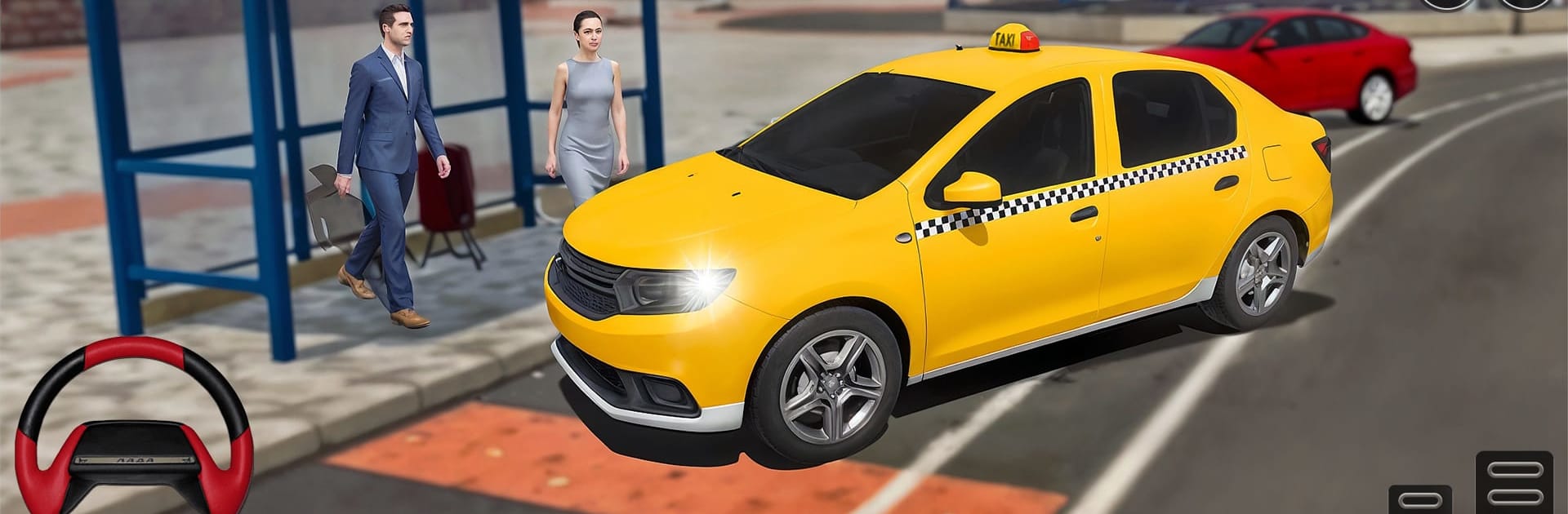
City Taxi Game: Taxi driving hands you the keys and asks you to think fast, drive smart, and keep passengers happy. Built by Storm Gamers in the Strategy genre, it rewards sharp route choices, timing, and clean driving just as much as raw speed. Expect tight streets, surprise detours, and riders who need you there yesterday.

Game Features

  • Pickups and Drop-offs: Spot fares on crowded blocks, pull over smoothly, and deliver them safely without dings or drama.

  • Strategy at the Wheel: Choose lanes, pick shortcuts, and decide when to ease off or push through traffic to hit deadlines.

  • Real-World Rules Matter: Signals, speed, and right-of-way aren’t just for show—good habits lead to safer, more efficient runs.

  • City to Backcountry: Master gridlocked downtown avenues, then take on winding hills, dirt stretches, and narrow mountain passes.

  • Tight, Tense Missions: Each job mixes new challenges—rush-hour jams, hairpin turns, and tricky time windows that keep you on your toes.

  • Controls Your Way: Drive with tilt, a virtual wheel, or on-screen buttons. Dial in what feels best for you.

  • See More, Drive Better: Swap between cockpit, hood, and chase cameras to read traffic or enjoy the scenery.

  • Earn as You Go: Complete objectives, collect fares, and build momentum as missions ramp up in difficulty.

  • Looks Great on BlueStacks: Prefer a larger screen and comfy desktop play? It runs smoothly on BlueStacks without getting in your way.

Slay your opponents with your epic moves. Play it your way on BlueStacks and dominate the battlefield.


Game Features

Enhancements

  • Macros
  • Multi Instance
  • Multi Instance Sync
  • Eco Mode
  • Enhancements
Macros

Macros

Skip the boring parts of a game. Play City Taxi Game: Taxi driving with Macros and get the edge. Simply record a sequence of commands and execute them at any moment.
Multi Instance

Multi Instance

Why limit to one game on your phone when you can play many on your PC? Open multiple instances of City Taxi Game: Taxi driving at once with Multi-Instance. Leverage the power of different accounts by doing more.
Multi Instance Sync

Multi Instance Sync

Get the best out of City Taxi Game: Taxi driving with Multi-Instance Sync. Play the game from different accounts and build your own empire. Use Multi-instance sync to repeat the action in the main BlueStacks instance on all other instances.
Eco Mode

Eco Mode

Find the rarest heroes by making multiple summons in City Taxi Game: Taxi driving. And while you are at it, reduce your PC’s resource consumption with the Eco Mode. Farm efficiently. Get the best results.
Read More

How to Download and Play City Taxi Game: Taxi driving on PC or Mac

  • Download and install BlueStacks on your PC or Mac

  • Complete Google sign-in to access the Play Store, or do it later

  • Look for City Taxi Game: Taxi driving in the search bar at the top right corner

  • Click to install City Taxi Game: Taxi driving from the search results

  • Complete Google sign-in (if you skipped step 2) to install City Taxi Game: Taxi driving

  • Click the City Taxi Game: Taxi driving icon on the home screen to start playing

video
Watch Video

Minimum System Requirements

With BlueStacks 5, you can get started on a PC that fulfills the following requirements.

  • Operating System

    Microsoft Windows 7 or above, macOS 11 (Big Sur) or above

  • Processor

    Intel, AMD or Apple Silicon Processor

  • RAM

    at least 4GB

  • HDD

    10GB Free Disk Space

Note:

* You must be an Administrator on your PC. Up to date graphics drivers from Microsoft or the chipset vendor.

City Taxi Game: Taxi driving - FAQs

  • How to play City Taxi Game: Taxi driving on Windows PC & Mac?

    Play City Taxi Game: Taxi driving on your PC or Mac by following these simple steps.

    • Click on 'Play City Taxi Game: Taxi driving on PC’ to download BlueStacks
    • Install it and log-in to Google Play Store
    • Launch and play the game.
  • Why is BlueStacks the fastest and safest platform to play games on PC?

    BlueStacks respects your privacy and is always safe and secure to use. It does not carry any malware, spyware, or any sort of additional software that could harm your PC.

    It is engineered to optimize speed and performance for a seamless gaming experience.

  • What are City Taxi Game: Taxi driving PC requirements?

    Minimum requirement to run City Taxi Game: Taxi driving on your PC

    • OS: Microsoft Windows 7 or above MacOS 11 (Big Sur) or above
    • Processor: Intel, AMD or Apple Silicon Processor
    • RAM: Your PC must have at least 4GB of RAM. (Note that having 4GB or more disk space is not a substitute for RAM)
    • HDD: 10GB Free Disk Space.
    • You must be an Administrator on your PC.