City Tuk Tuk Rickshaw Game 3D

City Tuk Tuk Rickshaw Game 3D

Strategy

| NextGen Games 2022

Play on PC with BlueStacks or from our cloud

  • Overview
  • Game Features
  • How to Play

Page Modified On: August 15, 2026

Play City Tuk Tuk Rickshaw Game 3D on PC or Mac

Explore a whole new adventure with City Tuk Tuk Rickshaw Game 3D, a Strategy game created by NextGen Games 2022. Experience great gameplay with BlueStacks, the most popular gaming platform to play Android games on your PC or Mac.

About the Game

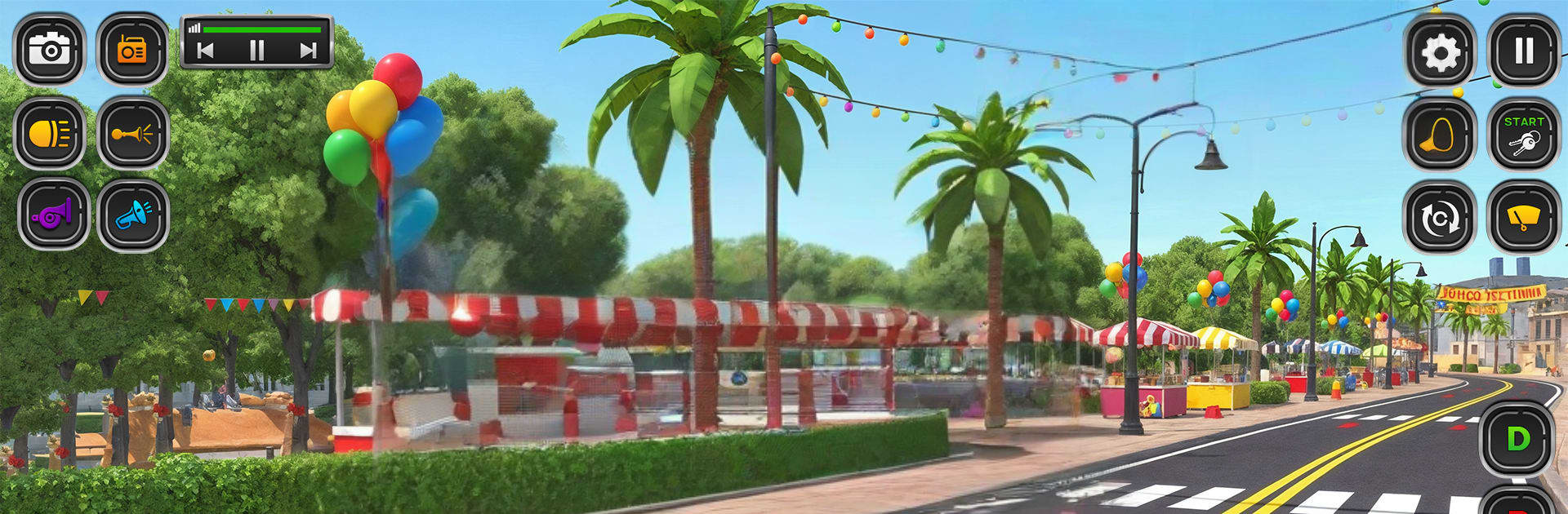
City Tuk Tuk Rickshaw Game 3D is a Strategy take on city transport where planning your turns, choosing smart lines, and timing stops really matters. You’re behind the wheel of a colorful tuk tuk, picking up riders and slipping through tight streets while keeping your driving clean and efficient. It’s simple to jump into and feels great on a larger screen with BlueStacks if you want more room to steer.

Game Features

  • Focused single mode: Tackle a compact set of five handcrafted levels that get trickier as you go, with tighter lanes and more complex routes.
  • Passenger pickups and drop‑offs: Stop smoothly, pick up your riders, and deliver them to the next spot without bumps or missed turns.
  • Realistic driving feel: Light chassis, quick acceleration, and responsive braking give the tuk tuk a believable personality on the road.
  • Smooth, precise controls: Thread the needle through narrow alleys and sharp corners with steering that reacts the moment you do.
  • Clean 3D city streets: Easy-to-read roads, curbs, and intersections keep your focus on driving well instead of fighting the camera.
  • Short, satisfying runs: Levels are built for quick sessions—perfect for practicing cleaner lines or shaving mistakes off your route.
  • Learnable routes: Each stage teaches new patterns and angles, rewarding careful observation and steady hands.
  • Gentle learning curve: Get comfortable fast, then push for neater turns and smarter approaches as challenges ramp up.

Start playing City Tuk Tuk Rickshaw Game 3D on BlueStacks and get a smoother, more comfortable PC or Mac setup.


Game Features

Enhancements

  • Macros
  • Multi Instance
  • Multi Instance Sync
  • Eco Mode
  • Enhancements
Macros

Macros

Skip the boring parts of a game. Play City Tuk Tuk Rickshaw Game 3D with Macros and get the edge. Simply record a sequence of commands and execute them at any moment.
Multi Instance

Multi Instance

Why limit to one game on your phone when you can play many on your PC? Open multiple instances of City Tuk Tuk Rickshaw Game 3D at once with Multi-Instance. Leverage the power of different accounts by doing more.
Multi Instance Sync

Multi Instance Sync

Get the best out of City Tuk Tuk Rickshaw Game 3D with Multi-Instance Sync. Play the game from different accounts and build your own empire. Use Multi-instance sync to repeat the action in the main BlueStacks instance on all other instances.
Eco Mode

Eco Mode

Find the rarest heroes by making multiple summons in City Tuk Tuk Rickshaw Game 3D. And while you are at it, reduce your PC’s resource consumption with the Eco Mode. Farm efficiently. Get the best results.
Read More

How to Download and Play City Tuk Tuk Rickshaw Game 3D on PC or Mac

  • Download and install BlueStacks on your PC or Mac

  • Complete Google sign-in to access the Play Store, or do it later

  • Look for City Tuk Tuk Rickshaw Game 3D in the search bar at the top right corner

  • Click to install City Tuk Tuk Rickshaw Game 3D from the search results

  • Complete Google sign-in (if you skipped step 2) to install City Tuk Tuk Rickshaw Game 3D

  • Click the City Tuk Tuk Rickshaw Game 3D icon on the home screen to start playing

video
Watch Video

Minimum System Requirements

With BlueStacks 5, you can get started on a PC that fulfills the following requirements.

  • Operating System

    Microsoft Windows 7 or above, macOS 11 (Big Sur) or above

  • Processor

    Intel, AMD or Apple Silicon Processor

  • RAM

    at least 4GB

  • HDD

    10GB Free Disk Space

Note:

* You must be an Administrator on your PC. Up to date graphics drivers from Microsoft or the chipset vendor.

City Tuk Tuk Rickshaw Game 3D - FAQs

  • How to play City Tuk Tuk Rickshaw Game 3D on Windows PC & Mac?

    Play City Tuk Tuk Rickshaw Game 3D on your PC or Mac by following these simple steps.

    • Click on 'Play City Tuk Tuk Rickshaw Game 3D on PC’ to download BlueStacks
    • Install it and log-in to Google Play Store
    • Launch and play the game.
  • Why is BlueStacks the fastest and safest platform to play games on PC?

    BlueStacks respects your privacy and is always safe and secure to use. It does not carry any malware, spyware, or any sort of additional software that could harm your PC.

    It is engineered to optimize speed and performance for a seamless gaming experience.

  • What are City Tuk Tuk Rickshaw Game 3D PC requirements?

    Minimum requirement to run City Tuk Tuk Rickshaw Game 3D on your PC

    • OS: Microsoft Windows 7 or above MacOS 11 (Big Sur) or above
    • Processor: Intel, AMD or Apple Silicon Processor
    • RAM: Your PC must have at least 4GB of RAM. (Note that having 4GB or more disk space is not a substitute for RAM)
    • HDD: 10GB Free Disk Space.
    • You must be an Administrator on your PC.